How to drive SW_CTRL0 low with CONFIG_NRF700X_RADIO_TEST_COMBO for Bluetooth radio (v2.6.1)

Hello,

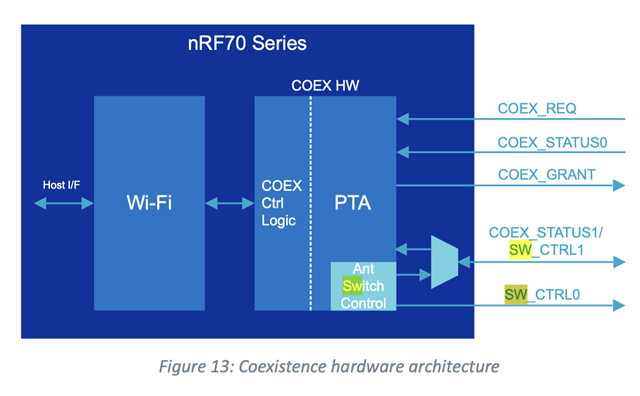
When we try to run the standard radio tests for bluetooth, we get really low power compared to what is expected (difference of about 32db). Turns out SW_CTRL0 was driving high by default even though there is no WiFi connection and we are not operating Wifi tests simultaneously (although CONFIG_NRF700X_RADIO_TEST is enabled). 

From the nRF7002 v1.2 spec, page 23 has a note saying:

The behavior of SW_CTRL0/1 is programmable and dependent on the configured coexistence mode and switch control interface.

In that case, how can we switch SW_CTRL0 to low for the bluetooth tests?
Parents
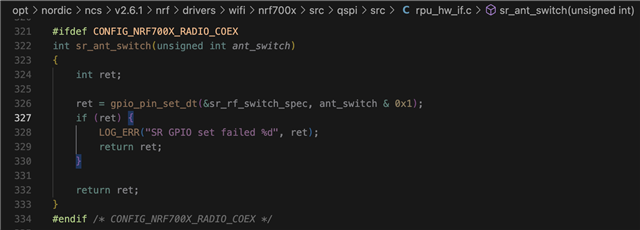
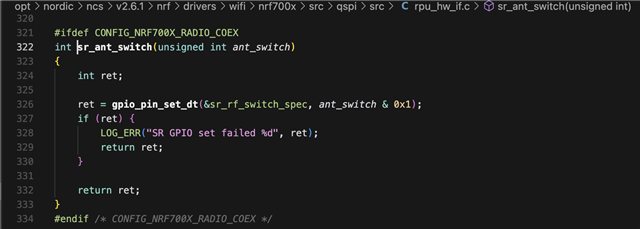
  • I see there is this method but it requires CONFIG_NRF700X_RADIO_COEX=y. It looks like I can't enable it directly. 

    Looks like I need to define nrf_radio-coex in device tree. Do I need to use nrf-gpio-forwarder to forward pins?

    nrf_radio_coex: nrf7002-coex {
        status = "okay";
        compatible = "nordic,nrf700x-coex";
        req-gpios = <&gpio0 28 GPIO_ACTIVE_HIGH>;
        status0-gpios = <&gpio0 30 GPIO_ACTIVE_HIGH>;
        grant-gpios = <&gpio0 24 (GPIO_PULL_DOWN | GPIO_ACTIVE_LOW)>;
        swctrl1-gpios = <&gpio0 29 GPIO_ACTIVE_HIGH>;
        btrf-switch-gpios = <&gpio1 10 GPIO_ACTIVE_HIGH>;
    };
Reply
  • I see there is this method but it requires CONFIG_NRF700X_RADIO_COEX=y. It looks like I can't enable it directly. 

    Looks like I need to define nrf_radio-coex in device tree. Do I need to use nrf-gpio-forwarder to forward pins?

    nrf_radio_coex: nrf7002-coex {
        status = "okay";
        compatible = "nordic,nrf700x-coex";
        req-gpios = <&gpio0 28 GPIO_ACTIVE_HIGH>;
        status0-gpios = <&gpio0 30 GPIO_ACTIVE_HIGH>;
        grant-gpios = <&gpio0 24 (GPIO_PULL_DOWN | GPIO_ACTIVE_LOW)>;
        swctrl1-gpios = <&gpio0 29 GPIO_ACTIVE_HIGH>;
        btrf-switch-gpios = <&gpio1 10 GPIO_ACTIVE_HIGH>;
    };
Children
Related