New board extensions not supported by VSCode nRF extension?

Hello

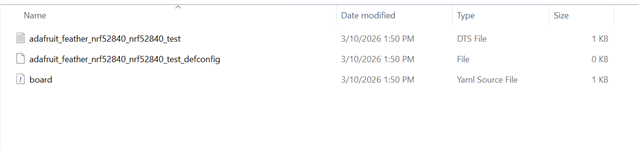
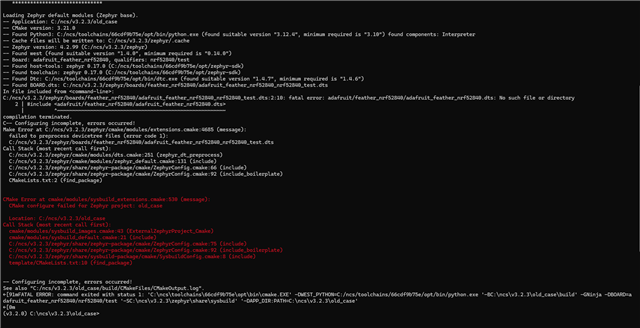
When following the guidline of a new way to extend boards, VSCode "Add Build Configuration" is blank. Am I doing something wrong or this is not yet supported by nRF VSCode extension?

Attached is a sample project with the following "board.yaml":

board:
  extend: nrf52840dk
  variants:
    - name: test
      qualifier: nrf52840

extended_board_test.zip

Parents Reply
  • Hello,

    I have done some more testing now. With your files, "Add Build Configuration" is stuck in the "Loading boards" stage, but if I create a fresh directory with the same content as your files, the extension behaves as expected. I don't know what is going on here, but I recommend that you don't use the files shared in the zip, and recreate the board extension in a fresh directory. 

    I have uploaded the board extension files which worked for me. For transparency's sake: I made some minor changes to the files during my debugging process. The affected files are nrf9160dk_nrf9160_ns_overseer.yaml and nrf9160dk_nrf9160_ns_overseer.dts. In the .yaml I replaced a space with a dash in the name, and in the .dts I included the .dtsi for the board revision directly instead of through the .overlay.

    nrf9160dk_overseer.zip

    Best regards,

    Maria

Children
Related