nRF9151DK Loading Boards Issue in VSC

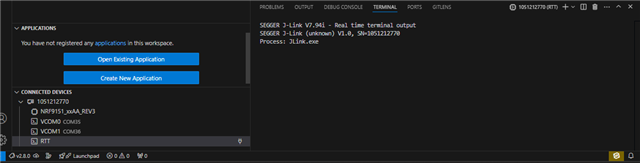
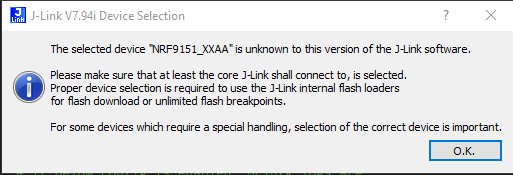
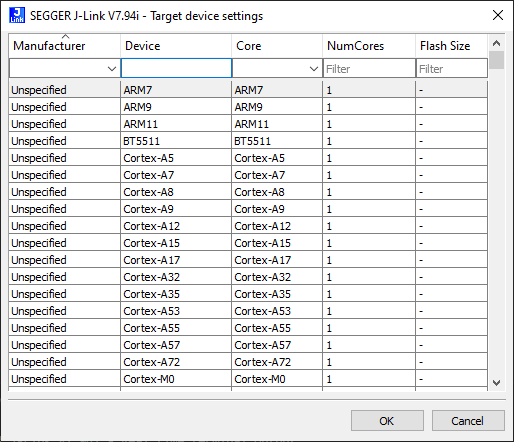
Trying to work with the nRF9151DK and having lots of issues flashing, seeing RTT output and just connecting in general.  Most of the time several sections of Visual Studio Code just show as spinning until the nRF9151DK is powered off. When trying to view RTT output, it says the board isn't recognized and asks me to select from a list of boards and only selecting the nRF9160 shows output. The J-Link version is V7.94i VSC is up to date as are the Nordic extensions.

Any ideas on how to get this working correctly?

Settings sync is suspended temporarily because the current devices is making too many requests. Please restart VSC to resume.
Parents Reply
  • Hello, thanks for your patience with this. 

    There seems to be an issue with nrfutil device, where it uses the wrong name for the nRF9151. This will be fixed in a future version. 

    Our team presented two possible workarounds for this, depending on the J-Link DLL version used:

    • If version v7.94m or newer is used, the nRF9151_xxCA can be selected manually in the device selection screen.
    • For older versions of the J-Link DLL, selecting CORTEX-M33 or one of the other nRF91xx devices should work, the correct device selection is more relevant for flashing, for RTT it should be fine with a slightly wrong one as well.

    Hope this helps while waiting for the fix.

    Kind regards,
    Øyvind

Children
No Data
Related