Hi.
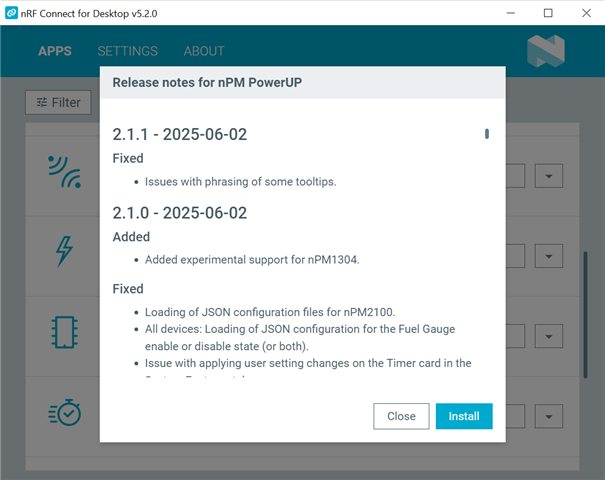
When installing applications via nRF Connect for Desktop, I get this error -->

What could be the cause and how to fix it?
Thank you.
Hi.
When installing applications via nRF Connect for Desktop, I get this error -->

What could be the cause and how to fix it?
Thank you.
Hi,
Are you still seeing this issue? Have you tried different networks in case this is a problem with your firewall?
Kind regards,
Håkon
Hi,
Are you still seeing this issue? Have you tried different networks in case this is a problem with your firewall?
Kind regards,
Håkon
Hi Hakon!
Yeah, it's still a problem.
But I noticed that I can install applications that I didn't have (I was able to install Cellular Monitor), but still can't install applications that were previously installed on my PC. So it's not a problem with the network.
Perhaps I need to delete files from previous versions of the program?
At the moment I want to install nPM PowerUP, but I don't know in which folder the files related to previous versions of the program are located.
Maybe you know how I can fix it?
Hi,
You can uninstall by clicking the arrow to the left of "Open", then re-install the nPM PowerUp.
Are you able to access https://files.nordicsemi.com/ui/api/v1/download?isNativeBrowsing=false&repoKey=swtools&path=external/ncd/apps/official/pc-nrfconnect-npm-2.1.1.tgz from a PC? I tried several options and was not able to reproduce this scenario at my end.
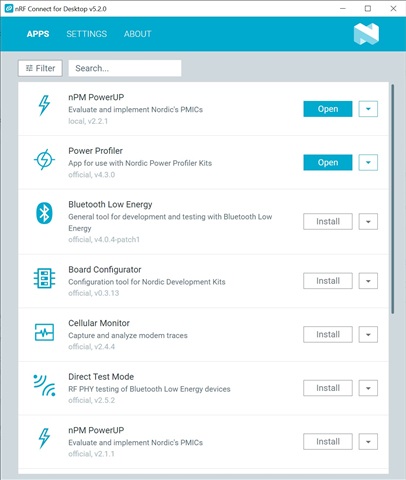
PS: the latest version of npm power up is v2.2.1, so it is a bit strange that it tries to install v2.1.1 at your end.
Kind regards,
Håkon
Hi Hakon!
I was never able to install nPM PowerUP((
And yes, there is no version 2.2.1 available. There is only v.2.1.1.

I downloaded the archive from your link, but I don't know which file to run. Can you explain it?
Is there any way to install nPM PowerUP directly rather than through nRF Connect?
Thanks.
Hi,
The local storage of the nrf connect for desktop lies here:
https://nordicsemiconductor.github.io/pc-nrfconnect-docs/configuration#file-system-location
You can download the latest v2.2.1 version here:
Then you can go to %USERPROFILE%\.nrfconnect-apps\local folder and extract the content to the folder.
By default, it will hold "package" directory, which you can rename to "pc-nrfconnect-npm", ie.
%USERPROFILE%\.nrfconnect-apps\local\pc-nrfconnect-npm
When reloading the application (CTRL+R), it should now detect this locally installed version.
Could you try this?
Kind regards,
Håkon
Hi Hakon!
Yes, it worked! Thank you very much!

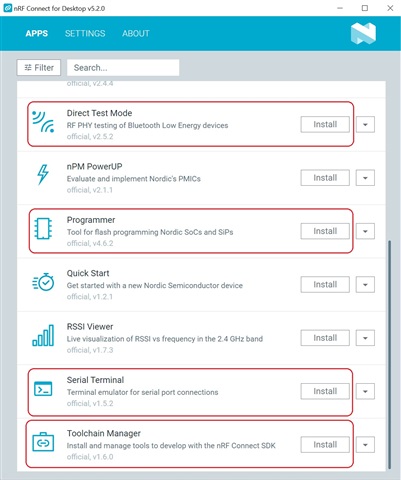
Please tell me where I can download the rest of the programs (I am particularly interested in the programs highlighted in red)?

Thanks again! You've been a great help!