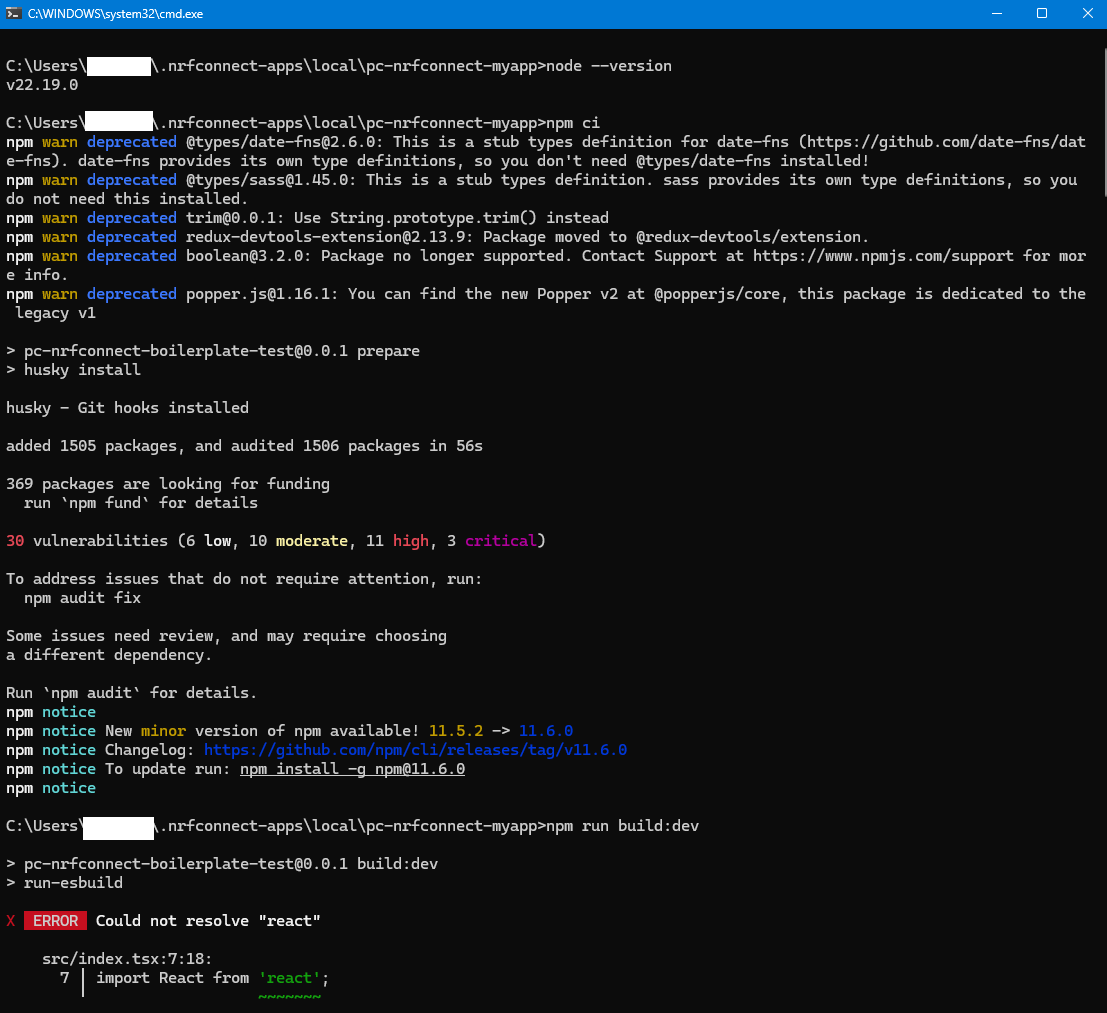
Problem when creating a new app for nRF Connect for Desktop

I followed the instructions at https://nordicsemiconductor.github.io/pc-nrfconnect-docs/create_new_app to create a new pc-nrfconnect-boilerplate app locally.
However, npm run build:dev always failed after npm ci with the error “Could not resolve ‘react’”.
After I re-installed Node.js and moved the app to another folder, the build succeeded.

It appears that the project cannot be built when it resides in ~/.nrfconnect-apps/local, at least on my system (Windows 11 + Node.js v24.5.0).
Could you please verify this limitation and update the documentation so that future users avoid this pitfall?
Thanks!
Parents
  • Hi Glaze, and sorry about the wait. My coworker here is currently OOO, so I'll take over this case.

    for nRF Connect for desktop to see the application is must be in ~/.nrfconnect-apps/local, and npm ci and npm run build:dev must be done in the cloned folder so ~/.nrfconnect-apps/local/<app>

    Could you try using node 22? That is what we are using in our workflows.

    Regards,

    Elfving

Reply
  • Hi Glaze, and sorry about the wait. My coworker here is currently OOO, so I'll take over this case.

    for nRF Connect for desktop to see the application is must be in ~/.nrfconnect-apps/local, and npm ci and npm run build:dev must be done in the cloned folder so ~/.nrfconnect-apps/local/<app>

    Could you try using node 22? That is what we are using in our workflows.

    Regards,

    Elfving

Children
Related