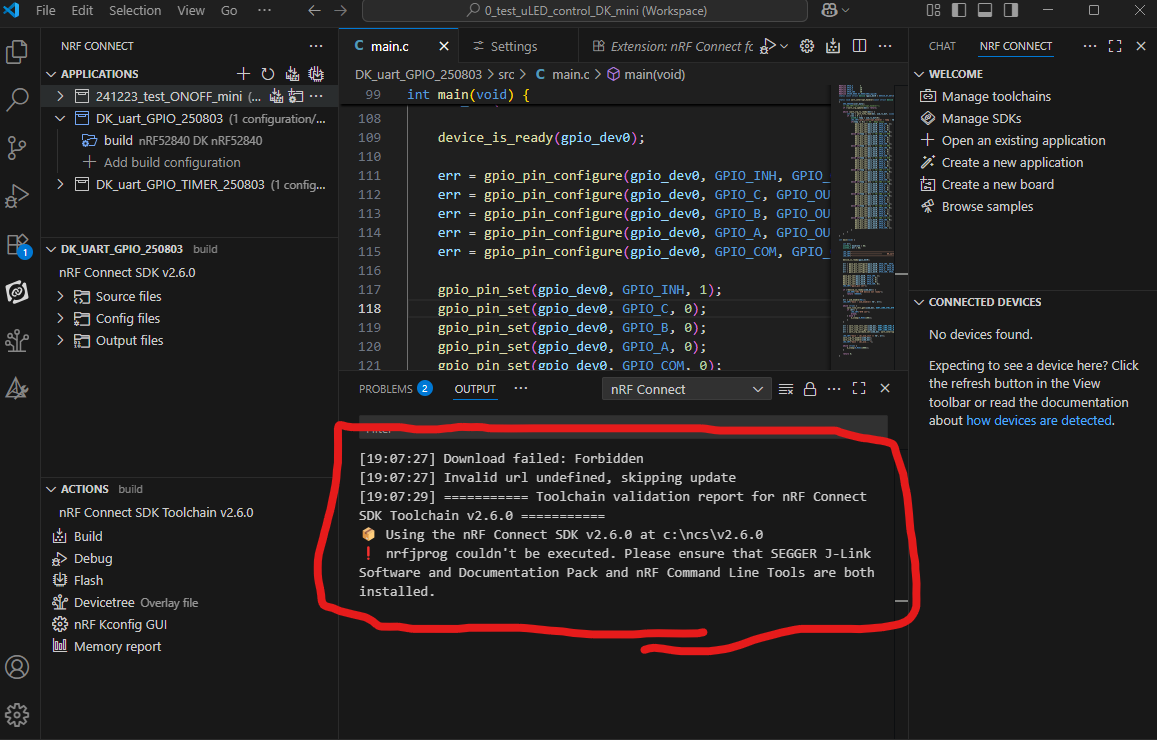
Toolchain & nRF Connect SDK version (v3.0.2 vs. v2.6.0)

platform": {
"os": "win32",
"osVersion": "Windows 11 Pro",
"osKernel": "10.0.22631",
"vscode": "1.102.3",
"electron": "35.6.0",
"node": "v22.15.1"
}

I followed the steps below to set up my development environment, based on the instructions from link

Setup 1
1. Installed SEGGER J-Link v8.56a
  Path: C:\Program Files\SEGGER\JLink_v856a

2. Installed nrfutil and nrfutil device
  Path: C:\ncs

2. Ran the following commands in CMD: nrfutil self-upgrade, nrfutil install device, nrfutil device --version   

3. Installed VS Code
  Path: C:\Users\rsef4\AppData\Local\Programs\Microsoft VS Code

4. Installed Toolchain v3.0.2

5. Installed nRF Connect SDK v3.0.2

  • Setup Details:
    • J-Link: v8.56a
    • nrfutil: 2.12.6 → nrfutil-device 2.8.8, nrfutil-sdk-manager 1.3.0
  • VS Code Extensions:
    • nordic-semiconductor.nrf-connect version: 2025.5.152
    • nordic-semiconductor.nrf-terminal version: 2024.9.14
    • nordic-semiconductor.nrf-devicetree version: 2025.4.22
    • nordic-semiconductor.nrf-kconfig version: 2025.4.26
  • Toolchain: v3.0.2
  • nRF Connect SDK: v3.0.2

setup 2

  • Toolchain: v2.6.0
  • nRF Connect SDK: v2.6.0


I would like to use Setup 2, but I'm seeing a warning message recommending the installation of the nRF Command Line Tools.

If I install the nRF Command Line Tools as suggested, will it conflict with my current Setup 1? I'm unsure and would like to confirm before proceeding.

Thank you.

Parents
  • Hello,

    In fact, for NCS < v3.0.0, you need nRF Command Line Tools installed in order to flash devices. It will not interfere with the current setup 1. 

    But what can interfere with your current setup 1 is if you install the old version of nrfutil. But there is no need to do so. The old functionality of nrfutil is baked into the new one, if you run "nrfutil install nrf5sdk-tools" (for use with the nRF5 SDK bootloader). 

    But you can safely install nRF Command Line Tools. Also, make sure that it is in path on your computer, so that it can be used from any command line.

    Best regards,

    Edvin

Reply
  • Hello,

    In fact, for NCS < v3.0.0, you need nRF Command Line Tools installed in order to flash devices. It will not interfere with the current setup 1. 

    But what can interfere with your current setup 1 is if you install the old version of nrfutil. But there is no need to do so. The old functionality of nrfutil is baked into the new one, if you run "nrfutil install nrf5sdk-tools" (for use with the nRF5 SDK bootloader). 

    But you can safely install nRF Command Line Tools. Also, make sure that it is in path on your computer, so that it can be used from any command line.

    Best regards,

    Edvin

Children
No Data
Related