To preface:
- Board: nRF52840DK
- OS: Windows 11
- nRF Connect SDK / Toolchain: 2.9.0
- VS Code Extensions:
- nRF Connect for VS Code: v2025.5.152
- nRF Connect for VS Code Extension: v2025.4.4
Hello,
I apologize in advance for the length of this post, but all issues are potentially directly related.
This post is essentially a direct follow up the to the following resolved post:
Saving build configuration in a sysbuild project
For the solution in the ticket linked above, CMakePresets.json support was added for sysbuild projects in "nRF Connect for VS Code" extension v2025.4.186. This feature works so long as you have only 1 non-custom board and don't change the "Build directory name" as I have recently discovered as detailed below.
I am now learning how to create custom boards and associated build configuration presets for each board. In doing so, I have found a number of issues that make creating build configuration presets problematic and difficult to use. Perhaps I am doing something wrong (TBD).
Issue 1: When loading a build configuration preset for a non-custom board, the "Build directory name" always populates as "build" regardless of what the "binaryDir" field in the CMakePresets.json file is set to.
This is more of an annoyance / point of confusion because the build directory generated actually matches "binaryDir".
Example: zephyr/samples/basic/blinky
Steps to reproduce:
1. Open VS Code -> Create a new application -> Copy a sample -> Select 2.9.0 -> Blinky Sample (zephyr/samples/basic/blinky)
2. Select "Add build configuration" and set the following:
- SDK: nRF Connect SDK v2.9.0
- Toolchain: nRF Connect SDK Toolchain v2.9.0
- Board Target: nRF52840dk/nRF52840
- Build directory name: build_52840
Leave the rest of the fields as default.
3. Select "Generate and Build" and wait for the project build to complete.
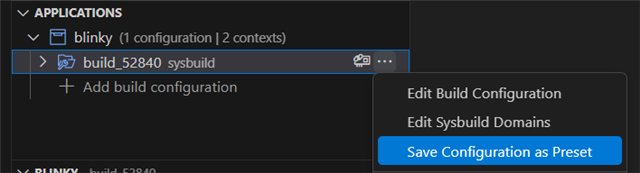
4. Click on the three dots to the right of the "build_52840" build configuration just created and select "Save Configuration as Preset".
5. Confirm that CMakePresets.json was created and note the "binaryDir" name with the same file.

6. Click on the three dots to the right of the "build_52840" build configuration just created and select "Remove Build Configuration". Select "Remove" on the dialog window that appears to confirm.
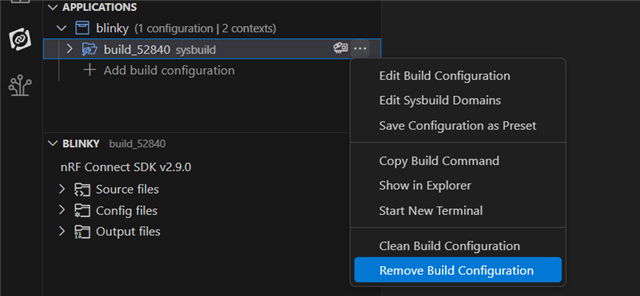
7. Select "Add build configuration" and set the following:
- Cmake Preset: Build for nRF52840 DK nRF52840 (build_52840)
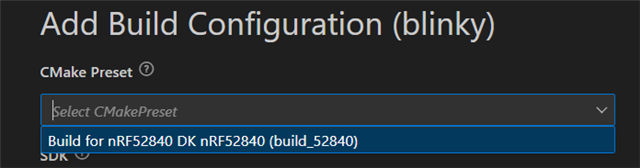
Leave the rest of the fields as default.
8. Scroll down in the build configuration screen and observe that the "Build Directory name" field contains "build" instead of the expected "build_nrf52840".
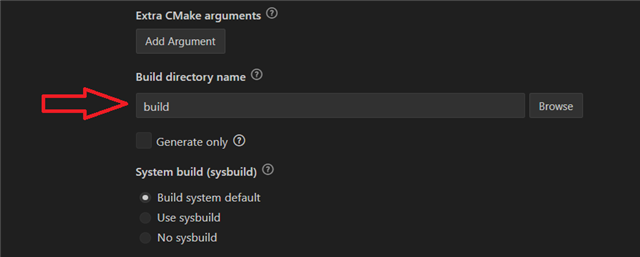
Issue 2: The custom board build configuration preset selection lists the human readable name as "nRF52840 DK" instead of my custom board.
This is another annoyance / point of confusion.
Steps to reproduce:
1. Open VS Code -> Create a new application -> Copy a sample -> Select 2.9.0 -> Blinky Sample (zephyr/samples/basic/blinky)
2. Follow the DevAcademy exercise, step 2, linked below to create a custom board by copying the folder '\zephyr\boards\nordic\nrf52840dk' to the directory '\boards\custom' within the blinky application. Per step 5 in the exercise, rename the copied folder to "my_board". Don't create a boards directory on your root directory as the exercise linked below states. Use only the '\boards' folder within the blinky application.
Your boards directory should be: blinky\boards\custom\my_board
3. Follow the remainder of step 5 in the DevAcademy exercise linked above to update all file names and references to match the new board name "my_board" (Human readable name of "My Board") respectively.
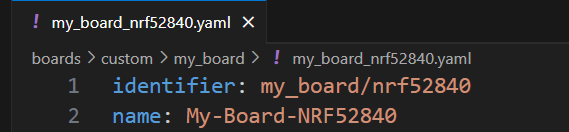
4. In VS code, navigate to File -> Close Folder, then close VS Code. Reopen VS code and open the 'blinky' application we have been working on. This step makes sure we are on the same page after completing step 3 above. At this point, your board folder should look like this:
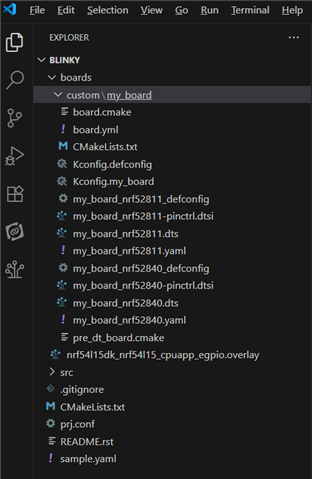
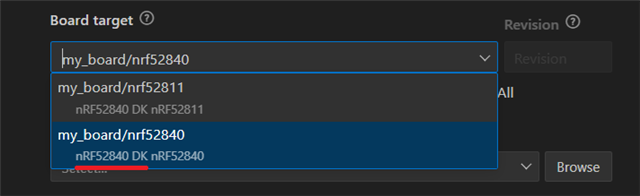
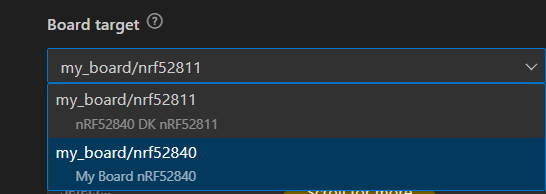
5. Select "Add build configuration" and under "Board target", navigate to the custom board "my_board/nrf52840" and observe that the board's human-readable name is listed as "nRF52840 DK" instead of the expected name of "My Board".
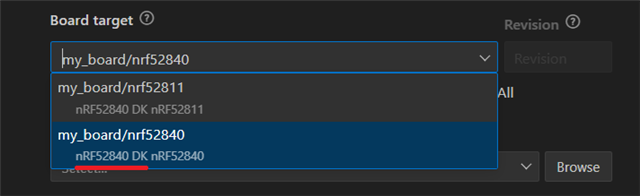
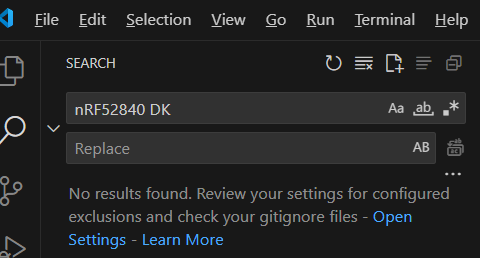
When I search the entire project (Edit -> Find in Files) for the human-readable name "nRF52840 DK" I see 0 matches:
Yet when I search for the human readable name "My Board" I see the following:
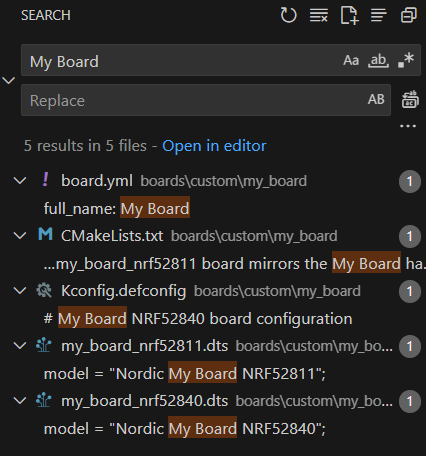
Why is this happening?
Issue 3: When CMakePresets.json contains two build configurations, one for a custom board and one for a non-custom board, the build fails when selecting and building the non-custom board preset.
This is problematic when you are preparing for the first revision of your custom board and must build for both a development kit and a custom board. In addition, this makes sharing this configuration via version control to other developers in a working state impossible as they will likely encounter the same build error when building both presets together.
Steps to reproduce (Continuing from step 5 under Issue 2):
5 (Continued). On the "Add build configuration" window, set the following:
- SDK: nRF Connect SDK v2.9.0
- Toolchain: nRF Connect SDK Toolchain v2.9.0
- Board Target: my_board/nRF52840
- Build directory name: build_my_board
6. Select "Generate and Build" and wait for the project build to complete.
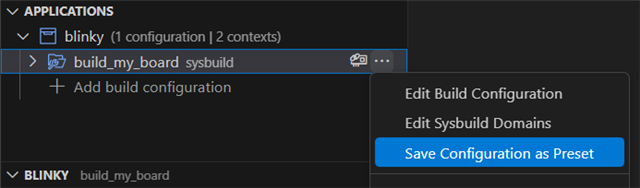
7. Click on the three dots to the right of the "build_my_board" build configuration just created and select "Save Configuration as Preset".
8. Select "Add build configuration" and set the following:
- SDK: nRF Connect SDK v2.9.0
- Toolchain: nRF Connect SDK Toolchain v2.9.0
- Board Target: nRF52840dk/nRF52840
- Build directory name: build_52840
Leave the rest of the fields as default.
9. Select "Generate and Build" and wait for the project build to complete.
10. Click on the three dots to the right of the "build_52840" build configuration just created and select "Save Configuration as Preset".
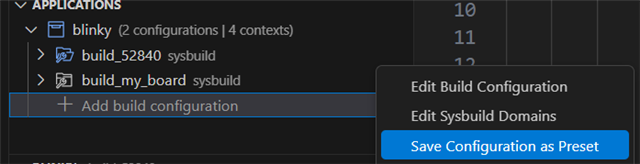
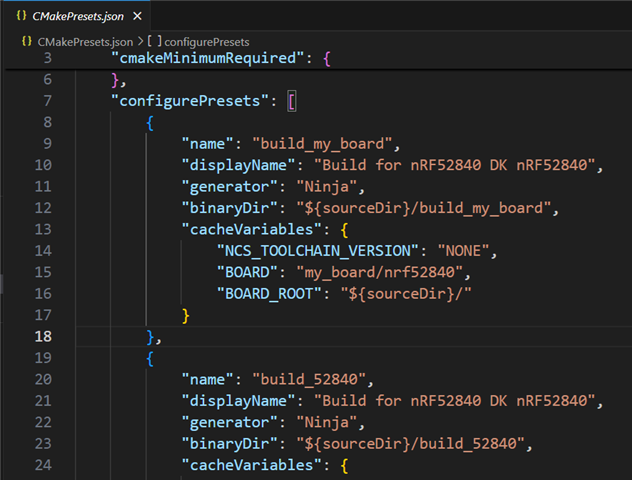
11. Verify that CMakePresets.json contains both build configurations.
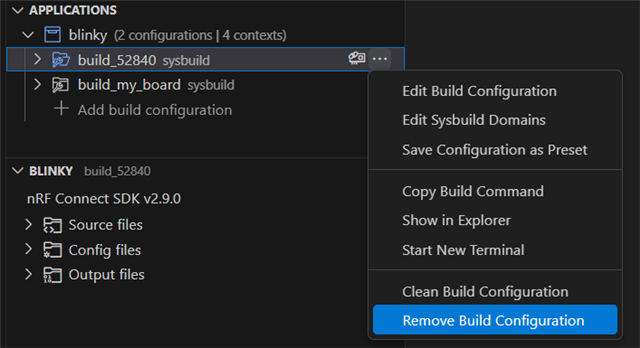
12. Click on the three dots to the right of the "build_52840" build configuration and select "Remove Build Configuration". Select "Remove" on the dialog window that appears to confirm.
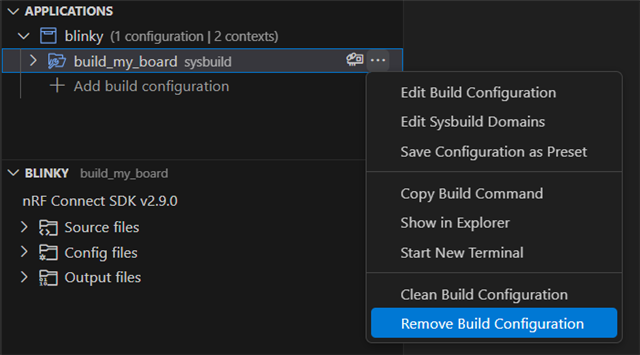
13. Click on the three dots to the right of the "build_my_board" build configuration and select "Remove Build Configuration". Select "Remove" on the dialog window that appears to confirm.
14. Select "Add build configuration" and set the following:
- Cmake Preset: Build for nRF52840 DK nRF52840 (build_my_board)
Leave the rest of the fields as default.
15. Select "Generate and Build" and wait for the project build to complete.
16. Select "Add build configuration" and set the following:
- Cmake Preset: Build for nRF52840 DK nRF52840 (build_52840)
Leave the rest of the fields as default. Observe that even though the (build_52840) preset was selected, the "Board target" field shows "my_board/nRF52811". It is selecting the wrong board, and not even the correct SOC. The preset should select the correct board, that is the whole point of a preset.
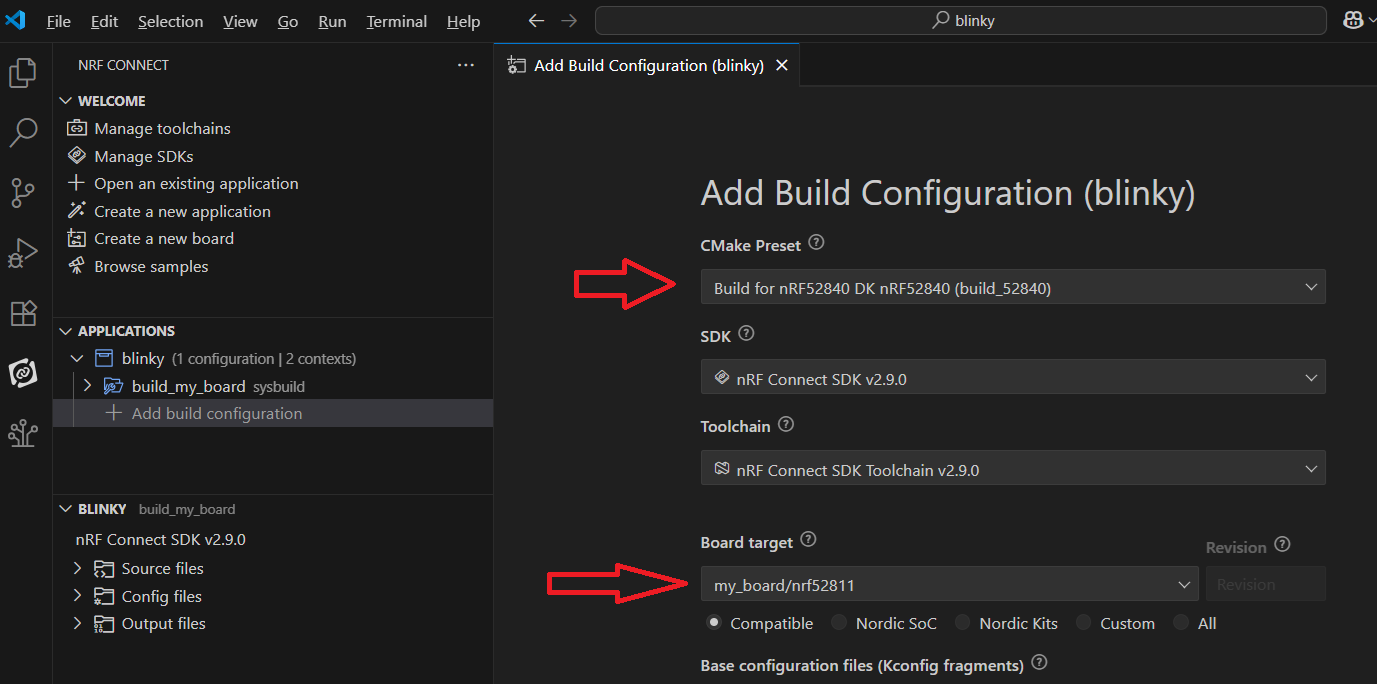
If you try to build the application at this point by selecting "Generate and Build", the build will fail as shown below.
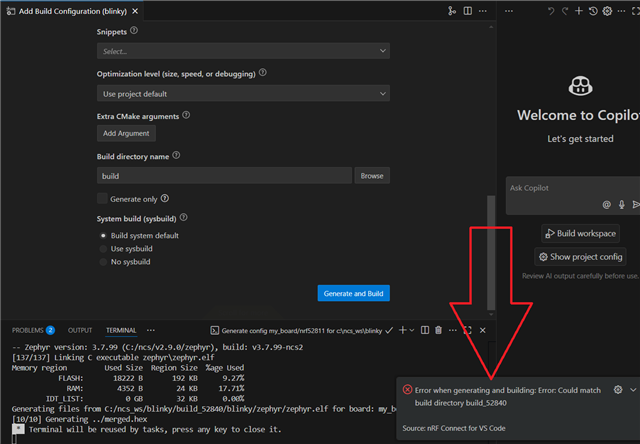
Any idea why this is happening?
Thanks,
Derek