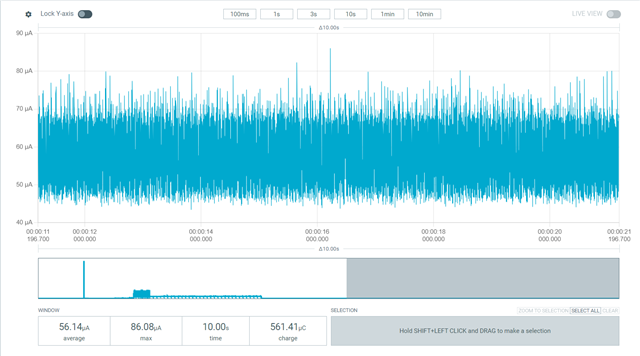
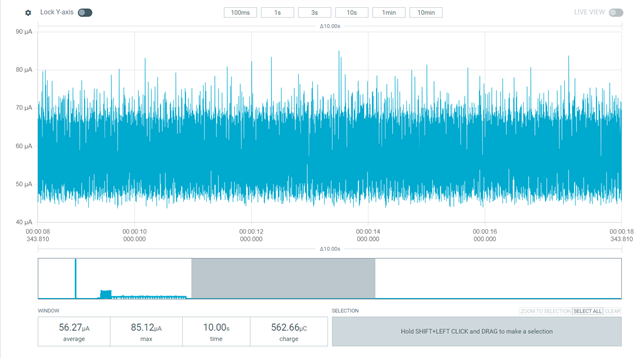
High power consumption on nRF5340 custom board

Hi,

I run a couple test with the PPK2 on our board to measure and optimize the power consumption, but I had some weird results and I'm hopping you can help me out to understand the behavior. Our custom board is a BC40C module from Fanstel (nRF5340 with the DC/DC and crystals components), and a WM02C From Fanstel (nRF7002), with a flash memory and an IMU.

So to sum things up, I have a debut build with uart0 and logs enabled, and a production build with uart0 and log disabled, plus that overlay:

CONFIG_SERIAL=y
CONFIG_UART_NRFX=y
CONFIG_LOG=n
CONFIG_PRINTK=n
CONFIG_CONSOLE=n
CONFIG_EARLY_CONSOLE=n
CONFIG_CONSOLE_SUBSYS=n
CONFIG_UART_CONSOLE=n
CONFIG_BOOT_BANNER=n
CONFIG_PM_DEVICE=y
CONFIG_PM_DEVICE_RUNTIME=y
CONFIG_NRF_WIFI_LOW_POWER=y
CONFIG_INIT_STACKS=n
CONFIG_NRF_APPROTECT_LOCK=n
CONFIG_BOARD_ENABLE_DCDC_APP=y
CONFIG_BOARD_ENABLE_DCDC_NET=y
CONFIG_BOARD_ENABLE_DCDC_HV=y

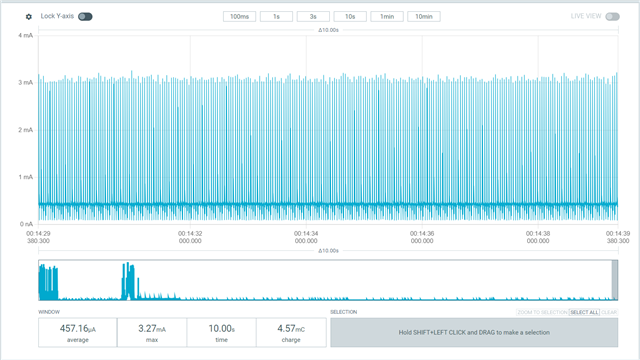
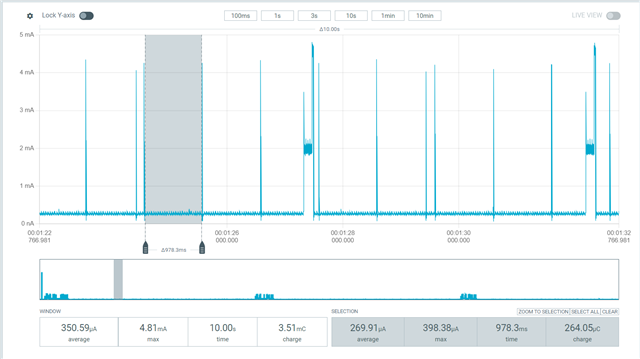
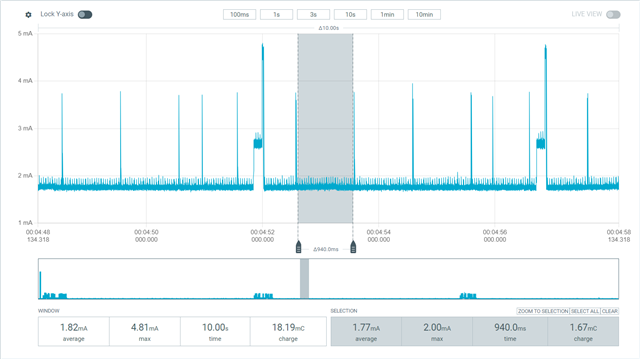
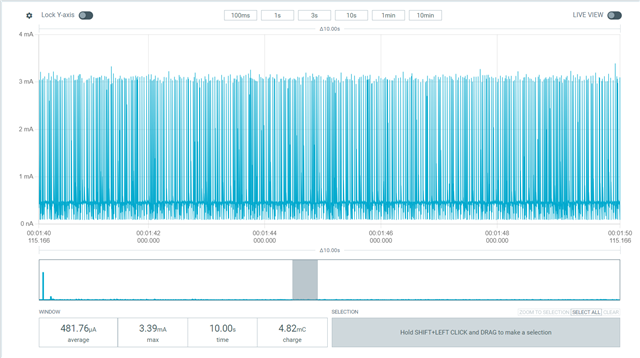
However, I have a lower power consumption wih the debug build then with the prod build. Furthermore, when I put the device into power off (with sys_poweroff()), I have a quite high power consumption too, see images below.

Debug build
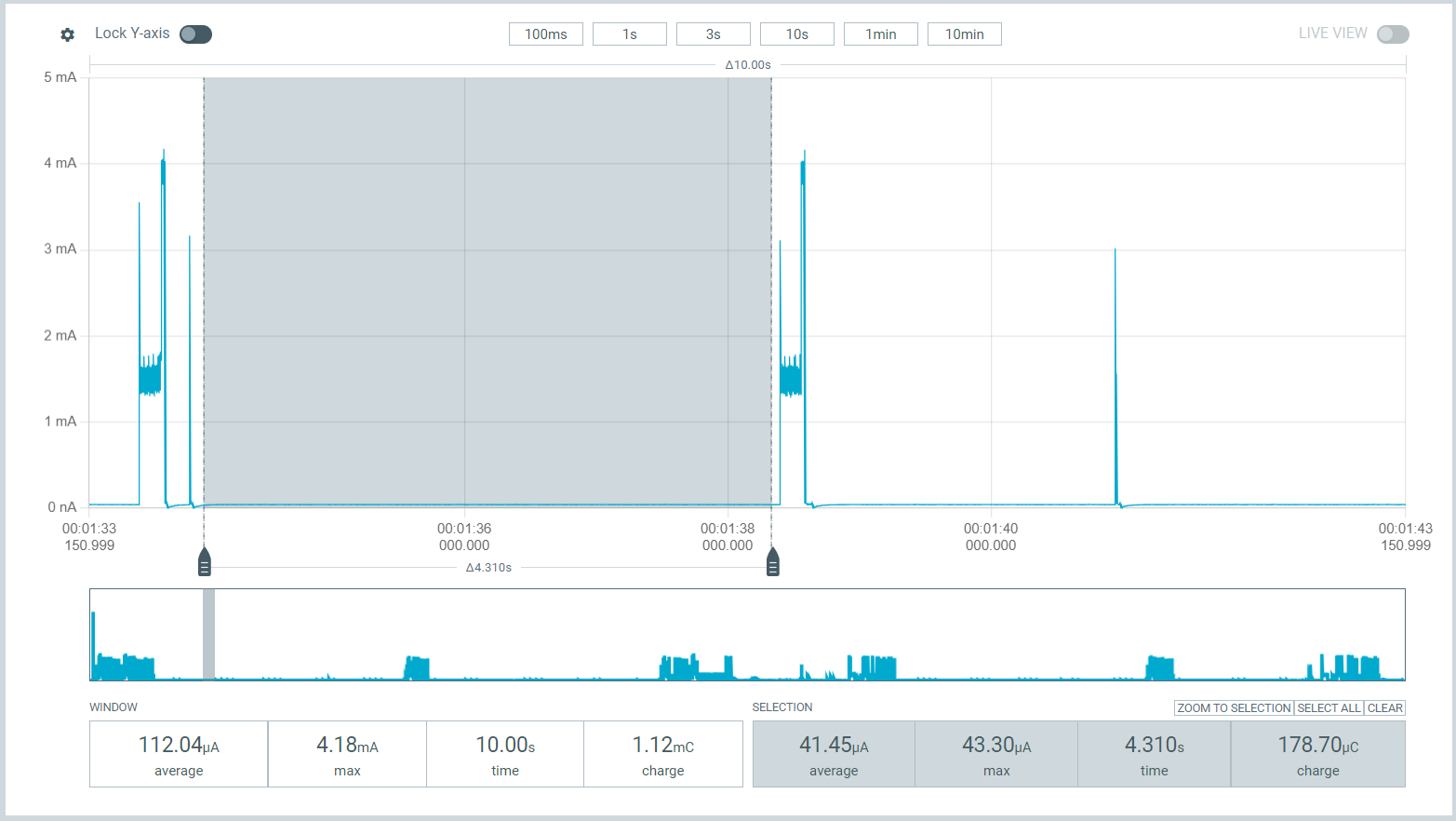
Prod build
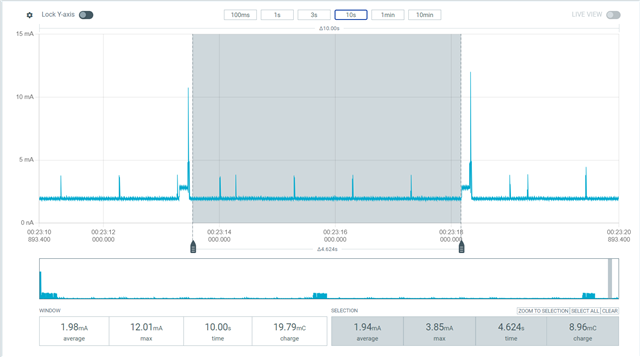
System Off (prod build)
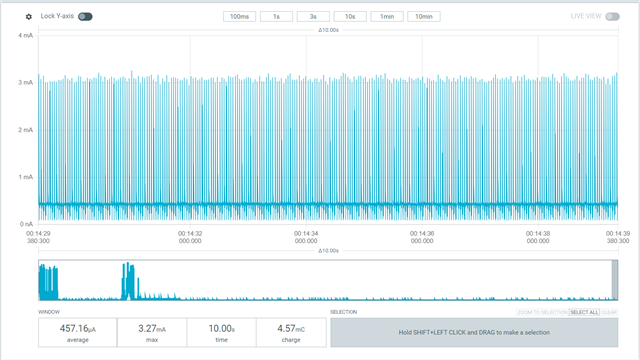
I followed the recommandation in the documentations and the blog post here, but I still have those results, and I'm currently running out of ideas...

Any solutions? I'm joining the dts and .config files from each build here if you want to take a look, but they are pretty much the same except the differences for the logs.

Thanks,

Michael

2806.files.zip

Parents
  • I would start by investigating the system OFF current.

    System Off (prod build)

    This shouldn't really be possible. Is the supply rail you are measuring on here only going to the nRF5340, or does it also include the flash memory and IMU? 

    Possible check if you may be sourcing some current through pins also.

    Edit: Also check out in general:
    https://docs.nordicsemi.com/bundle/ncs-latest/page/nrf/test_and_optimize/optimizing/power.html 

    It might be a good idea to try to narrow down the functionality in the app a bit and see if any specific modules seems to cause the increased current consumption.

    Kenneth

  • Hi,

    I went trough the documentation once again and realize that my child imag for the net core didn't had the custom overlay file, so I added that. The power went dows a bit, but not by much and I still have a quite high power consumption avter turning the Wi-Fi OFF a second time.

    Before first Wi-Fi sending

    After first Wi-Fi sending

    Power OFF

    As for the CONFIG_PM, I had this warning, so I figured out it was not supported on the nRF5340. However I have the CONFIG_PM_DEVICE and CONFIG_PM_DEVICE_RUNTIME enabled.

    warning: PM (defined at soc/arm/microchip_mec\mec172x\Kconfig.defconfig.series:36,
    soc/arm/silabs_exx32\efr32bg22\Kconfig.defconfig.series:18,
    soc/arm/silabs_exx32\efr32bg27\Kconfig.defconfig.series:18,
    soc/arm/silabs_exx32\efr32mg24\Kconfig.defconfig.series:19, subsys/pm/Kconfig:13) was assigned the
    value 'y' but got the value 'n'. Check these unsatisfied dependencies: (SOC_SERIES_MEC172X ||
    (SOC_SERIES_EFR32BG22 && SOC_FAMILY_EXX32) || (SOC_SERIES_EFR32BG27 && SOC_FAMILY_EXX32) ||
    (SOC_SERIES_EFR32MG24 && SOC_FAMILY_EXX32) || (SYS_CLOCK_EXISTS && HAS_PM)) (=n). See
    http://docs.zephyrproject.org/latest/kconfig.html#CONFIG_PM and/or look up PM in the
    menuconfig/guiconfig interface. The Application Development Primer, Setting Configuration Values,
    and Kconfig - Tips and Best Practices sections of the manual might be helpful too.

    Also, I'm on the SDK v2.5.2, does it have some know power consumption issues?

    Thanks,

  • Hi Kenneth,

    I tested the Wi-Fi shutdown sample on my board using SDK v2.5.2 and v3.0.1.

    SDK v2.5.2

    SDK v3.0.1

    In both cases, I noticed no spike after shutting down the Wi-Fi. The only difference between the two builds is the base board configuration (nRF7002Dk and nRF5340DK+nRF7002EK respectively). I added an overlay to adapt both boards to my device, so the final device tree should be identical.

    Do you have any thoughts on what might be causing this behavior?

    Thanks,
    Michael

  • Hello, 

    Can it be that some of the pins are kept high when wifi is shutdown? Can you for instance go over the SPI interface (e.g. CSN pins) and others and check if may be possible you are setting any of those pins high when wifi is shutdown? This could cause current flowing through the gpio into the nRF7002.

    Kenneth

  • Hi Kenneth,

    I did some tests, and when the power consumption is lower, the COEX pins are ~0.6V, data0 and data1 (MOSI and MISO in SPI mode) are 0V and 0.6V respectively. data2 and data3 are ~1.0V. IOVDD and CLK are 0V, BUCKEN 0.4V and SS 1.8V. 

    However, when the power consumption is high, I observed IOVDD at 0.7V. All other pins are ~0.7V except SS and BUCKEN, which are around the same level as before (1.8V and 0.3V).

    I will perform some more tests on other devices to confirm the behavior.

    I guess that the problem is the the IOVDD pin controlled by a switch linked to P0.31 don't go back to 0V... Is that a known issue? What can I do to solve that?

    Thanks
    Michael

Reply
  • Hi Kenneth,

    I did some tests, and when the power consumption is lower, the COEX pins are ~0.6V, data0 and data1 (MOSI and MISO in SPI mode) are 0V and 0.6V respectively. data2 and data3 are ~1.0V. IOVDD and CLK are 0V, BUCKEN 0.4V and SS 1.8V. 

    However, when the power consumption is high, I observed IOVDD at 0.7V. All other pins are ~0.7V except SS and BUCKEN, which are around the same level as before (1.8V and 0.3V).

    I will perform some more tests on other devices to confirm the behavior.

    I guess that the problem is the the IOVDD pin controlled by a switch linked to P0.31 don't go back to 0V... Is that a known issue? What can I do to solve that?

    Thanks
    Michael

Children
No Data
Related