Building a Connect SDK v1.9 project

Hello,

I am working on a project which was previously developed by another person, and am struggling to setup the development environment. The project was built on nRF Connect SDK v1.9, and I need to be able to recompile the firmware as-is due to time constraints preventing a migration to v3 at the moment.

After getting past some initial hurdles, I'm currently stuck with a device tree error.

Here is the build output:

west build -b nrf9160dk/nrf9160/ns -d c:\wm2build --  -DOVERLAY_CONFIG="config/overlay-debug.conf" -DCONFIG_MCUBOOT_IMAGE_VERSION=\"0.3.0+1\" -DPM_STATIC_YML_FILE=pm_static_debug.yml
-- west build: generating a build system
Loading Zephyr default modules (Zephyr base (cached)).
-- Application: C:/wm2
-- CMake version: 4.1.0
-- Cache files will be written to: C:/wm2/zephyr/.cache
-- Zephyr version: 4.2.99 (C:/wm2/zephyr)
-- Found west (found suitable version "1.4.0", minimum required is "0.14.0")
-- Board: nrf9160dk, Revision: 0.14.0, qualifiers: nrf9160/ns
-- Found host-tools: zephyr 0.17.0 (C:/zephyr-sdk-0.17.0)
-- Found toolchain: zephyr 0.17.0 (C:/zephyr-sdk-0.17.0)
-- Found BOARD.dts: C:/wm2/zephyr/boards/nordic/nrf9160dk/nrf9160dk_nrf9160_ns.dts
-- Found devicetree overlay: C:/wm2/zephyr/boards/nordic/nrf9160dk/nrf9160dk_nrf9160_ns_0_14_0.overlay
-- Found devicetree overlay: C:/wm2/boards/nrf9160dk_nrf9160_ns.overlay
devicetree error: 'sda-pin' appears in /soc/peripheral@40000000/i2c@a000 in C:/wm2build/zephyr/zephyr.dts.pre, but is not declared in 'properties:' in C:/wm2/zephyr/dts/bindings\i2c\nordic,nrf-twim.yaml
CMake Error at zephyr/cmake/modules/dts.cmake:306 (execute_process):
  execute_process failed command indexes:

    1: "Child return code: 1"

Call Stack (most recent call first):
  zephyr/cmake/modules/zephyr_default.cmake:131 (include)
  zephyr/share/zephyr-package/cmake/ZephyrConfig.cmake:66 (include)
  zephyr/share/zephyr-package/cmake/ZephyrConfig.cmake:97 (include_boilerplate)
  CMakeLists.txt:17 (find_package)


-- Configuring incomplete, errors occurred!

The error mentions "C:/wm2build/zephyr/zephyr.dts.pre" and "C:/wm2/zephyr/dts/bindings\i2c\nordic,nrf-twim.yaml", but should I even be going in and touching those Zephyr files to begin with? I'm not sure what the proper solution would be for this.

The overall process has been like so:
-git clone ...
-cd ...
-west init
-west update
-run west build

Has anyone seen a similar issue to this, and be able to advise on how I should proceed?

Thank you

Parents
  • Hello,

    Sorry for jumping in late. NCS v1.9.X -> v3.1.0 is a long jump. A lot have happened in that time, modules like pinctrl and sysbuild have been added. I believe these are the two biggest changes between these NCS versions. 

    I strongly recommend that you look into the Nordic Developer Academy. The very first course, nRF Connect SDK Fundamentals has a lesson on I2C. Look at that one in particular to see how to set up your devicetree after pinctrl was introduced. But feel free to at least peek trough the first couple of lessons as well, to familiarize yourself with NCS, if you haven't used it much before.

    Best regards,

    Edvin

  • Hello,

    Thank you for the resources, I will be sure to go over them once I have sufficient time to begin the migration process.

    Just to reiterate, the issue is that we have a legacy project which was built for SDK v1.9.X but we need to make some minor  changes to the application logic. The instructions which were left for how to build the project do not appear to be working, as myself and another colleague both are hitting build errors.

    Is there any documentation specifically regarding lis3mdl usage in SDK v1.9.0?
    I can see lis3mdl listed in the link below, but when I click it I'm seeing a 404 page not found.

    docs.nordicsemi.com/.../bindings.html

    This appears to be the current error which is being hit.

    C:/wmtest/zephyr/drivers/sensor/lis3mdl/lis3mdl.c: In function 'lis3mdl_sample_fetch':
    C:/wmtest/zephyr/include/devicetree.h:305:40: error: 'DT_N_INST_0_st_lis3mdl_magn_REG_IDX_0_VAL_ADDRESS' undeclared (first use in this function)
      305 | #define DT_INST(inst, compat) UTIL_CAT(DT_N_INST, DT_DASH(inst, compat))

  • Sorry, I read that a little fast. I thought you wanted to port the entire application to NCS v3.X.X.

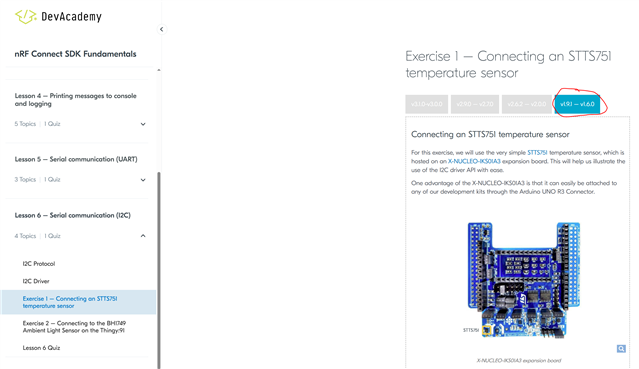
    Either way, note that in the course, you can select the NCS version on top (in those places where the NCS versions affect the behavior):

    However, looking at your project, it seems you are using the wrong "compatible" for the lis3mdl. Try this:

    &i2c2 {
    	status = "okay";
    	label = "I2C_2";
    	sda-pin = < 0x1e >;
    	scl-pin = < 0x1f >;
    
    	lis3mdl: lis3mdl@1e {
    		compatible = "st,lis3mdl-magn";
    		reg = <0x1e>;
    		label = "LIS3MDL";
            irq-gpios = <&gpio0 20 GPIO_ACTIVE_HIGH>;
    	};
    };

    Note that I also stripped away some of the i2c configurations, such as the "compatible", "reg", "clock-frequency", as they are no different than the default configuration from the board files. You only need to include the parts that you want to change in your .overlay files (but it doesn't harm either, so it is up to you).

    Best regards,

    Edvin

Reply
  • Sorry, I read that a little fast. I thought you wanted to port the entire application to NCS v3.X.X.

    Either way, note that in the course, you can select the NCS version on top (in those places where the NCS versions affect the behavior):

    However, looking at your project, it seems you are using the wrong "compatible" for the lis3mdl. Try this:

    &i2c2 {
    	status = "okay";
    	label = "I2C_2";
    	sda-pin = < 0x1e >;
    	scl-pin = < 0x1f >;
    
    	lis3mdl: lis3mdl@1e {
    		compatible = "st,lis3mdl-magn";
    		reg = <0x1e>;
    		label = "LIS3MDL";
            irq-gpios = <&gpio0 20 GPIO_ACTIVE_HIGH>;
    	};
    };

    Note that I also stripped away some of the i2c configurations, such as the "compatible", "reg", "clock-frequency", as they are no different than the default configuration from the board files. You only need to include the parts that you want to change in your .overlay files (but it doesn't harm either, so it is up to you).

    Best regards,

    Edvin

Children
  • Thanks, upon changing the LIS3MDL compatible field to "st,lis3mdl-magn" the build will no longer throw an error.

    However, I now realize that the issue appears to be due to the project using a custom driver.
    Here are the contents of the project's west.yml file.

    manifest:
      remotes:
        - name: nrfconnect
          url-base: https://github.com/nrfconnect
      projects:
        - name: nrf
          repo-path: sdk-nrf
          remote: nrfconnect
          revision: v1.9.0
          import: true
        # LIS3MDL driver
        - name: lis3mdl
          path: lis3mdl
          revision: main
          url: https://github.com/circuitdojo/lis3mdl-zephyr.git
      self:
        # This repository should be cloned to 
        path: wmv2

    This custom LIS3MDL driver appears to use "st,lis3mdl" instead of the official "st,lis3mdl-magn" compatible value. How can I determine where "DT_N_INST_0_st_lis3mdl_magn_REG_IDX_0_VAL_ADDRESS" is missing?

    How can I tell if west is even pulling in the custom driver from github to begin with? I tested changing the compatible field to something random, i.e. "st,lis3mdl-abcd", and I can reproduce the same error. It appears that the LIS3MDL driver defined in west.yml is not being used.

    C:/wmtest/zephyr/drivers/sensor/lis3mdl/lis3mdl.c: In function 'lis3mdl_sample_fetch':
    C:/wmtest/zephyr/include/devicetree.h:305:40: error: 'DT_N_INST_0_st_lis3mdl_magn_REG_IDX_0_VAL_ADDRESS' undeclared (first use in this function)
      305 | #define DT_INST(inst, compat) UTIL_CAT(DT_N_INST, DT_DASH(inst, compat))


    Edit: I tested renaming c:\west\zephyr\drivers\sensor\lis3mdl and I can confirm that the build process is trying to use the default LIS3MDL driver instead of the custom one from west.yml.

  • Did you run the command "west update" after adding this to the west.yml file? Is the external driver added at all (physically, in the path that you selected)?

    I only tested this once before, following this guide:
    https://github.com/Protocentral/protocentral_max30001_zephyr_driver

    Perhaps try putting it in the modules folder, and give it a name that doesn't already exist in Zephyr.

    Best regards,

    Edvin

  • Sorry for the late replay. I managed to get past this issue after enough trial and error, though I'm not entirely sure what I did differently. I was going through the dev academy lessons and I think they helped my general understanding as well. Thanks Edvin

Related