PDM microphone on nrf54l15

I am unable to read PDM microphone on my custom board or nrf54l15-dk.

My environment:

- nRF Connect SDK v3.0.2

- nrf54l15-dk

- custom board with Fanstel BM15C - nrf54l15 CPU

- T3902 PDM mic - setup as right channel.

Using the sample code I created a simple app that should read the PDM microphone using Zephyr DMIC API on my custom board. But, after a few seconds, I am only getting the same sample value all the time, -320.

- I want to use 400 kHz clock with 50x decimation -> 8000 samples per second, driver calculates correct values, also returns correct number of bytes per second (16000 bytes). I am assuming I am getting int16_t values, soon after start sample values converge to -320 and then stay -320.

- I moved the code to nrf54l15-dk. I have no microphone connected there, so I just output the clock to P1.11 and read pin P1.12 (left unconnected). A few seconds after start, I get the same value as on my custom board (that has the mic connected), -320

- On the DK I raised the P1.12 pin to match the rail voltage, then PDM returns samples +319.

pdm.zip

What am I doing wrong? I tried left and right channel, different clocks, ...

I am attaching a simple app for nrf54l15-dk. On the DK, shouldn't I get sample values close to +32767 when I force the data pin high and probably sample value close to -32768 when I leave the data pin unconnected?

Parents
  • Hello,

    The reason you don't see the full scale output ( -32768 or 32768) when tying the input to gnd or vdd is likely because of the decimation filter. I got the same result here as well. However, I think it may be more relevant to look at the output from the mic to understand why the sample value converges to -320. This suggests that the output goes low and remains low. Are you able to confirm this with an oscilloscope or logic analyzer?

    Best regards,

    Vidar

  • Hi Vidar,

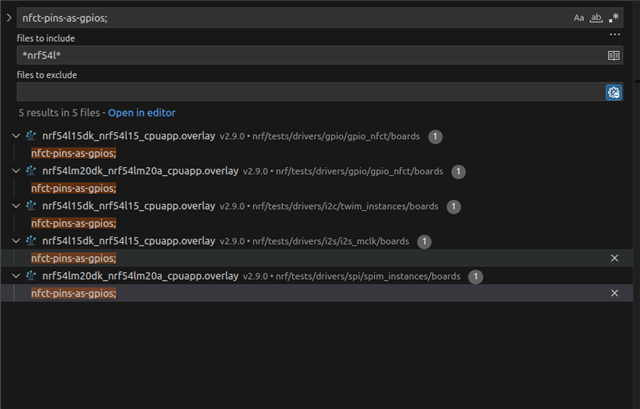
    1. Well, I accidentaly managed to get my mic to work. The issue was that I used P1.03 pin as clock, and on nrf54l this pin is by default assigned to NFC. So adding this to my DTS file solved the problem:

    &uicr {
      nfct-pins-as-gpios;
    };
    Please confirm that this is the correct way to do this on nrf54l - the dts yaml file talks only about nrf52 and nrf53 chips.
    If so - are there any other pins that need this kind of "let me be normal gpio pin" treatment except for reset pin?
    2. I found the above setting while reading about UICR.
    - Is this setting persistent on nrf54l or does the appropriate startup code need to be executed every time?
    - Is there any high(er) level API for using FICR and UICR or are NRF_UICR and NRF_FICR structs the way to go?
    BR, Marko
Reply
  • Hi Vidar,

    1. Well, I accidentaly managed to get my mic to work. The issue was that I used P1.03 pin as clock, and on nrf54l this pin is by default assigned to NFC. So adding this to my DTS file solved the problem:

    &uicr {
      nfct-pins-as-gpios;
    };
    Please confirm that this is the correct way to do this on nrf54l - the dts yaml file talks only about nrf52 and nrf53 chips.
    If so - are there any other pins that need this kind of "let me be normal gpio pin" treatment except for reset pin?
    2. I found the above setting while reading about UICR.
    - Is this setting persistent on nrf54l or does the appropriate startup code need to be executed every time?
    - Is there any high(er) level API for using FICR and UICR or are NRF_UICR and NRF_FICR structs the way to go?
    BR, Marko
Children
Related