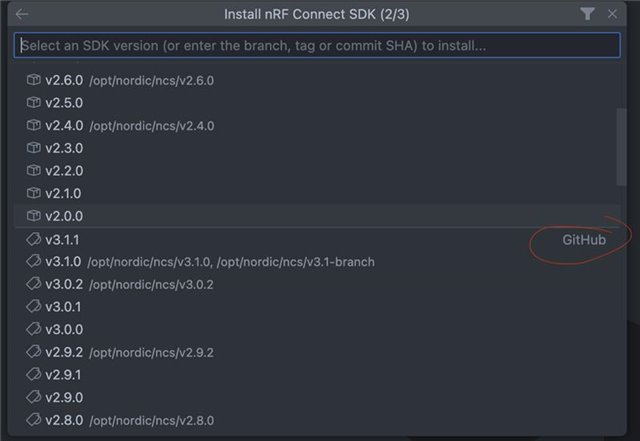
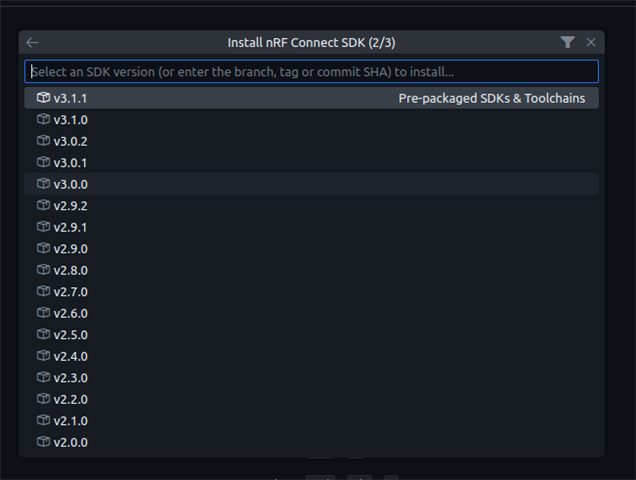
I have installed nRF connect 2025.9.732 on my VS code Version: 1.103.2 on Ubuntu 22.04.
I am able to install the toolchains successful but I am getting this weird error message
[14:05:44] nrfutil-sdk-manager install,v3.1.0,--sdk-path,/home/akshay/ncs/v3.1.0,--type,nrf: Install toolchain v3.1.0
[14:05:44] nrfutil-sdk-manager install,v3.1.0,--sdk-path,/home/akshay/ncs/v3.1.0,--type,nrf: Toolchain with version v3.1.0 already installed: success
[14:05:44] nrfutil-sdk-manager install,v3.1.0,--sdk-path,/home/akshay/ncs/v3.1.0,--type,nrf: Calculating SDK checksum
[14:05:53] nrfutil-sdk-manager install,v3.1.0,--sdk-path,/home/akshay/ncs/v3.1.0,--type,nrf: Verified previously download file: success
[14:05:53] nrfutil-sdk-manager install,v3.1.0,--sdk-path,/home/akshay/ncs/v3.1.0,--type,nrf: Unpack SDK v3.1.0
[14:06:06] nrfutil-sdk-manager install,v3.1.0,--sdk-path,/home/akshay/ncs/v3.1.0,--type,nrf: Unpacked SDK tarball: success
[west]: usage: west [-h] [-z ZEPHYR_BASE] [-v] [-q] [-V] <command> ...
[west]: west: unknown command "zephyr-export"; workspace /home/akshay/ncs/v3.1.0 does not define this extension command -- try "west help" and "west -vv status"

[west]: exited with code 1.

[west]: FATAL ERROR: failed manifest import in zephyr (zephyr):
[west]:   Failed importing "west.yml" from revision "ncs-v3.1.0"
[west]:   Hint: zephyr must be cloned, owned by the user and its manifest-rev ref must point to a commit with the import data
[west]:   To fix, run "west update. If it still fails, try "west -vv ..."

[west]: exited with code 1.

[west]: FATAL ERROR: failed manifest import in zephyr (zephyr):
[west]:   Failed importing "west.yml" from revision "ncs-v3.1.0"
[west]:   Hint: zephyr must be cloned, owned by the user and its manifest-rev ref must point to a commit with the import data
[west]:   To fix, run "west update. If it still fails, try "west -vv ..."

[west]: exited with code 1.
I have west installed globally via pip, but I do NOT have ZEPHYR os installed in ~/zephyrproject.
I am not sure what that error is, do I have to go to /home/akshay/ncs/v3.1.0 and type west update?