nRF9160 development kit not detected in "Connected Devices" view

Hello,

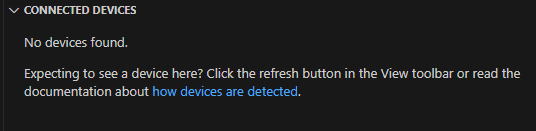
I'm trying to use nRF9160 Development kit and it is not showing up in connected devices view in VS code.
Switch position is correct(nRF91) on the development kit.

It looks like this is J link usb driver issue but I tried with few different versions of J link software 

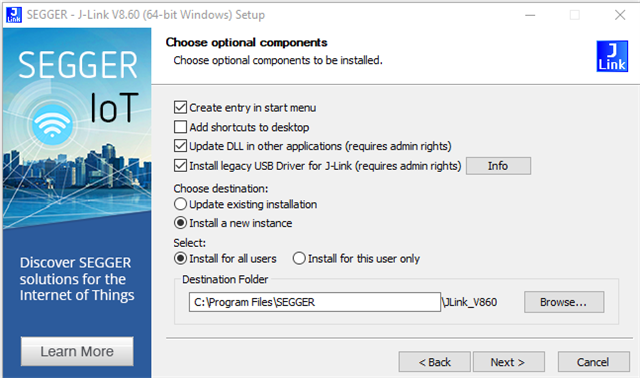
When installing, I chose install legacy driver option
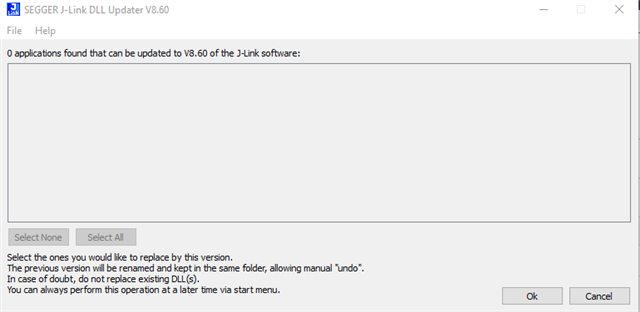
it says no applications to update as shown below
In the windows device manager, when DK is connected to my laptop, it shows up as USB composite device.

LED5 is solid. LED3 blinks twice, every second. Other LEDs are off.

This is a new development kit and it was never detected so far.

J Link driver status is

How to install legacy USB driver correctly so that this DK is detected properly?


Parents Reply Children
  • Hello,

    I tried with "Install legacy USB driver for J-Link" unchecked as well and result is still same. Development kit is not detected.

    J link driver status shown is the output of USB driver status check.

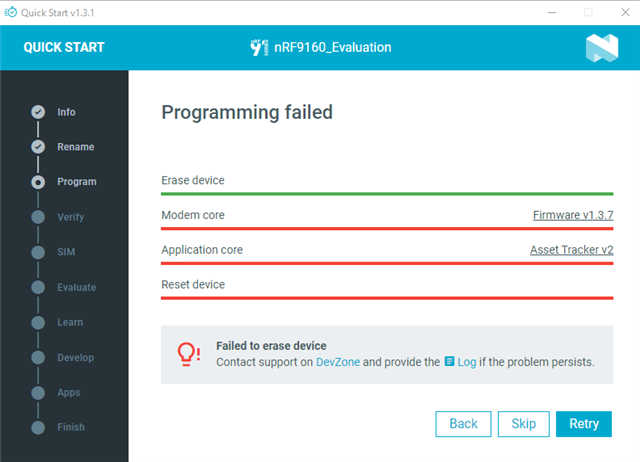
    I tried with Quick start guide as well.

    Following are the screenshot from quick start guide usage and log file

    2025-09-08T15:29:06.187Z INFO Initialising the bundled nrfutil device
    2025-09-08T15:29:06.973Z DEBUG Started watching devices
    2025-09-08T15:29:13.667Z INFO Using the bundled core version for nrfutil device: 8.1.1
    2025-09-08T15:29:13.689Z INFO Using nrfutil-device version: 2.10.2
    2025-09-08T15:29:13.689Z INFO Using nrf-device-lib version: 0.17.71
    2025-09-08T15:29:13.689Z INFO Using nrf-probe version: 0.38.0
    2025-09-08T15:29:13.689Z INFO Using JLink version: JLink_V8.60
    2025-09-08T15:29:13.690Z INFO Your version of SEGGER J-Link (8.60) is newer than the one this app was tested with (8.18). The tested version is not required, and your J-Link version will most likely work fine. If you get issues related to J-Link with your devices, use the tested version.
    2025-09-08T15:29:14.928Z DEBUG Selected device: nRF9160 DK
    2025-09-08T15:29:14.956Z DEBUG Changed step: Info
    2025-09-08T15:30:32.867Z DEBUG Changed step: Rename
    2025-09-08T15:31:09.137Z DEBUG Changed step: Program
    

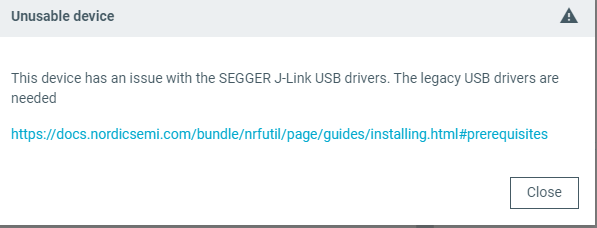
    I tried with programmer and tried to select device and it shows that there are issues with USB drivers.

    Overall, I understand this is due to USB driver issue but not able to resolve, even though I tried to install legacy drivers and multiple versions of segger J link software.

  • Hi,

    Can you show the output of "nrfutil device --version"?

    It seems that legacy USB drivers are needed. You can look at prerequisites. You can try to install Segger USB driver for J-Link manually from command line using the command 

    JLink_Windows_V860_x86_64.exe -InstUSBDriver=1
    

    Best regards,
    Dejan

Related