nrf54l15 ota

Hi,Team,

I'm currently using the nrf54l15-dk. I want to implement our custom app to send firmware data to the nrf54l15-dk, have the nrf54l15-dk receive the firmware data and verify it, and then enter the bootloader program to perform the firmware upgrade. Which code example should I refer to?

My ncs version is v3.0.2.

Thanks.

Parents
  • If you select MCUboot as your bootloader, it would be straightforward to program your custom app to perform OTA updates with MCUmgr and the SMP Protocol.

    There already exists a great tutorial on the DevZone for how to perform an OTA update using their app "nRF Connect Device Manager".

    This includes the example code for your nRF54L15 which is necessary to get Bluetooth running and to advertise the SMP interface for the MCUmgr messages. 

    It will then be on you to implement the app to send the necessary SMP Protocol messages to the nRF54L15 to perform the DFU.  There is a section of documentation in the nRF Connect SDK which will be very helpful in understanding that process:

    https://docs.nordicsemi.com/bundle/ncs-latest/page/zephyr/services/device_mgmt/dfu.html 
    https://docs.nordicsemi.com/bundle/ncs-latest/page/zephyr/services/device_mgmt/smp_protocol.html 

    https://docs.nordicsemi.com/bundle/ncs-latest/page/zephyr/services/device_mgmt/ota.html 

  • Hi,

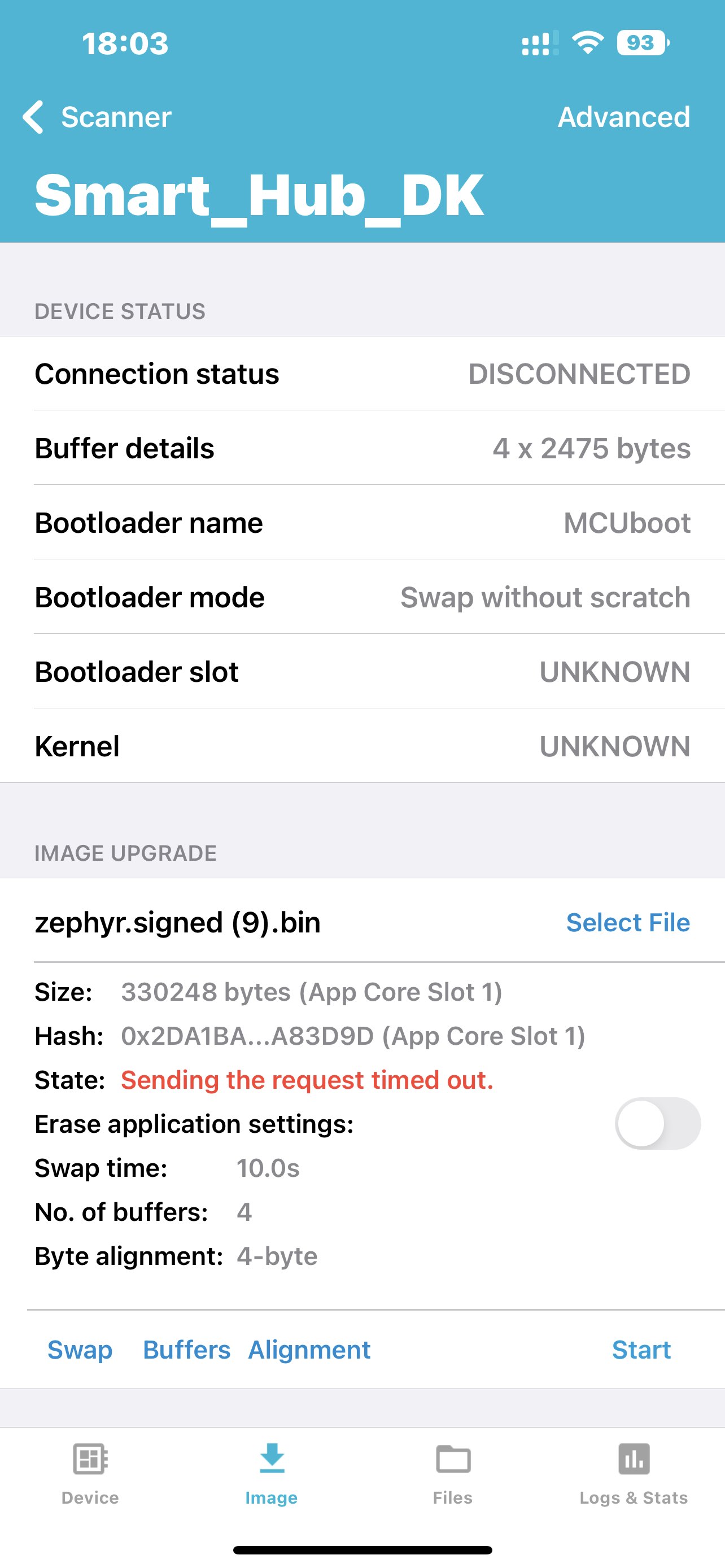
    I used the nRF Connect Device Manager app to download my code, but encountered an error: "Request sending timed out." Why is this so?

    This is the prj.conf file:

    #BLE
    CONFIG_BT=y
    CONFIG_BT_BROADCASTER=y
    CONFIG_BT_ATT_TX_COUNT=5
    CONFIG_BT_CONN_CTX=y
    CONFIG_BT_PERIPHERAL=y
    CONFIG_BT_EXT_ADV=y
    CONFIG_BT_CTLR_ADV_EXT=y
    CONFIG_BT_PER_ADV=y
    CONFIG_BT_DEVICE_NAME="Smart_Hub_DK"
    CONFIG_BT_CENTRAL=y
    CONFIG_BT_MAX_CONN=5
    CONFIG_BT_MAX_PAIRED=5
    CONFIG_BT_PRIVACY=y
    CONFIG_BT_SMP=y                  
    #CONFIG_BT_BONDABLE=y 
    CONFIG_BT_BUF_ACL_RX_SIZE=251
    CONFIG_BT_BUF_ACL_TX_SIZE=251
    CONFIG_BT_L2CAP_TX_MTU=247
    CONFIG_SETTINGS=y
    CONFIG_BT_SETTINGS=y
    CONFIG_SETTINGS_LOG_LEVEL_DBG=y
    CONFIG_BT_CTLR_PHY_CODED=y
    CONFIG_BT_USER_PHY_UPDATE=y
    CONFIG_BT_EXT_ADV_MAX_ADV_SET=2 
    
    CONFIG_BT_DEVICE_APPEARANCE=961
    CONFIG_BT_BAS=y
    CONFIG_BT_HIDS=y
    CONFIG_BT_HIDS_MAX_CLIENT_COUNT=2
    CONFIG_BT_HIDS_DEFAULT_PERM_RW_ENCRYPT=n
    CONFIG_BT_GATT_UUID16_POOL_SIZE=40
    CONFIG_BT_GATT_CHRC_POOL_SIZE=20
    
    CONFIG_BT_DIS=y
    CONFIG_BT_DIS_MANUF_NAME=y
    CONFIG_BT_DIS_MANUF_NAME_STR="NordicSemiconductor"
    CONFIG_BT_DIS_PNP=y
    CONFIG_BT_DIS_PNP_VID_SRC=2
    CONFIG_BT_DIS_PNP_VID=0x1915
    CONFIG_BT_DIS_PNP_PID=0xEEEF
    CONFIG_BT_DIS_PNP_VER=0x0100
    
    #FLASH
    CONFIG_ZMS=y
    CONFIG_PM_PARTITION_SIZE_SETTINGS_STORAGE=0x8000
    CONFIG_FLASH=y
    CONFIG_FLASH_PAGE_LAYOUT=y
    CONFIG_FLASH_MAP=y
    
    #PAWR
    CONFIG_BT_PER_ADV_SYNC_TRANSFER_SENDER=y
    CONFIG_BT_PER_ADV_RSP=y
    CONFIG_BT_REMOTE_INFO=y
    CONFIG_BT_GATT_CLIENT=y
    
    #TX_POWR
    #CONFIG_BT_CTLR_TX_PWR_0=y
    #CONFIG_BT_CTLR_TX_PWR_PLUS_4=y
    CONFIG_BT_CTLR_TX_PWR_PLUS_8=y
    
    #Memory sizes
    CONFIG_SYSTEM_WORKQUEUE_STACK_SIZE=4096
    CONFIG_MAIN_STACK_SIZE=4096
    
    #NUS service
    CONFIG_BT_NUS=y
    
    #GPIO
    CONFIG_GPIO=y
    
    #LOG
    CONFIG_LOG=y
    
    #RTC
    CONFIG_NRF_GRTC_TIMER=y
    
    #OTA
    CONFIG_NCS_SAMPLE_MCUMGR_BT_OTA_DFU=y
    CONFIG_NCS_SAMPLE_MCUMGR_BT_OTA_DFU_SPEEDUP=y
    CONFIG_NCS_SAMPLE_MCUMGR_BT_OTA_DFU_VALIDATION=y
    

    This is the sysbuild.conf file:

    SB_CONFIG_BOOTLOADER_MCUBOOT=y

    What should I do?

    Thanks.

  • Hi,

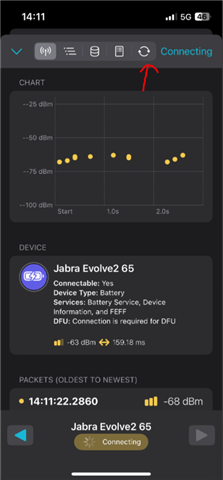
    l9_e5_sol I have already learned and replicated the firmware upgrade function. However, when my firmware version 1 updates to firmware version 2, it fails. I only have an iPhone. The "nRF Connect" feature on my iPhone does not support firmware updates.

    Thanks.

  • It should support OTA. Have a look at the image attached

    Kind regards,
    Andreas

  • Hi,

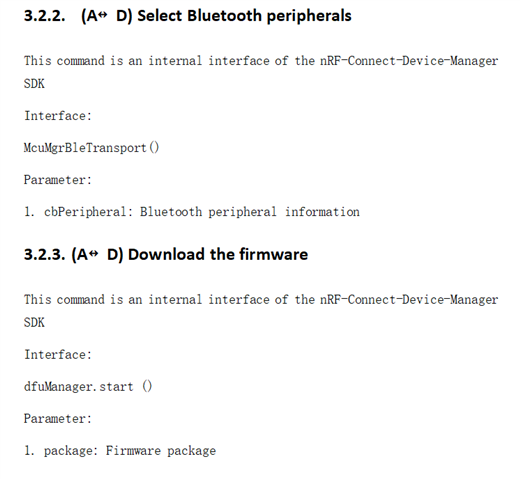
    Thank you for the information you provided. I would like to ask again, are the nRF Connect Device Manager App and the nRF Connect API the same? Because our development documentation mentioned that our custom app needs to have the same internal API as the Connect Device Manager App.

    Thanks.

  • Ah, so your end goal is to make your own custom app. If so, then the only reference app is the Device Manager app, since the "nRF Connect" app is closed source. 

    Kind regards,
    Andreas

  • Hi,

    Yes. I can now perform OTA using the RF Connect Device Manager App. However, when the prj.conf file has CONFIG_BT_CTLR_PHY_CODED=y, it will result in "Request sending timed out". Is it because my phone (my phone model is iPhone 13 Pro Max) does not support PHY code?

    Thanks.

Reply Children
Related