nrf54l15-dk + NSIB

Hi,Team,

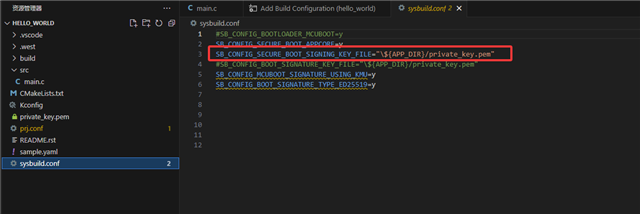
I am currently using the nrf54l15-dk to debug NSIB. The version of my NCS is v3.0.2. I referred to this link: https://docs.nordicsemi.com/bundle/ncs-2.9.0/page/nrf/app_dev/bootloaders_dfu/mcuboot_nsib/bootloader_adding_sysbuild.html, and then created a "hello_word" project. However, when I downloaded it to the device, the code failed to run. The log output was as follows:

Fprotect disabled. No protection applied.
Attempting to boot slot 0.
Attempting to boot from address 0x7800.
I: Trying to get Firmware version
E: Firmware validation failed with error -102.
E: Failed to validate signature.
Failed to validate, permanently invalidating!
Attempting to boot slot 1.
Attempting to boot from address 0xb6000.
I: Trying to get Firmware version
E: Firmware validation failed with error -102.
E: Failed to validate signature.
Failed to validate, permanently invalidating!
No bootable image found. Aborting boot.

At the same time, I also took this course:

https://academy.nordicsemi.com/courses/nrf-connect-sdk-intermediate/lessons/lesson-9-bootloaders-and-dfu-fota/topic/exercise-2-dfu-over-usb-adding-external-flash/

Below is my project. Please help me check where there are any issues.

5086.hello_world.rar

Thanks.

Parents Reply Children
  • Hi,

    Actually, my real intention is:
    The device communicates with a hub via BLE-Pawr mode. Before updating the firmware, the hub and the device establish a BLE connection first. Then, using a custom app, the firmware is sent to the hub, and the hub then sends the firmware to the device. The device has two areas to store the firmware. The device writes the firmware to area 2 by itself, and then proceeds to boot to verify and update it to area 1. Here is my question: Can either b0 or mcuboot achieve the step of boot verification and firmware update?

    Thanks.

  • Hi Dede, 

    I would suggest to have MCUBoot in addition to NSIB. NSIB can only do image verification and jump between two image. It doesn't do any image swapping. 

    Regarding the issue you have, please make sure  you updated to latest toolchain. 
    I would suggest to open the toolchain here:

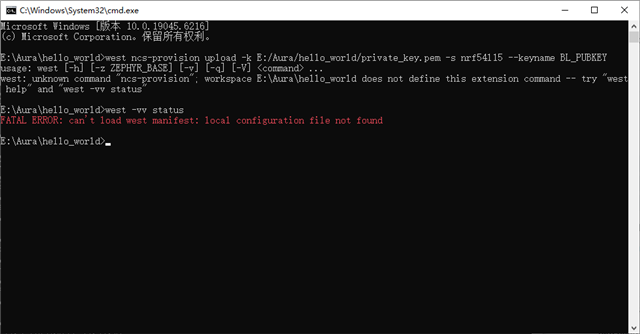
    First  you need to recover the chip. After that call this: 


    After that you click flash (not erase and flash) then Hello World should work. 

Related