Hi,Team,
I am currently using the nrf54l15-dk to debug NSIB. The version of my NCS is v3.0.2. I referred to this link: https://docs.nordicsemi.com/bundle/ncs-2.9.0/page/nrf/app_dev/bootloaders_dfu/mcuboot_nsib/bootloader_adding_sysbuild.html, and then created a "hello_word" project. However, when I downloaded it to the device, the code failed to run. The log output was as follows:
Fprotect disabled. No protection applied.
Attempting to boot slot 0.
Attempting to boot from address 0x7800.
I: Trying to get Firmware version
E: Firmware validation failed with error -102.
E: Failed to validate signature.
Failed to validate, permanently invalidating!
Attempting to boot slot 1.
Attempting to boot from address 0xb6000.
I: Trying to get Firmware version
E: Firmware validation failed with error -102.
E: Failed to validate signature.
Failed to validate, permanently invalidating!
No bootable image found. Aborting boot.
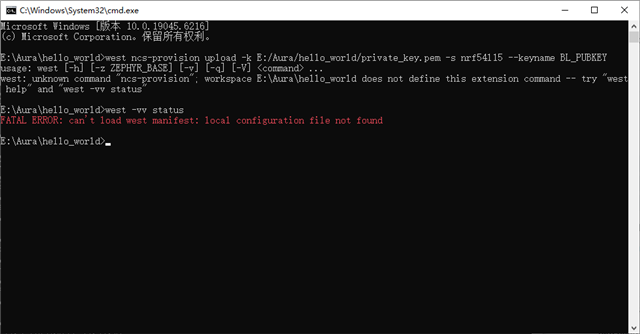
At the same time, I also took this course:
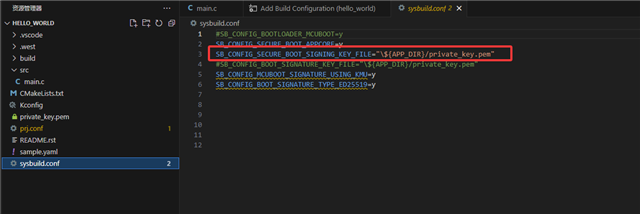
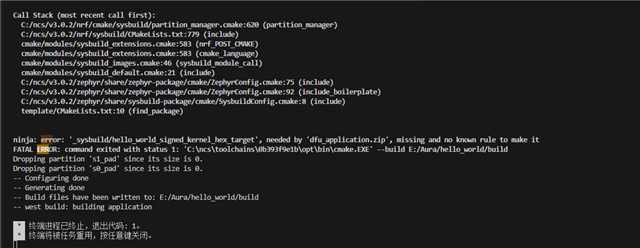
Below is my project. Please help me check where there are any issues.
Thanks.