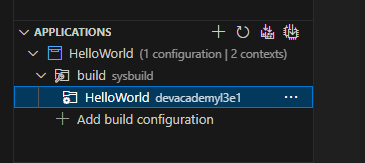
As a detour to getting DFU working for my existing project, based on nRF54L15, it was suggested in a previous ticket that the issue might be with my custom board folder, and how I created it, and that I should review the section in the Nordic Academy (nRF Connect SDK Intermediate - Adding custom board support).
So, I am doing this rather reluctantly, as the product we have is all but finished, with the last task being getting DFU working.
I am using SDK 2.9.2.
In Exercise 1, I have created the board file, and built the HelloWorld project
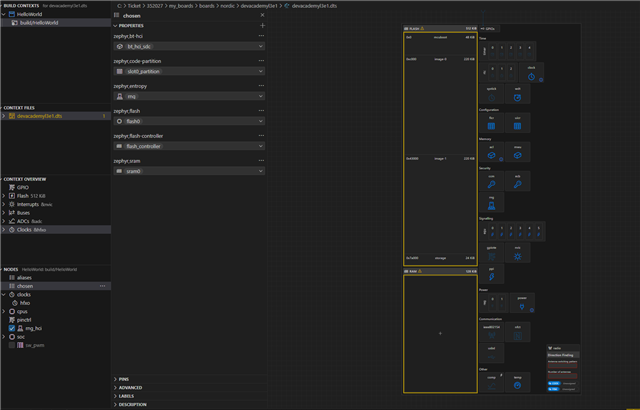
The interface described is out of date, so instead of clicking Devicetree under the Actions panel, I click on the Devicetree Visual Editor icon on the very left panel of VSCode / nRFConnect.
By the way, I have all Nordic extensions installed and up to date.
In the exercise, the visual editor “provides an overview of the devicetree context and a visual representation of the devicetree structure of your project”. However, when I click on the Devicetree Visual Editor, I get nothing. I get the four panels on the left: Build Contexts, Context Files, Context Overview, Nodes – all empty (except for their descriptions). So, I can assume that it is not linked to the project that I have open and built. I don’t see any + button or equivalent for adding or linking any file.
So, I am stuck again, delayed again. Forever frustrated using nRFConnect and Zephyr. The academy lessons are ok, but always based on a narrow example, and the assumption that everything works first time. I tried searching this DevZone for anything on this, with no success. And all of this is just step 1 of trying to get through the lessons, so that maybe I can get back to re-creating my own board, so that I can maybe add DFU to my project successfully, so that maybe one day I can deliver something to a frustrated customer