Hi,
I'm unable to get the PPKII kit to "connect" to my PC. After selecting the device it just says "Connecting..." forever.
Some notes:
- When first connecting the kit it came up and asked me to update the FW, which completed successfully.
- I'm able to force the device back into Bootloader mode and I attempted to update the FW a few more times with the same result.
- I'm using a windows 11 PC with nRF Connect Desktop v5.2.0 and Power Profiler App v4.3.1. Verified both are the latest versions.
- I tried uninstalling and reinstalling both PPKII App and nRF Connect Desktop.
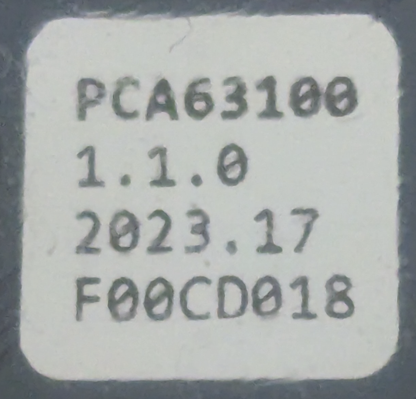
- I can see and select the device as "PPK2 (F00CD018F83F. Log info below.
- The LED is blinking green while trying to connect
- I tried the device on another PC and it worked fine and connected right away. Tried my PC and again it doesn't connect.
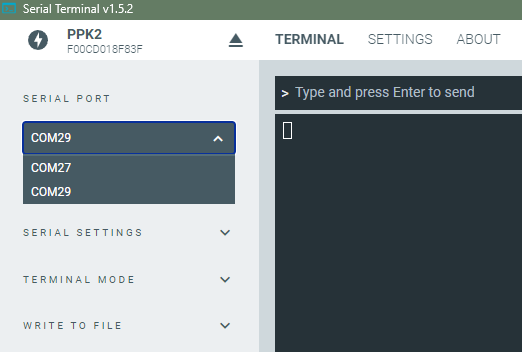
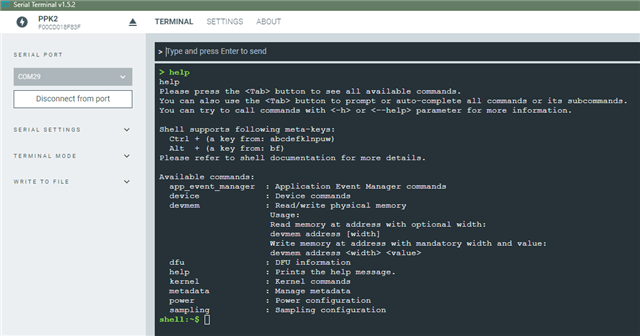
- I've used both the Programmer and Serial Terminal nRF Connect Apps with this PC with no issue.
[[UPDATED:
- Tried rebooting PC and attempting with a clean boot with nothing else running.
- Tried removing all other USB connections to the PC except for the PPKII.
- Tried multiple USB cables and multiple ports, and used the same USB cable on the other PC where the connection worked.
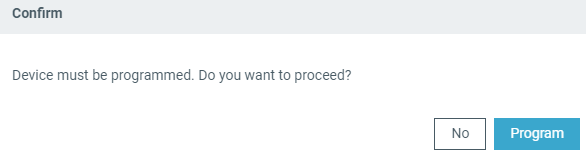
- Tried manual flash using the Programmer tool and file pca63100_ppk2_1.2.4_db16a94.hex found at: C:\Users\<your_user>\.nrfconnect-apps\node_modules\pc-nrfconnect-ppk\firmware
- Verified connected to USB DATA/POWER connection. Also tried connecting to both at the same time.
]]
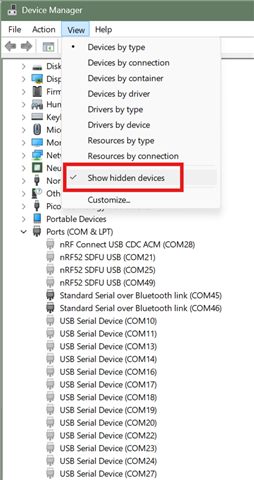
Device Manager shows the following while trying to connect: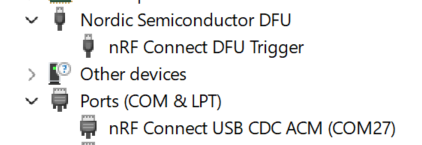
Connecting status: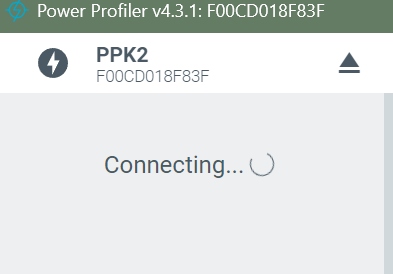
Log info #1 (Segger was attached using older JLink V8.18):
12:13:22.874 Initialising the bundled nrfutil device
12:13:23.178 Using the bundled core version for nrfutil device: 8.0.0
12:13:23.224 Using nrfutil-device version: 2.10.2
12:13:23.224 Using nrf-device-lib version: 0.17.71
12:13:23.224 Using nrf-probe version: 0.38.0
12:13:23.224 Using JLink version: JLink_V8.18
12:13:23.628 Getting serial port options from the persistent store for F00CD018F83F.pc-nrfconnect-ppk
12:13:23.628 Getting serial port options from the persistent store for 000519002569.pc-nrfconnect-ppk
12:13:23.629 Device connected with the serial number F00CD018F83F
12:13:23.634 Device connected with the serial number 000519002569
12:13:29.014 Device connected with the serial number F00CD018F83F
12:13:33.196 Getting serial port options from the persistent store for F00CD018F83F.pc-nrfconnect-ppk
12:13:33.197 Device connected with the serial number F00CD018F83F
12:13:33.545 Getting serial port options from the persistent store for F00CD018F83F.pc-nrfconnect-ppk
12:13:33.889 Getting serial port options from the persistent store for F00CD018F83F.pc-nrfconnect-ppk
12:13:44.812 Selecting device with the serial number F00CD018F83F
12:13:45.385 Selected device with the serial number F00CD018F83F
12:13:45.386 Connected to the device with the serial number F00CD018F83F and family: Unknown
[[UPDATED:
Log info #2 (No Segger device attached, newer JLink V8.74):
10:25:41.774 Initialising the bundled nrfutil device
10:25:42.050 Using the bundled core version for nrfutil device: 8.0.0
10:25:42.091 Using nrfutil-device version: 2.10.2
10:25:42.091 Using nrf-device-lib version: 0.17.71
10:25:42.091 Using nrf-probe version: 0.38.0
10:25:42.091 Using JLink version: JLink_V8.74
10:25:42.092 Your version of SEGGER J-Link (8.74) is newer than the one this app was tested with (8.18). The tested version is not required, and your J-Link version will most likely work fine. If you get issues related to J-Link with your devices, use the tested version.
10:25:52.024 Getting serial port options from the persistent store for F00CD018F83F.pc-nrfconnect-ppk
10:25:52.025 Device connected with the serial number F00CD018F83F
10:25:52.344 Getting serial port options from the persistent store for F00CD018F83F.pc-nrfconnect-ppk
10:25:52.662 Getting serial port options from the persistent store for F00CD018F83F.pc-nrfconnect-ppk
10:25:57.833 Selecting device with the serial number F00CD018F83F
10:25:58.400 Selected device with the serial number F00CD018F83F
10:25:58.401 Connected to the device with the serial number F00CD018F83F and family: Unknown
]]
I searched the forums, but didn't easily find anything else.
Any help would be appreciated. Thanks.