

Error Report:
When flashing, I get this error:
Error:
One or more batch tasks failed: * 1050058878: Timed out waiting for response from worker. (Generic) FATAL ERROR: command exited with status 1: nrfutil --json device --x-ext-mem-config-file C:/ncs/v3.0.2/zephyr/boards/nordic/nrf5340dk/support/nrf5340dk_qspi_nrfutil_config.json x-execute-batch --batch-path 'D:\pj-ncs\hello_world\build\generated_nrfutil_batch.json' --serial-number 1050058878
This occurred while working on Exercise 1 of Lesson 2 (Debugging and troubleshooting) in the nRF Connect SDK Intermediate course. After following the instructions and clicking DEBUG:
- An error dialog appeared
- My board can no longer be flashed (even previously working programs fail)
- The J-LINK folder no longer appears when connecting the board to the computer
- Both erase and recover operations in VS Code failed (see attached logs)
- The same issue occurs with both nRF52840 and nRF5340 boards
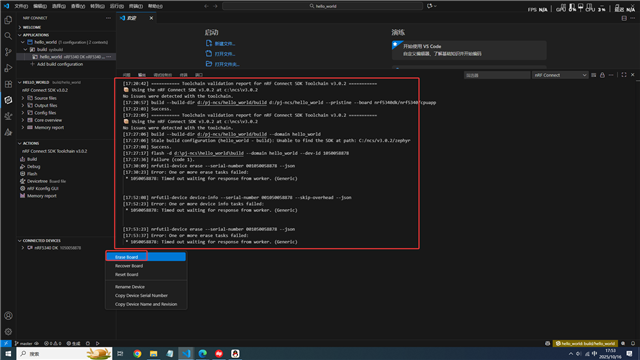
Key points:
- Problem started after debug attempt
- Affects multiple boards
- Basic recovery methods failed
- J-Link communication appears broken
