

It seems like the nRF54LM20-DK is not properly powering LED 0-3. After measuring 0V from TP1 to GND, I opened the board configurator and tried applying "ledcontrol" as both off and on, and either way I'm getting no power. Any insight here would be appreciated!
PCA10184
DK Hardware Revision: 0.3.4
Board Controller FW version: 1.2.1
# nRFConnect System Report - 2025-10-19T21-06-18.849Z
- App: Board Configurator
- Version: 0.5.0
- Source: official
- Core version: 5.2.0
- Engine version: >=5.2.0
- System: Apple Inc. MacBookPro18,1
- BIOS: Apple Inc. 13822.1.2
- CPU: 1 x Apple M1 Pro 2.4 GHz 10 cores (10 physical)
- Memory: 73.2 MB free of 16 GB total
- Filesystem: /dev/disk3s1s1 (APFS) 460.4 GB 19.6% used
- OS: macOS (26.0) darwin arm64
- Versions
- kernel: 25.0.0
- git: 2.39.5
- node:
- python:
- python3: 3.9.6
- nrfutil-nrfutil-device: 2.12.3
- Connected devices:
- 001051856418 PCA10184: /dev/tty.usbmodem0010518564181, /dev/tty.usbmodem0010518564183
- Current device:
- name: nRF54LM20 DK
- serialNumber: 001051856418
- cores: 1
- website:

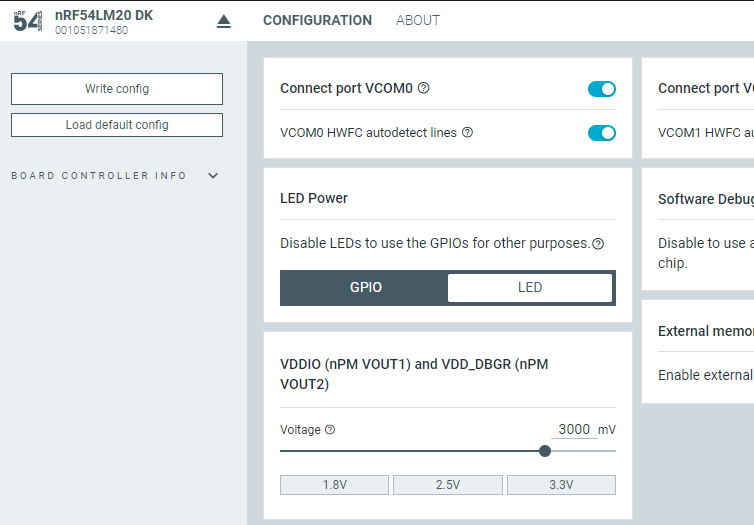
 , then the LSOUT2 turns on, P5V0:LED gets voltage, and LEDs turn on.