Trying to read button 3 on the npm1300-ek, which is gpio 1 according to the schematic. The following #defines represent the gpio related registers on the npm1300:
I verified that gpio 1 is set to an input using the following:
Trying to read button 3 on the npm1300-ek, which is gpio 1 according to the schematic. The following #defines represent the gpio related registers on the npm1300:
I verified that gpio 1 is set to an input using the following:
Hello,
I did not get around to testing this today, but we have a sample demonstrating how you can use the Zephyr GPIO driver API with the PMIC here: https://docs.nordicsemi.com/bundle/ncs-latest/page/nrf/samples/pmic/native/npm13xx_one_button/README.html. Have you tried this already?
The PMIC GPIO driver/shim can be found here: https://github.com/nrfconnect/sdk-zephyr/blob/main/drivers/gpio/gpio_npm13xx.c
Best regards,
Vidar
Vidar,
I don't know what I'm supposed to do with a PMIC GPIO driver/shim.
I tried the npm13xx_one_button sample, but I'm not seeing the callback event (I put a printk() in
|
SDA |
P0.26 |
|||||
|
SCL |
P0.27 |
|||||
|
GPIO3 |
P0.04 |
|||||
|
VDDIO |
VDD |
|||||
|
GND |
GND |
Without adding the npm1300.overlay or the Extra CMake argument, I see "PMIC device ok" (but no call back). However, when I add either the overlay or the cmake argument, I get "Error: led device is not ready"
I'm not sure where to go from here
It works now, thank you very much!
Vidar,
I have two follow up questions:
1. How can I put the extra build command: -DSHIELD=npm1300_ek into a file so it doesn't need to be an extra command? I tried putting it in cmakelists.txt with set( SHIELD "npm1300_ek"), but that didn't do it.
2. How can I blink a different led? The example, npm13xx_two_button blinks ld3 (host) with the commands: led_on(leds, 1U); and led_off(leds, 1U); I tried replacing the 1U with 0U, 2U and 3U, but with those values the leds do nothing.
Thank you
1.
I tried putting it in cmakelists.txt with set( SHIELD "npm1300_ek"), but that didn't do it.
This should work if it's placed before the find_package() line. Instead of including the shiled, you can also define your own board that includes the definitions from the overlay added by this shield:

https://github.com/nrfconnect/sdk-zephyr/blob/main/boards/shields/npm1300_ek/npm1300_ek.overlay
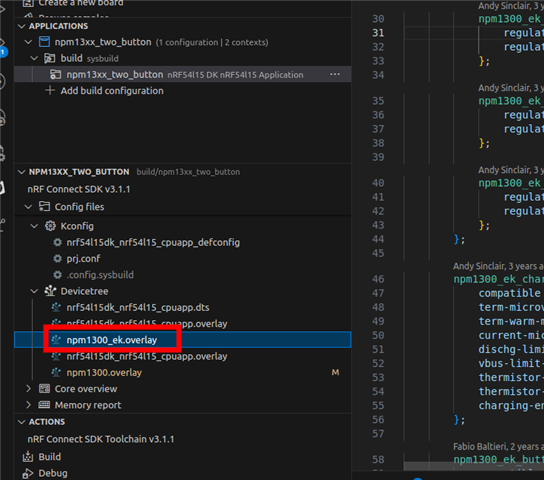
Or create an overlay for your existing build target (nrf52833dk_nrf52833.overlay) that includes the same definition as the npm1300_ek.overlay.
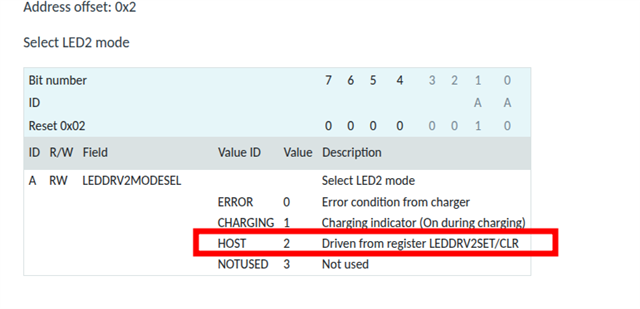
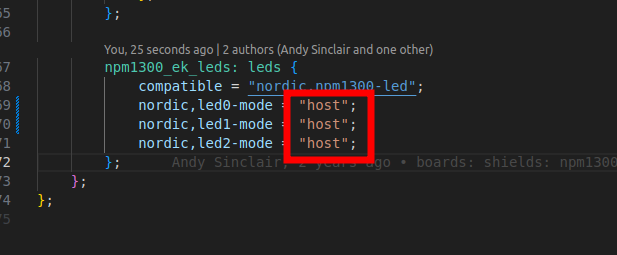
2. For the LED to be controllable it must configured in the host mode here:

The default mode can be selected by changing the overlay here:

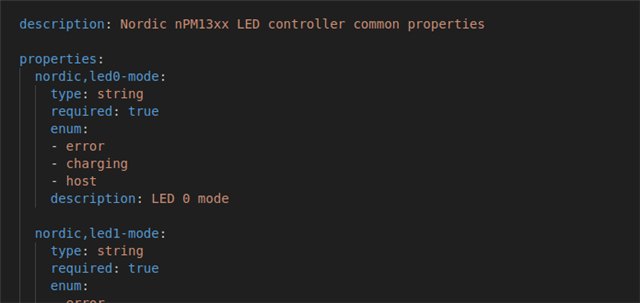
Description of the properties from binding:

Best regards,
Vidar
Both of your solutions worked. Thank you
Hi Vidar,
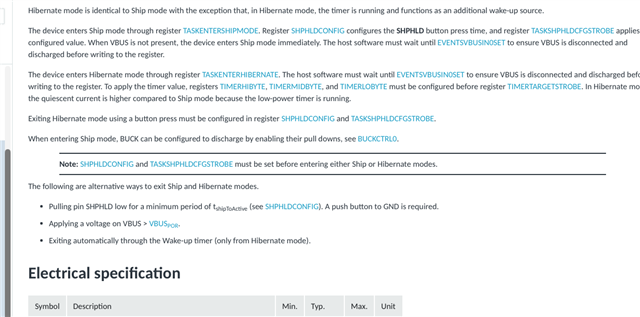
using the npm13xx_two_button project, is there a way to have the pmic come out of ship/hold after a longer button press? Right now it comes out on a short press, which I assume is the default.
I tried the following:
Thank you,
Keith
Hi Vidar,
using the npm13xx_two_button project, is there a way to have the pmic come out of ship/hold after a longer button press? Right now it comes out on a short press, which I assume is the default.
I tried the following:
Thank you,
Keith
Hi Keith,
Please try to apply the configurations before entering shipmode as mentioned in the note here:

Vidar,
This is where I got the commands I'm using, but they don't work.
Hi Keith,
Yes, but the commands must be issued in the correct order.