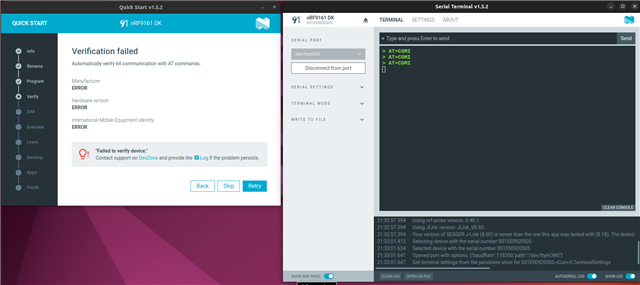
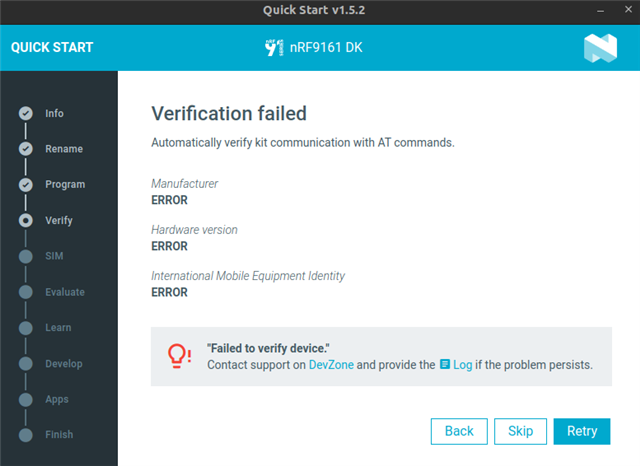
nRF9161 DK: Fails to verify device in QuickStart 1.5.2

Hello,

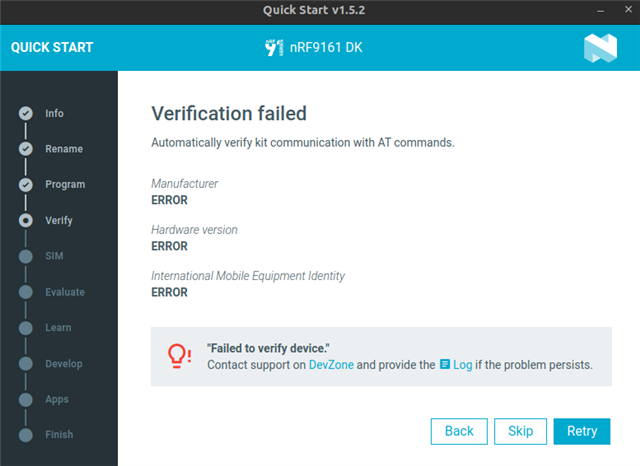
I can no longer use AT commands on my nRF9161 DK development board.

It used to work perfectly, but I don't know what happened.

I had previously completed the "Cellular IoT Fundamentals" course.

Nordic SDK: 2.8.0

Toolchain: 2.8.0

Environment: Linux Ubuntu 22.04

Note: I migrated to SDK v3.1.1, but it still doesn't work, and the same goes for the toolchain.

Here are the logs:


2025-11-11T11:35:12.603Z INFO Initialising the bundled nrfutil device
2025-11-11T11:35:12.610Z DEBUG Started watching devices
2025-11-11T11:35:12.733Z INFO Using the bundled core version for nrfutil device: 8.1.1
2025-11-11T11:35:12.830Z INFO Using nrfutil device version: 2.13.2
2025-11-11T11:35:12.831Z INFO Using nrf-device-lib version: 0.19.0
2025-11-11T11:35:12.831Z INFO Using nrf-probe version: 0.45.0
2025-11-11T11:35:12.831Z INFO Using SEGGER J-Link version: JLink_V8.66
2025-11-11T11:35:12.831Z INFO Your version of SEGGER J-Link (8.66) is newer than the one this app was tested with (8.60). The tested version is not required, and your J-Link version will most likely work fine. If you get issues related to J-Link with your devices, use the tested version.
2025-11-11T11:35:15.604Z DEBUG Selected device: nRF9161 DK
2025-11-11T11:35:15.638Z DEBUG Changed step: Info
2025-11-11T11:35:17.478Z DEBUG Changed step: Rename
2025-11-11T11:35:18.332Z DEBUG Changed step: Program
2025-11-11T11:36:40.432Z DEBUG Changed step: Verify
2025-11-11T11:36:43.435Z INFO Opened port with options: {"path":"/dev/ttyACM0","baudRate":115200}
2025-11-11T11:36:45.436Z ERROR Received ERROR as return value from AT command
2025-11-11T11:36:45.439Z INFO Closed port: /dev/ttyACM0
Parents
  • Hello,

    I can't reproduce the error on my side. Can you please share which program you flashed into the dk?

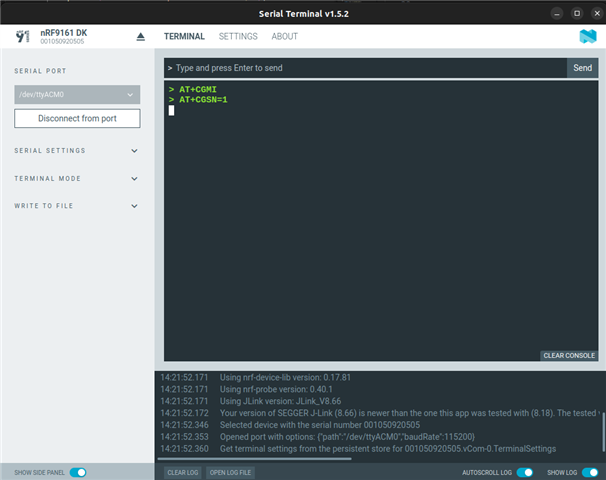
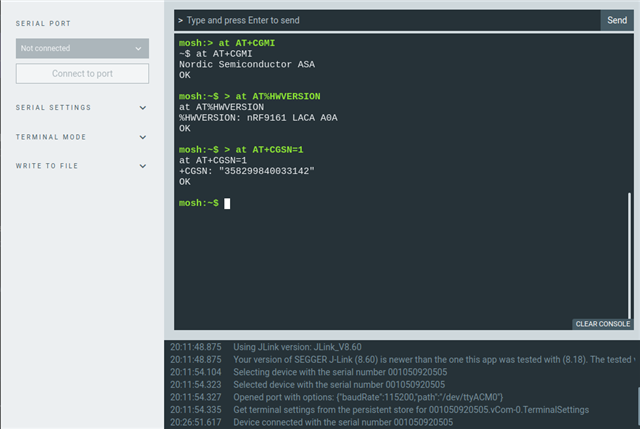
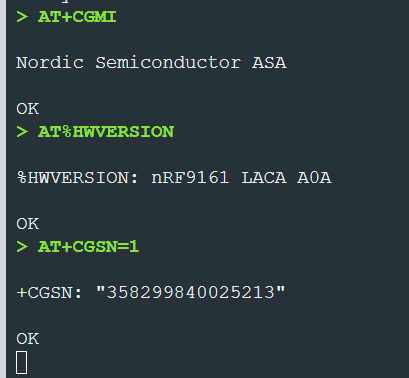
    Also, if you connect a serial terminal while doing the quick start, you should be able to see the AT commands being sent to the device.

    You should see something like that:

    Can you confirm that you see the AT commands?

    Best regards

    Simon D-M

  • Thank you for your reply . 

    i'm following this course again :  
    cellular-iot-fundamentals/lessons/lesson-2-cellular-fundamentals/topic/lesson-2-exercise-1/

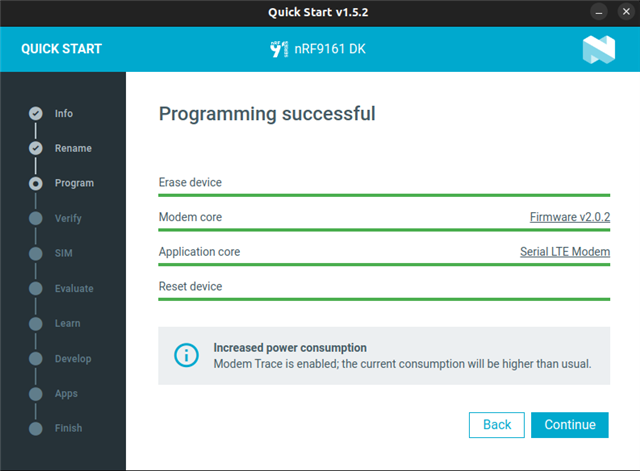
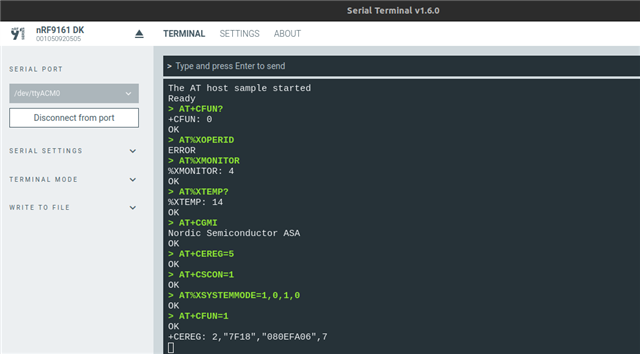
    Here are some more screenshots after flashing the AT command application program:


    Skip and open terminal


    When I send AT commands, I receive no response.


    Regards, 

    Fabrice

  • Thanks for your suggestions. Unfortunately, the issue is still present after applying all your suggested fixes.

    To summarize the situation and the troubleshooting steps taken:

    • The "blinky" and "helloworld" samples work fine, confirming basic board functionality.

    • I usually turn on/off my PC.

    • I downgraded the software to v8.60 but still have the same issue.

    • I also recovered the board with the command nrfutil device recover.

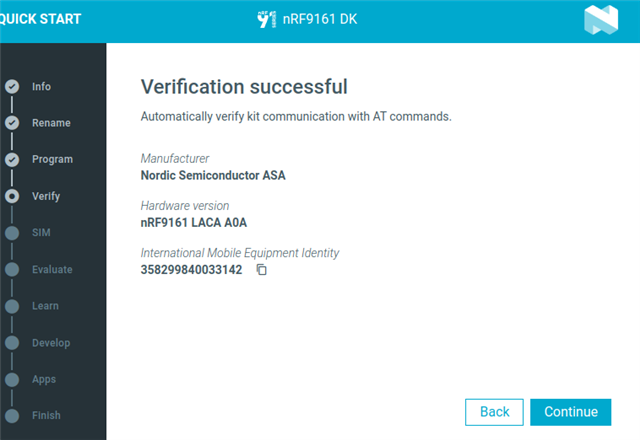
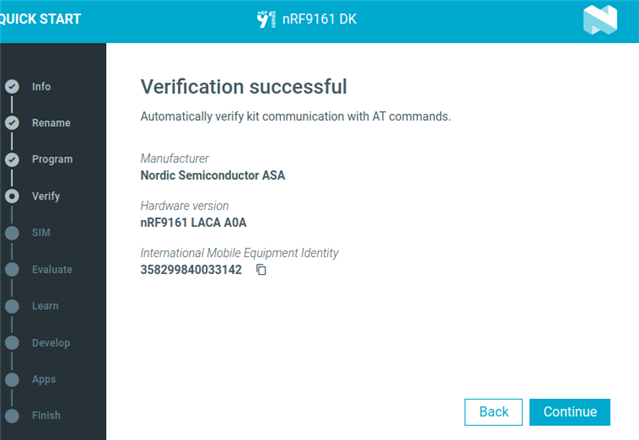
    The weird thing that I observed is that when I flash the "asset tracker" program onto the board, I'm able to retrieve board information (not through AT command, but just visual display).

    Thank you for your continued assistance.


    Here is the log related to AT-command program:

    2025-11-12T19:56:21.251Z INFO Initialising the bundled nrfutil device
    2025-11-12T19:56:21.258Z DEBUG Started watching devices
    2025-11-12T19:56:21.390Z INFO Using the bundled core version for nrfutil device: 8.1.1
    2025-11-12T19:56:21.487Z INFO Using nrfutil device version: 2.13.2
    2025-11-12T19:56:21.488Z INFO Using nrf-device-lib version: 0.19.0
    2025-11-12T19:56:21.488Z INFO Using nrf-probe version: 0.45.0
    2025-11-12T19:56:21.488Z INFO Using SEGGER J-Link version: JLink_V8.60
    2025-11-12T19:56:24.252Z DEBUG Selected device: nRF9161 DK
    2025-11-12T19:56:24.282Z DEBUG Changed step: Info
    2025-11-12T19:56:25.797Z DEBUG Changed step: Rename
    2025-11-12T19:56:26.538Z DEBUG Changed step: Program
    2025-11-12T19:59:09.767Z DEBUG Changed step: Verify
    2025-11-12T19:59:12.771Z INFO Opened port with options: {"path":"/dev/ttyACM0","baudRate":115200}
    2025-11-12T19:59:14.771Z ERROR Received ERROR as return value from AT command
    2025-11-12T19:59:14.774Z INFO Closed port: /dev/ttyACM0
    Regards, 

    Fabrice

  • The weird thing that I observed is that when I flash the "asset tracker" program onto the board, I'm able to retrieve board information (not through AT command, but just visual display).

    I'm not sure to understand what you mean by visual display... Do you mean in the serial terminal ? If not, do you see anything in the serial terminal ?

    And which "asset tracker" are you refering to, the "Legacy Asset Tracker" (Asset Tracker v2) or the "Asset Tracker" (Asset Tracker Template) ?

    One more thing you can try, if you have access to an other computer, is to do the quick start on that other computer.

    Best regards,

    Simon D-M

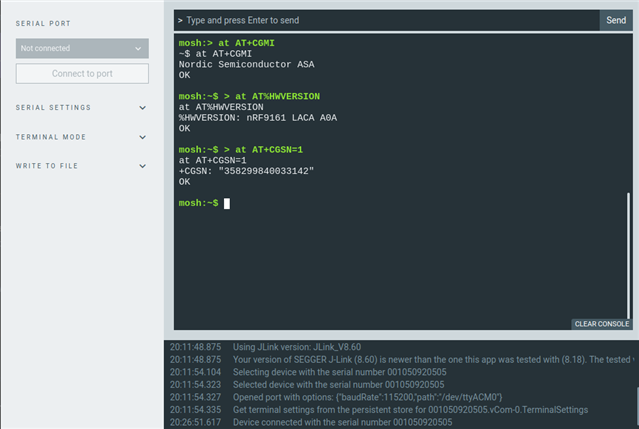
  • By visual display i mean this picture below for both  Legacy Asset Tracker  and asset tracker


    Since my machine is dual-booted, I ran tests on the Windows side. Unfortunately, I still encountered the same problem with the AT command. Here are the logs:

    2025-11-16T08:11:29.346Z INFO Initialising nrfutil module: device
    2025-11-16T08:11:29.364Z DEBUG Started watching devices
    2025-11-16T08:11:30.538Z INFO Using nrfutil-device core version: 8.1.1
    2025-11-16T08:11:31.136Z INFO Using nrfutil-device version: 2.1.1
    2025-11-16T08:11:31.137Z INFO Using nrf-device-lib version: 0.17.5
    2025-11-16T08:11:31.137Z INFO Using nrfjprog DLL version: 10.24.0
    2025-11-16T08:11:31.137Z INFO Using JLink version: JLink_V8.18
    2025-11-16T08:11:31.137Z WARN Installed JLink version does not match the expected version (JLink_V7.94e)
    2025-11-16T08:11:37.575Z DEBUG Selected device: nRF9161 DK
    2025-11-16T08:11:37.589Z DEBUG Changed step: info
    2025-11-16T08:11:41.184Z DEBUG Changed step: rename
    2025-11-16T08:11:42.541Z DEBUG Changed step: program
    2025-11-16T08:15:03.087Z DEBUG Changed step: verify
    2025-11-16T08:20:25.318Z INFO Opened port with options: {"path":"COM6","baudRate":115200}
    2025-11-16T08:20:27.332Z INFO Closed port: COM6
    2025-11-16T08:20:27.338Z INFO Opened port with options: {"path":"COM9","baudRate":115200}
    2025-11-16T08:20:29.343Z ERROR Error: Unable to find the AT client.
    2025-11-16T08:20:29.344Z INFO Closed port: COM9


    Regards, 

    Fabrice

  • dfdl said:

    I'm really not sure why it works here and not on the AT command app... Because the quick start app actually sends AT commands to the device to get these informations...

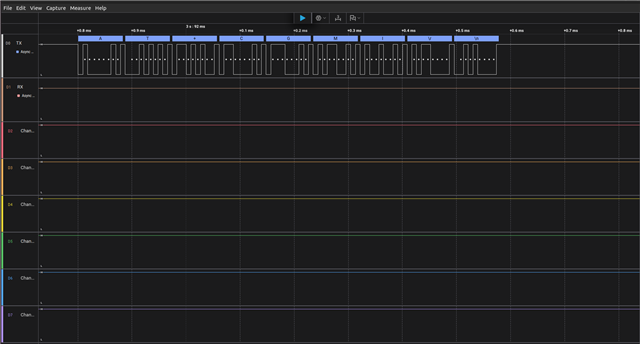
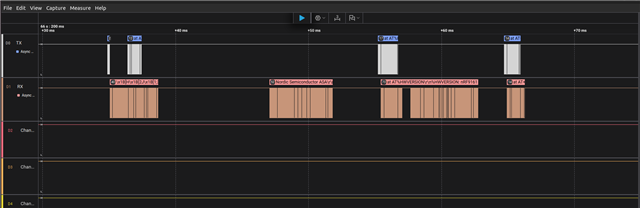
    I am wondering if it is a hardware issue at this point. It might be that the UART Tx or Rx line between the interface MCU and the nRF9161 has an issue. Do you have access to a signal analyzer? If you do, you can try to measure these lines. They should be available on one of the headers.

    Just to check if you are doing something wrong, tell me each and every step you are doing through the quick start. Also open an nRF Connect for desktop Serial Terminal and connect it to the device before starting the quick start, and leave it open through the whole process.

    Best regards,

    Simon D-M

  • Hello, 

    Thank for the explanations and advices. 

    Here is the step by step explanation : 

    • I connect the board to the computer.
    • I launch the nRF Connect Desktop v5.2.0 application.
    • I open the Quick Start application.
    • I wait for the board to be automatically detected.
    • I click Continue.
    • I do not rename the board and click Continue.
    • I select the "AT Commands" application and then click Program.
    • Once the application is programmed, I click Continue.
    • Then I wait for the verification information to be displayed.

    Here is the console output of the whole process : 


    I've tried several times, but there's still no response, as you can see on the console.

    Regards, 

    Fabrice

Reply
  • Hello, 

    Thank for the explanations and advices. 

    Here is the step by step explanation : 

    • I connect the board to the computer.
    • I launch the nRF Connect Desktop v5.2.0 application.
    • I open the Quick Start application.
    • I wait for the board to be automatically detected.
    • I click Continue.
    • I do not rename the board and click Continue.
    • I select the "AT Commands" application and then click Program.
    • Once the application is programmed, I click Continue.
    • Then I wait for the verification information to be displayed.

    Here is the console output of the whole process : 


    I've tried several times, but there's still no response, as you can see on the console.

    Regards, 

    Fabrice

Children
Related