Linux-enabled BLE HID peripheral

I am trying to develop a BLE HID peripheral that can be used on Ubuntu 24.04.

When I try to connect the peripheral_hids_mouse example to a Linux machine, it immediately disconnects and becomes unusable.

Is there any sample code that has been confirmed to work with Linux machines?
Or is this a problem specific to my environment?

I am using nRF52840DK and NCS 3.0.2.

The host Linux machine is a Lenovo ThinkPad T14s. It works fine with other Logitech devices.

Parents
  • Hello,

    Does the log from the nRF say anything when it disconnects? Particularly, what is the "reason" parameter in the disconnected event? And does the log say anything about "security change"?

    Best regards,

    Edvin

  • *** Booting nRF Connect SDK v3.0.2-89ba1294ac9b ***
    *** Using Zephyr OS v4.0.99-f791c49f492c ***
    [00:00:00.024,871] <inf> main: Starting Bluetooth Peripheral HIDS mouse sample
    [00:00:00.039,337] <inf> fs_nvs: 2 Sectors of 4096 bytes
    [00:00:00.045,288] <inf> fs_nvs: alloc wra: 0, ef8
    [00:00:00.050,720] <inf> fs_nvs: data wra: 0, 17c
    [00:00:00.056,182] <inf> bt_sdc_hci_driver: SoftDevice Controller build revision: 
                                                89 9a 50 8a 95 01 9c 58  fc 39 d2 c1 10 04 ee 02 |..P....X .9......
                                                64 ce 25 be                                      |d.%.             
    [00:00:00.089,599] <inf> bt_hci_core: HW Platform: Nordic Semiconductor (0x0002)
    [00:00:00.097,747] <inf> bt_hci_core: HW Variant: nRF52x (0x0002)
    [00:00:00.104,522] <inf> bt_hci_core: Firmware: Standard Bluetooth controller (0x00) Version 137.20634 Build 2617349514
    [00:00:00.116,546] <inf> bt_hci_core: No ID address. App must call settings_load()
    [00:00:00.124,847] <inf> main: Bluetooth initialized
    [00:00:00.132,263] <inf> bt_hci_core: Identity: D7:27:30:94:0A:33 (random)
    [00:00:00.139,892] <inf> bt_hci_core: HCI: version 6.0 (0x0e) revision 0x10f3, manufacturer 0x0059
    [00:00:00.149,658] <inf> bt_hci_core: LMP: version 6.0 (0x0e) subver 0x10f3
    [00:00:00.159,973] <inf> main: Direct advertising to 14:5A:FC:4B:71:00 (public) started
    [00:00:01.440,277] <inf> main: Direct advertising to 14:5A:FC:4B:71:00 (public) timed out
    [00:00:01.450,744] <inf> main: Regular advertising started
    [00:00:20.254,913] <inf> bas: BAS Notifications enabled
    [00:00:20.261,169] <inf> main: Connected 14:5A:FC:4B:71:00 (public)
    [00:00:20.268,249] <inf> main: Conn details (post-connect): 14:5A:FC:4B:71:00 (public) role peripheral interval 36 latency 0 timeout 42 sec_level 1 key_size 0
    [00:00:20.285,705] <inf> main: Regular advertising started
    [00:00:20.870,758] <inf> main: Passkey for 14:5A:FC:4B:71:00 (public): 636211
    [00:00:20.878,631] <inf> main: Press Button 1 to confirm, Button 2 to reject.
    [00:00:21.590,209] <inf> main: Security failed: 14:5A:FC:4B:71:00 (public) level 1 err 9 
    [00:00:21.599,365] <inf> main: Conn details (security cb): 14:5A:FC:4B:71:00 (public) role peripheral interval 36 latency 0 timeout 42 sec_level 1 key_size 0
    [00:00:21.614,532] <inf> main: Pairing failed conn: 14:5A:FC:4B:71:00 (public), reason 9 
    [00:00:21.623,596] <inf> main: Conn details (pairing failed): 14:5A:FC:4B:71:00 (public) role peripheral interval 36 latency 0 timeout 42 sec_level 1 key_size 0
    [00:00:21.639,038] <inf> bas: BAS Notifications disabled
    [00:00:21.645,294] <inf> main: Disconnected from 14:5A:FC:4B:71:00 (public), reason 0x08 
    [00:00:21.655,609] <inf> main: Direct advertising to 14:5A:FC:4B:71:00 (public) started
    [00:00:22.935,699] <inf> main: Direct advertising to 14:5A:FC:4B:71:00 (public) timed out
    [00:00:22.946,166] <inf> main: Regular advertising started

    Here's the log:

    Security error is 9
    Pairing error is 9
    disconnection reason is 8


    A connection attempt is made from a Linux machine about 10 seconds after startup.
    On the Linux machine, a key code popup appears for about 0.5 seconds and then disappears immediately.

    I would appreciate any advice you can give me.

  • And are you are not pressing button 2 on the DK while trying to connect? Or shorting P0.12 to GND?

    BR,
    Edvin

  • Erasing the board makes no difference.
    I have also confirmed that there is no pair information using bluetoothctrl on a Linux machine.

    To check that the DK buttons are not malfunctioning, I set it to output a log when num_comp_reply() is called, but there is no sign of a malfunction.

    Setting up the sniffer takes some time, so I tested it using Bluetooth Standalone.

    Also, my setup is a standard development kit and sample code, except for the Linux host machine.
    The Linux machine (T14s gen2, Ubuntu 24.04) is also a very standard environment.
    Would it be possible for Nordic to test it?

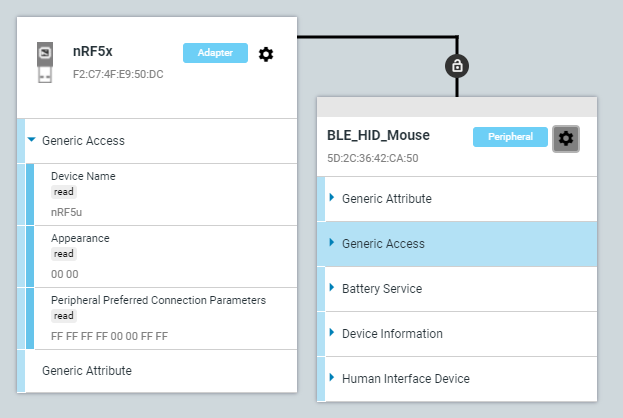
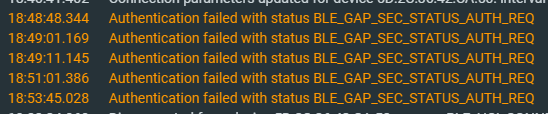
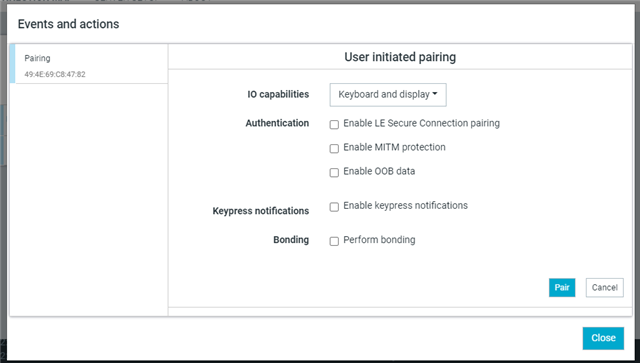
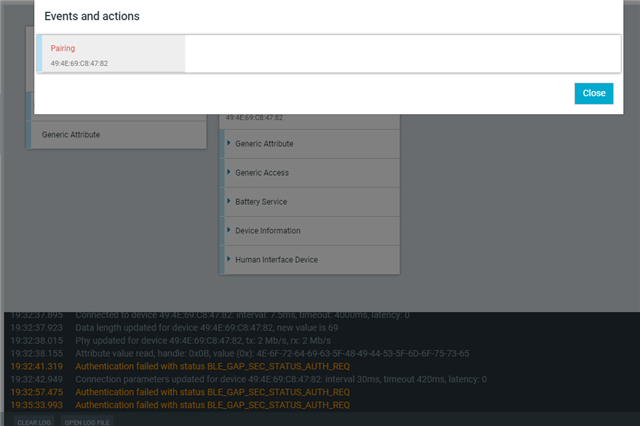
  • Does the log from the nRF say the same when you attempted using nRF Connect for Desktop -> Bluetooth Low Energy? 

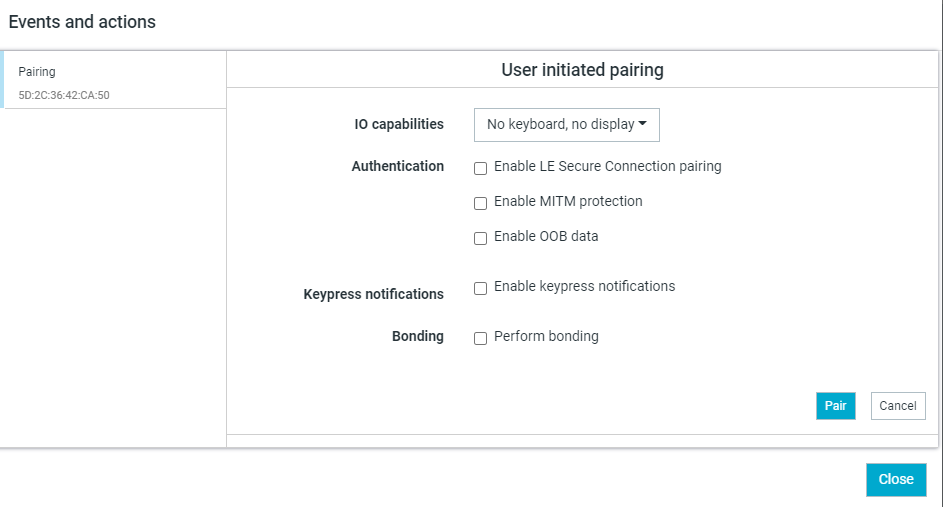
    I noticed that you are using "No keyboard, no display" in nRF Connect for Desktop -> Bluetooth Low Energy.

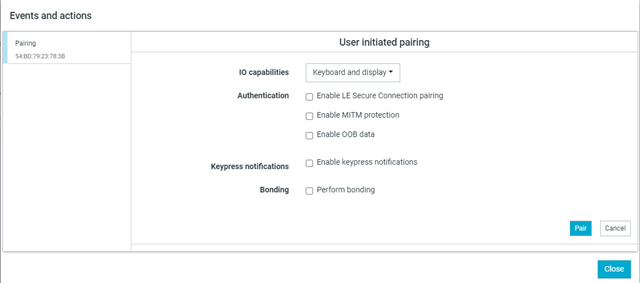
    Can you please try to use "Keyboarrd And Display"?

    Does that change anything?

    A sniffer trace could still be helpful.

    Best regards,

    Edvin

  • Sorry, I left it set to test mode for another device (the device I'm developing on).

    However, even when I changed it to "Keyboard And Display", the result was the same.

    Note: The target board has been changed to the nRF52833DK due to a lack of board.

    Analysis using a BLE sniffer seems a bit time-consuming. I'll check it tomorrow.

  • In that case, we can rule out that this is a linux issue, if the behavior is the same when trying to pair with the nRF Connect for Desktop -> Bluetooth Low Energy.

    Can you replicate the issue once more, and after you have done that, can you read out the flash on the nRF (the one acting as a hids_mouse)?

    To read it out, you can use one of these commands:

    nrfjprog --readcode flash_dump.hex

    nrfutil device dump-to-file flash_dump.hex

    And upload that flash_dump.hex file here? Also, let me know what device (nRF52833 or nRF52840) the flash dump is coming from.

    Best regards,

    Edvin

Reply
  • In that case, we can rule out that this is a linux issue, if the behavior is the same when trying to pair with the nRF Connect for Desktop -> Bluetooth Low Energy.

    Can you replicate the issue once more, and after you have done that, can you read out the flash on the nRF (the one acting as a hids_mouse)?

    To read it out, you can use one of these commands:

    nrfjprog --readcode flash_dump.hex

    nrfutil device dump-to-file flash_dump.hex

    And upload that flash_dump.hex file here? Also, let me know what device (nRF52833 or nRF52840) the flash dump is coming from.

    Best regards,

    Edvin

Children
Related