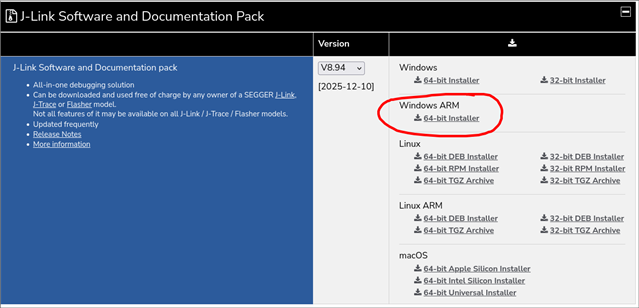
I get the following error when trying to program the device:
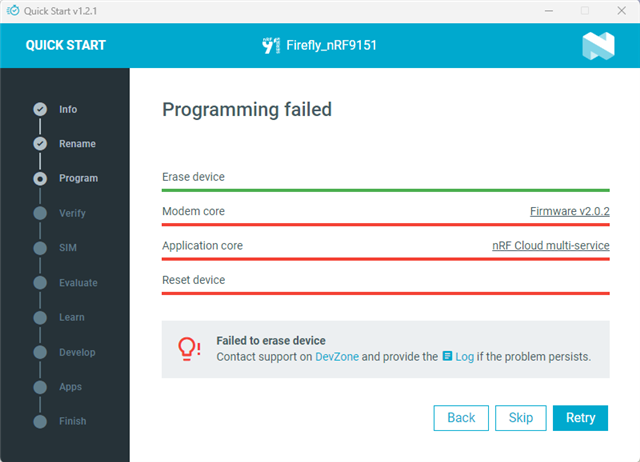
The log shows this:
2025-12-10T09:08:50.194Z INFO Initialising the bundled nrfutil device
2025-12-10T09:08:50.228Z DEBUG Started watching devices
2025-12-10T09:08:51.282Z INFO Using the bundled core version for nrfutil device: 8.1.1
2025-12-10T09:08:51.337Z INFO Using nrfutil-device version: 2.10.2
2025-12-10T09:08:51.338Z INFO Using nrf-device-lib version: 0.17.71
2025-12-10T09:08:51.340Z INFO Using nrf-probe version: 0.38.0
2025-12-10T09:08:51.340Z INFO Using JLink version: JLink_V8.76
2025-12-10T09:08:51.343Z INFO Your version of SEGGER J-Link (8.76) is newer than the one this app was tested with (8.18). The tested version is not required, and your J-Link version will most likely work fine. If you get issues related to J-Link with your devices, use the tested version.
2025-12-10T09:09:05.294Z DEBUG Selected device: nRF9151 DK
2025-12-10T09:09:05.856Z DEBUG Changed step: Info
2025-12-10T09:09:12.013Z DEBUG Changed step: Rename
2025-12-10T09:10:00.777Z DEBUG Changed step: Program
Is there a way to resolve this?
Initially I was already unable to find the device via Visual Studio (with the nrf extensions). It says no devices found in Connected Devices although it does find the device via nrfutil. I get a warning about the legacy USB drivers being missing. I did do the Segger J-Link installation with the legacy USB driver checkbox enabled but for some reason it is unable to find them.
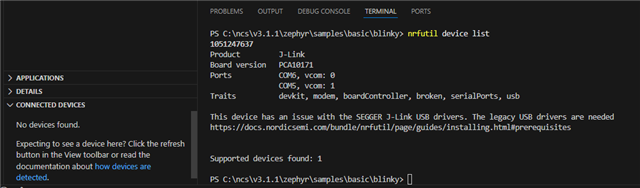
This is the reason I went to the nRF Connect for Desktop application to see if I could at least connect to and program the device from there.