Request test firmware for large scale testing scenario

I was reviewing the Large scale Bluetooth mesh testing - Blogs - Nordic Blog - Nordic DevZone and noticed the statement: "Initialize the network by flashing the test firmware on the nodes." in the test procedure. I’m interested in performing similar latency and reliability tests. Could you please let me know where I can find the test firmware used in your evaluation?

Parents
  • Hi Nagarajan,

    I think it would be best if we could guide you on how to do this rather than to share this internal project. Though please contact your local RSM (regional sales manager or other nordic representative) about this, as I think that would be a good way to start addressing this. 

    Regards and happy holidays,

    Elfving

  • Thanks for the input. I performed an nRF52840 board-to-board test using the nRF Light and Light Switch examples and monitored the timestamps in the nRF Mesh Sniffer. Based on my observations, is it possible to further reduce the latency through BLE Mesh configuration?

    distance (metre) round trip latency for acknowledged message (ms)
    0 48
    0.5 66
    3 105
    6 100
    10 214

  • There are a few configs you could use to address this, like NETWORK TRANSMIT COUNT, RELAY RETRANSMIT COUNT / INTERVAL, CONFIG_BT_MESH_ADV_BUF_COUNT, CONFIG_BT_MESH_RELAY_BUF_COUNT.

    Though if you are comparing or studying these latency numbers, note that our Mesh stack also has an implementation of the Access layer randomization as recommended by the Mesh specification. So a reply message is randomly delayed from 20ms to 50ms. If you want, you can disable this randomization (by setting CONFIG_BT_MESH_ACCESS_DELAYABLE_MSG=n on both projects). 

    Though be aware: The access layer randomizations help reduce the probability of collisions when there is network traffic. Or in other words, they increase the probability of message delivery. If you disable this setting, you will get better performance for your latency test on your desk, but in the field, the nodes may suffer more packet loss due to collisions.  So, even though keeping this setting to "y" results in slightly higher latency, you will get lower overall 'miss rate' in the field when there are several mesh nodes in the network communicating with one another.

    Regards,

    Elfving

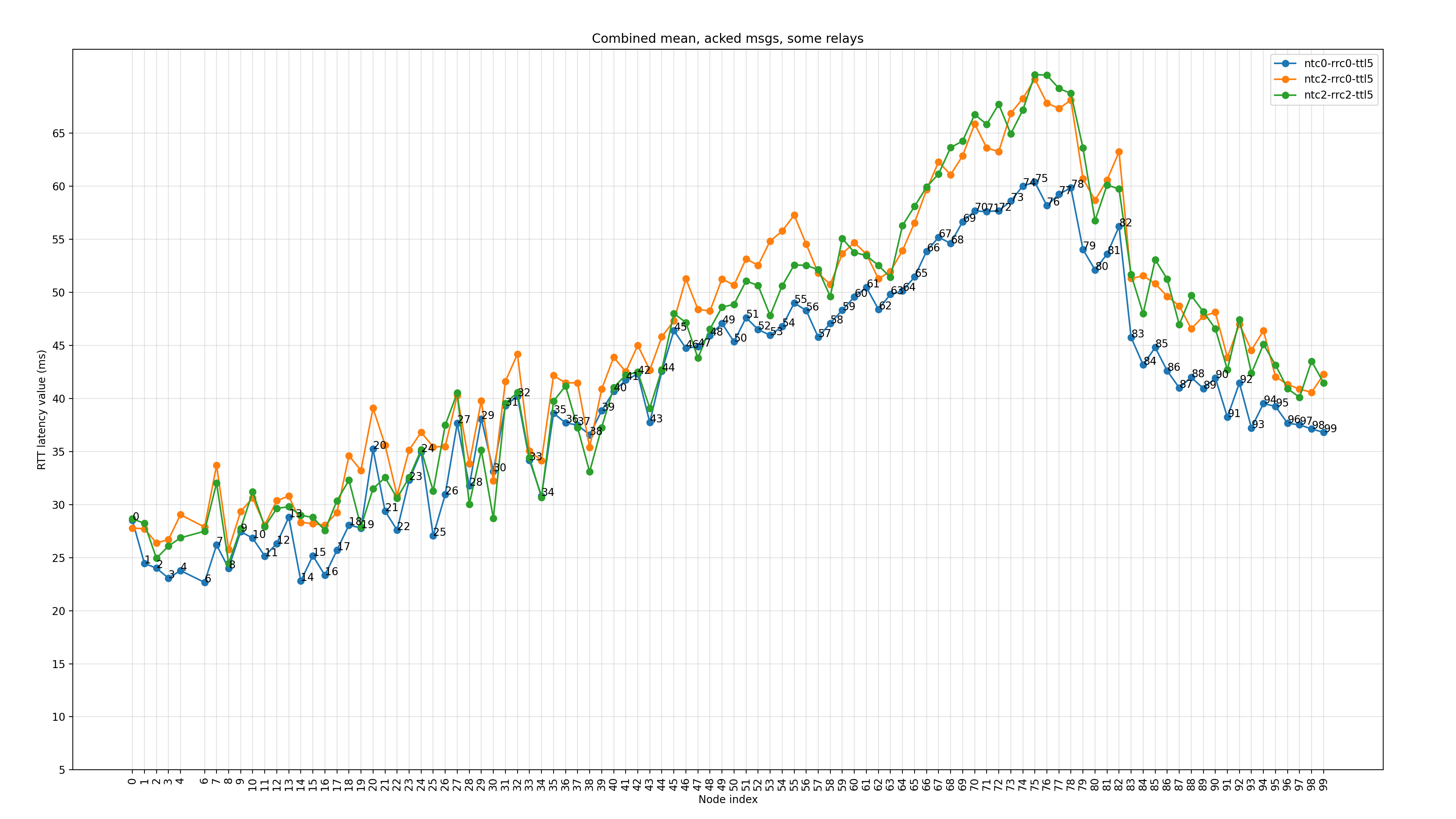
  • In this figure, the maximum observed latency is around 65 ms. Does this indicate that message randomization is disabled (i.e., CONFIG_BT_MESH_ACCESS_DELAYABLE_MSG=n) in this configuration? Additionally, can the transmit power setting (CONFIG_BT_CTLR_TX_PWR_0) have any impact on the observed latency?

Reply Children
Related