Description: I am implementing USB Mass Storage with a FAT filesystem on external MX25UW63 flash (via EXMIF) using the nRF54H20 DK (NCS v3.2.0).
Setup:
-
Board: nRF54H20 DK
-
SDK: nRF Connect SDK v3.2.0
-
Reference:
zephyr/samples/subsys/usb/mass
Configuration:nrf54h20dk_nrf54h20_cpuapp.overlay:
/delete-node/ &storage_partition;

&exmif {
	status = "okay";
};

&gpio6 {
	status = "okay";
};

&mx25uw63 {
	status = "okay";

    partitions {
		compatible = "fixed-partitions";
		#address-cells = <1>;
		#size-cells = <1>;

		storage_partition: partition@0 {
			label = "storage";
			reg = <0x00000000 0x00020000>;
		};
	};
};

/ {
	msc_disk0 {
		compatible = "zephyr,flash-disk";
		partition = <&storage_partition>;
		disk-name = "NAND";
		cache-size = <4096>;
	};
};nrf54h20dk_nrf54h20_cpuapp.conf:
CONFIG_APP_MSC_STORAGE_FLASH_FATFS=y
Error Log:
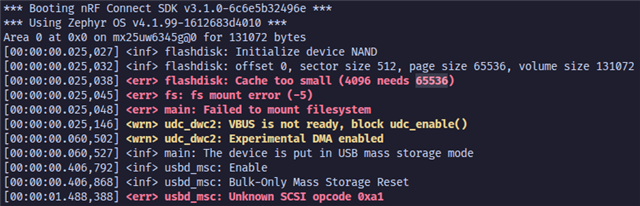
*** Booting nRF Connect SDK v3.2.0-5dcc6bd39b0f ***
*** Using Zephyr OS v4.2.99-a57ad913cf4e ***
Area 0 at 0x0 on mx25uw6345g@0 for 131072 bytes
[00:00:00.024,795] <inf> flashdisk: Initialize device NAND
[00:00:00.024,800] <inf> flashdisk: offset 0, sector size 512, page size 65536, volume size 131072
[00:00:00.024,806] <err> flashdisk: Cache too small (4096 needs 65536)
[00:00:00.024,812] <err> fs: fs mount error (-5)
[00:00:00.024,816] <err> main: Failed to mount filesystem
[00:00:00.024,915] <wrn> udc_dwc2: VBUS is not ready, block udc_enable()
[00:00:00.060,241] <wrn> udc_dwc2: Experimental DMA enabled
[00:00:00.060,287] <inf> main: The device is put in USB mass storage mode
[00:00:00.403,512] <inf> usbd_msc: Enable
[00:00:00.403,577] <inf> usbd_msc: Bulk-Only Mass Storage Reset
[00:00:01.456,398] <err> usbd_msc: Unknown SCSI opcode 0xa1
Current Status:
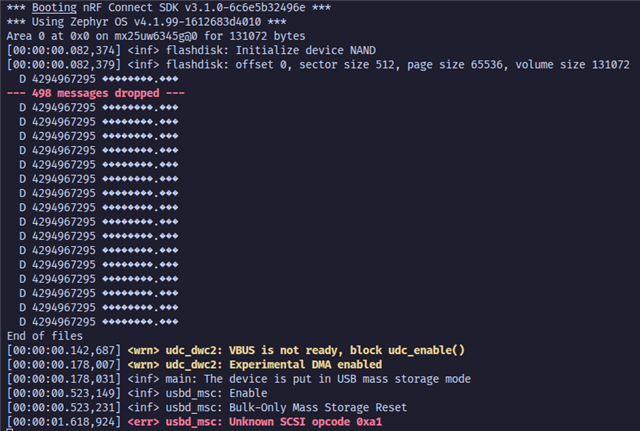
I initially had a cache error, which I resolved by increasing the cache size to 65536. However, I am now facing two issues:
-
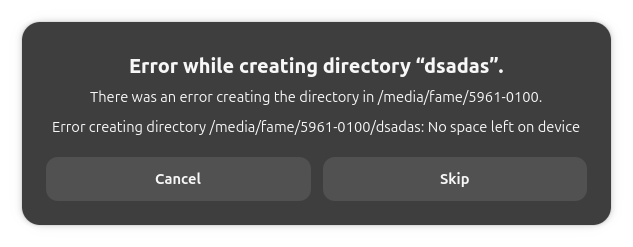
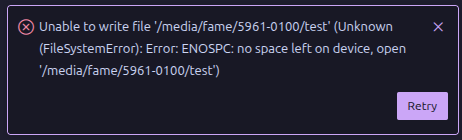
Write Failure: When I try to create a file on the disk, the operation fails with the following log:
[INSERT FILE CREATION ERROR LOG HERE] -
SCSI Error: I also see this error in the logs:
[00:00:01.594,387] <err> usbd_msc: Unknown SCSI opcode 0xa1
Questions:
-
What could be causing the file creation/write failure?
-
What does
Unknown SCSI opcode 0xa1mean in this context? Is it critical?
Any advice is appreciated.