Issue: USB MSC with FATFS on nRF54H20 External Flash (Write Error & SCSI Opcode 0xa1)

Description: I am implementing USB Mass Storage with a FAT filesystem on external MX25UW63 flash (via EXMIF) using the nRF54H20 DK (NCS v3.2.0).

Setup:

  • Board: nRF54H20 DK

  • SDK: nRF Connect SDK v3.2.0

  • Reference: zephyr/samples/subsys/usb/mass

Configuration:

nrf54h20dk_nrf54h20_cpuapp.overlay:

/delete-node/ &storage_partition;

&exmif {
	status = "okay";
};

&gpio6 {
	status = "okay";
};

&mx25uw63 {
	status = "okay";

    partitions {
		compatible = "fixed-partitions";
		#address-cells = <1>;
		#size-cells = <1>;

		storage_partition: partition@0 {
			label = "storage";
			reg = <0x00000000 0x00020000>;
		};
	};
};

/ {
	msc_disk0 {
		compatible = "zephyr,flash-disk";
		partition = <&storage_partition>;
		disk-name = "NAND";
		cache-size = <4096>;
	};
};
nrf54h20dk_nrf54h20_cpuapp.conf:

CONFIG_APP_MSC_STORAGE_FLASH_FATFS=y

Error Log:

*** Booting nRF Connect SDK v3.2.0-5dcc6bd39b0f ***
*** Using Zephyr OS v4.2.99-a57ad913cf4e ***
Area 0 at 0x0 on mx25uw6345g@0 for 131072 bytes
[00:00:00.024,795] <inf> flashdisk: Initialize device NAND
[00:00:00.024,800] <inf> flashdisk: offset 0, sector size 512, page size 65536, volume size 131072
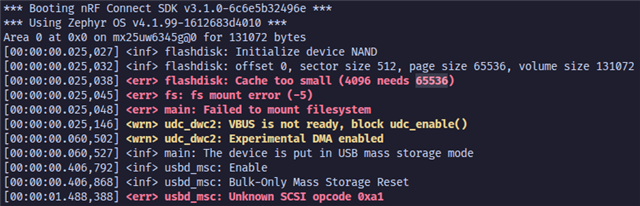
[00:00:00.024,806] <err> flashdisk: Cache too small (4096 needs 65536)
[00:00:00.024,812] <err> fs: fs mount error (-5)
[00:00:00.024,816] <err> main: Failed to mount filesystem
[00:00:00.024,915] <wrn> udc_dwc2: VBUS is not ready, block udc_enable()
[00:00:00.060,241] <wrn> udc_dwc2: Experimental DMA enabled
[00:00:00.060,287] <inf> main: The device is put in USB mass storage mode
[00:00:00.403,512] <inf> usbd_msc: Enable
[00:00:00.403,577] <inf> usbd_msc: Bulk-Only Mass Storage Reset
[00:00:01.456,398] <err> usbd_msc: Unknown SCSI opcode 0xa1

Current Status:

I initially had a cache error, which I resolved by increasing the cache size to 65536. However, I am now facing two issues:

  1. Write Failure: When I try to create a file on the disk, the operation fails with the following log:

    [INSERT FILE CREATION ERROR LOG HERE]
    
  2. SCSI Error: I also see this error in the logs:

    [00:00:01.594,387] <err> usbd_msc: Unknown SCSI opcode 0xa1
    

Questions:

  • What could be causing the file creation/write failure?

  • What does Unknown SCSI opcode 0xa1 mean in this context? Is it critical?

Any advice is appreciated.

  • Hi

    1. Do you have the full log of what you're currently seeing when trying to write so I can get some more context? It looks like you didn't add the file creation error log you meant to.

    2. I believe that the 0xa1 opcode refers to blank or "passthrough", depending on what function/command you have called with SCSI. It does not seem critical, so I think we should focus on the write failure first and take it from there.

    Best regards,

    Simon

  • Hi Simon,

    Sorry for not including the error evidence earlier - DevZone went into maintenance and I might forgot to add it. Let me start fresh.

    With cache size 4096: The filesystem fails to mount (see attached). I'm unsure if this is a flash or exmif interface issue.


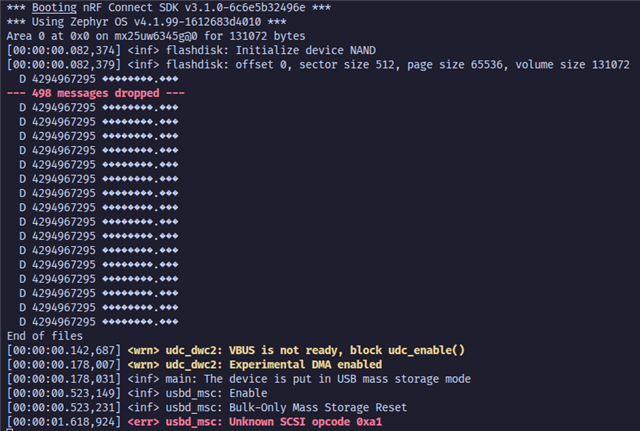
    With cache size 63356: The mount error disappears. I checked dropped messages - nothing unusual.


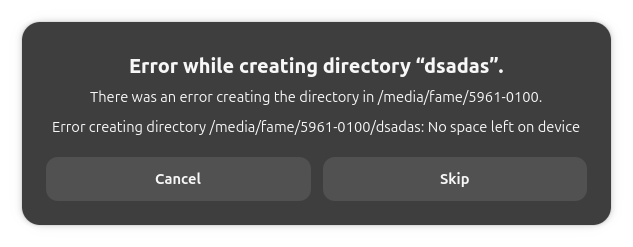
    File creation issue: When I create a file from OS I get no logs at all (see attached). but I got the error from OS.

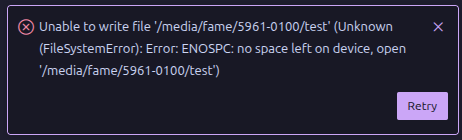
    This is when I created a file in vscode.


    I didn't get any log from nRF54H20 when I created a file.

    Questions:

    - Why would 4096 fail while 63356 works?
    - Are there any debug configs I should enable to see file operations and troubleshoot this?

    Thanks for your help!

  • Hi again

    1. That must be because a 4096 cache size is too small for the FS.

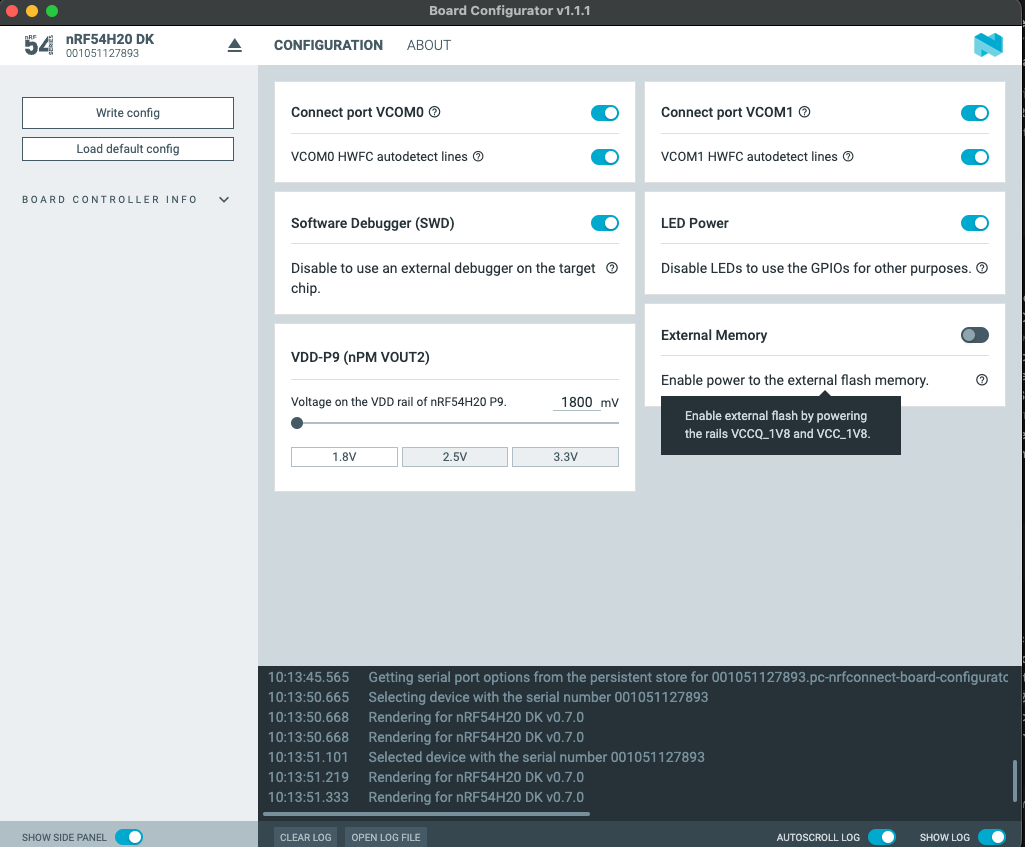
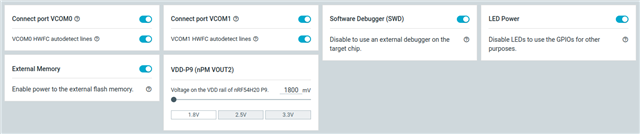
    2. I see from the log here that the device is initialized as a NAND device, but the external flash you're using ( the MX25UW63) is a NOR flash series device. Or have you just named the disk NAND? You're using the onboard external flash device, correct? If so, can you check in the nRF Connect for Desktop board configurator app that the External flash is powered by setting the switch here to ON 

    Best regards,

    Simon

  • Hi Simonr,

    Thanks for the help. I tried turning on the External Flash power in the board configurator, but I’m still getting the same error.

    A few follow-up points:

    1. Cache Size: Thanks for explaining the cache. I’m still confused why other Nordic devices work fine with a smaller cache. Is this because of the MCU I'm using, or is it because of the Flash chip itself?

    2. NAND Name: The "NAND" name in the log is just a label I gave the disk so the device knows where to mount the USB. It's not actually a NAND flash.

    3. Project Files: I’ve attached my project files. Could you try running this on your side to see if you get the same error?

    0020.mass.zip

    Best regards,
    Kittitouch

  • Hi

    I ran the sample today on an nRF54H20 DK, but I'm not able to recreate this issue, It seems to be able to mount just fine on my side, and the unknown SCSI opcode does not appear.

    *** Booting nRF Connect SDK v3.2.0-5dcc6bd39b0f ***
    *** Using Zephyr OS v4.2.99-a57ad913cf4e ***
    Area 0 at 0x0 on mx25uw6345g@0 for 131072 bytes
    [00:00:00.099,714] <inf> flashdisk: Initialize device NAND
    [00:00:00.105,582] <inf> flashdisk: offset 0, sector size 512, page size 65536, volume size 131072
    Mount /NAND:: 0
    /NAND:: bsize = 512 ; frsize = 512 ; blocks = 128 ; bfree = 128
    /NAND: opendir: 0
    End of files
    [00:00:00.175,329] <wrn> udc_dwc2: VBUS is not ready, block udc_enable()

    What version of the nRF54H20 DK are you working on here? How is it powered, and can you confirm all the jump cables on the headers are on?

    Best regards,

    Simon

Related