

I’m facing a Power Profiler Kit II (PPK2) measurement discrepancy that appears to depend on the host PC, not the target board or firmware.
Target setup
Custom board
-
MCU: nRF54L15 (Cortex-M33)
-
SDK: Zephyr / nRF Connect SDK v3.1.1 (custom board files)
-
Power:
-
Battery removed when the PPK2 connected
-
-
Peripherals:
-
PDM microphone (P1.02 / P1.03)
-
NAND Flash: Micron MT29F1G01 (SPI on P2.00–P2.05)
-
RGB LEDs (P1.04–P1.06)
-
Button (P2.06)
-
Haptic driver (P2.07–P2.09)
-
-
Debug:
-
UART20 console @115200 (P1.08 TX, P1.07 RX)
-
PPK2 connection steps
-
Removed battery from the board
-
Connected PPK2 DATA+USB to host PC
-
PPK2 VOUT → Board BAT+
-
PPK2 GND → Board BAT−
-
Opened Power Profiler from nRF Connect Desktop app
-
Selected PPK2 device
-
Enabled power output with 4000mA
(No other external power sources connected)
Observed behavior
-
On MacBook M2 (via UGREEN USB hub, since no USB-A port):
-
Device Idle current: 9–12 mA
-
-
On Lenovo laptop (USB-A):
-
Same result: ~9–12 mA
-
-
On team member’s desktop PC:
-
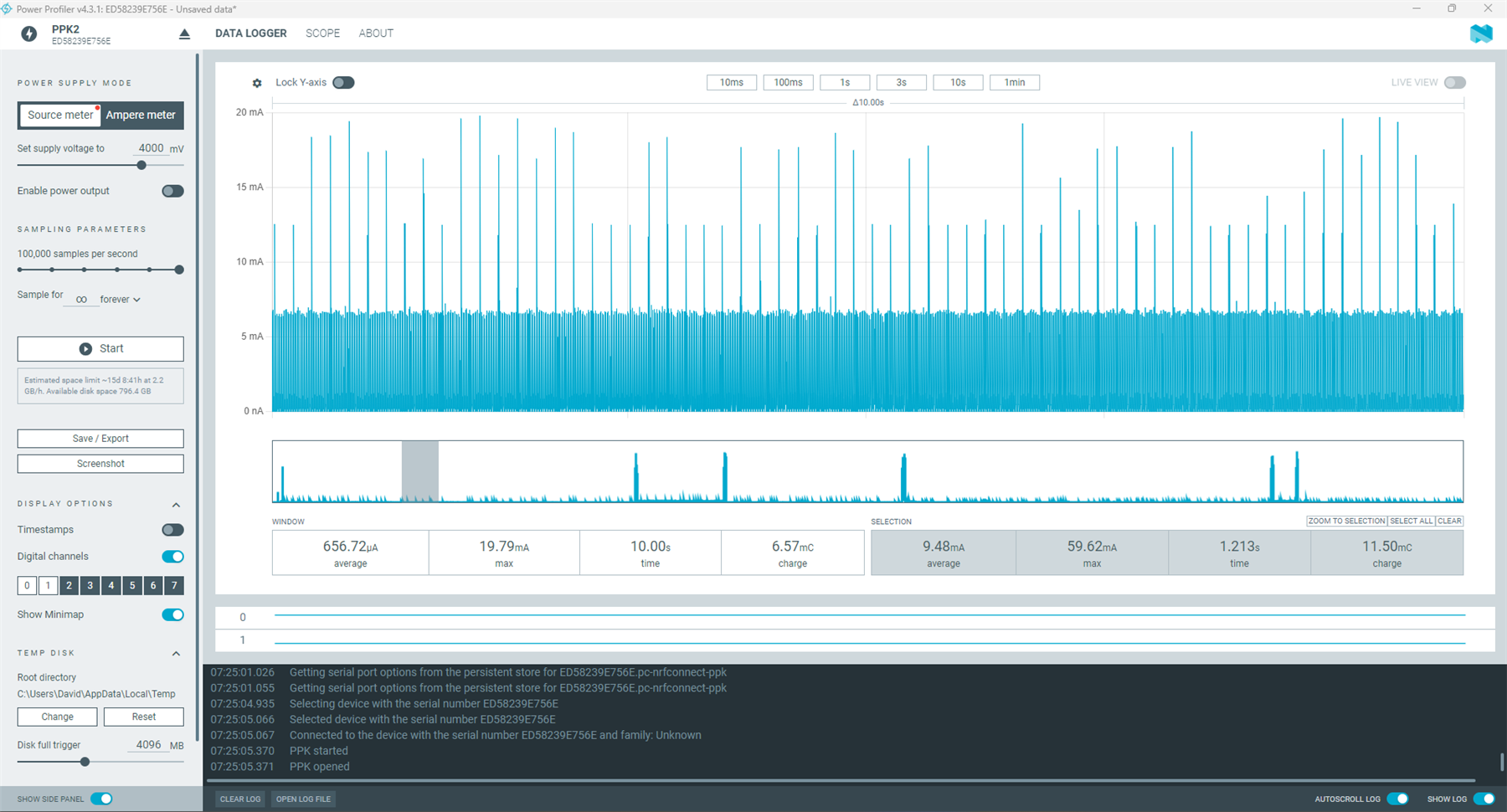
Idle current: ~600–700 µA (expected)
-
This is with the same board, same firmware, same PPK2, and same Power Profiler configuration.
Our previous version of the board was with nRF52840 MCU. Observed the same thing.
Additional observations
-
The high current is present even when:
-
UART and JTAG are disconnected
-
Board is in idle mode (no audio capture, no flash activity)
-
-
Disabling UART+JTAG increases current (~3-5mV) further (not expected),
-
The issue appears host-dependent, not target-dependent.
Measurement without UART + JTAG connected: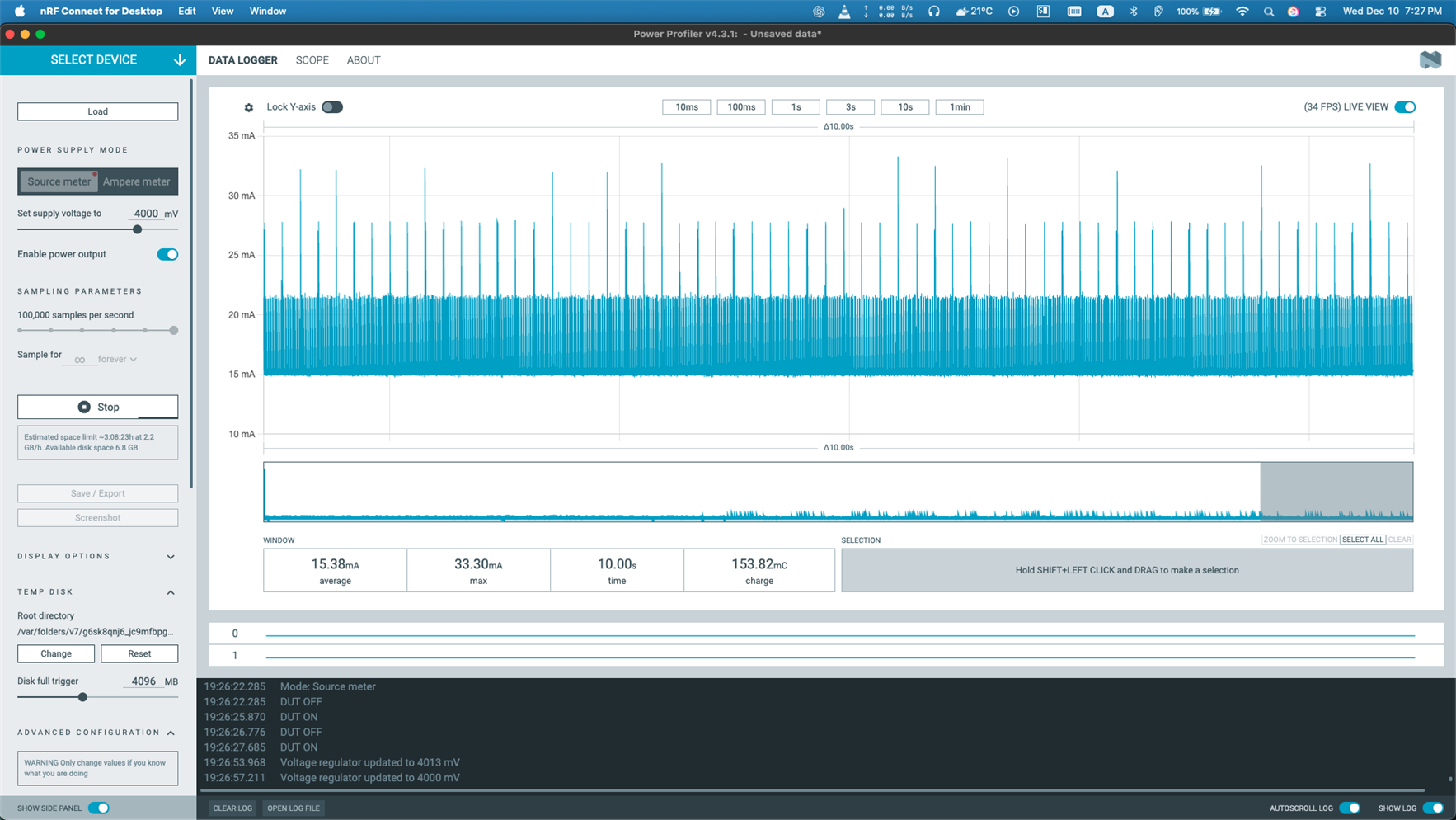
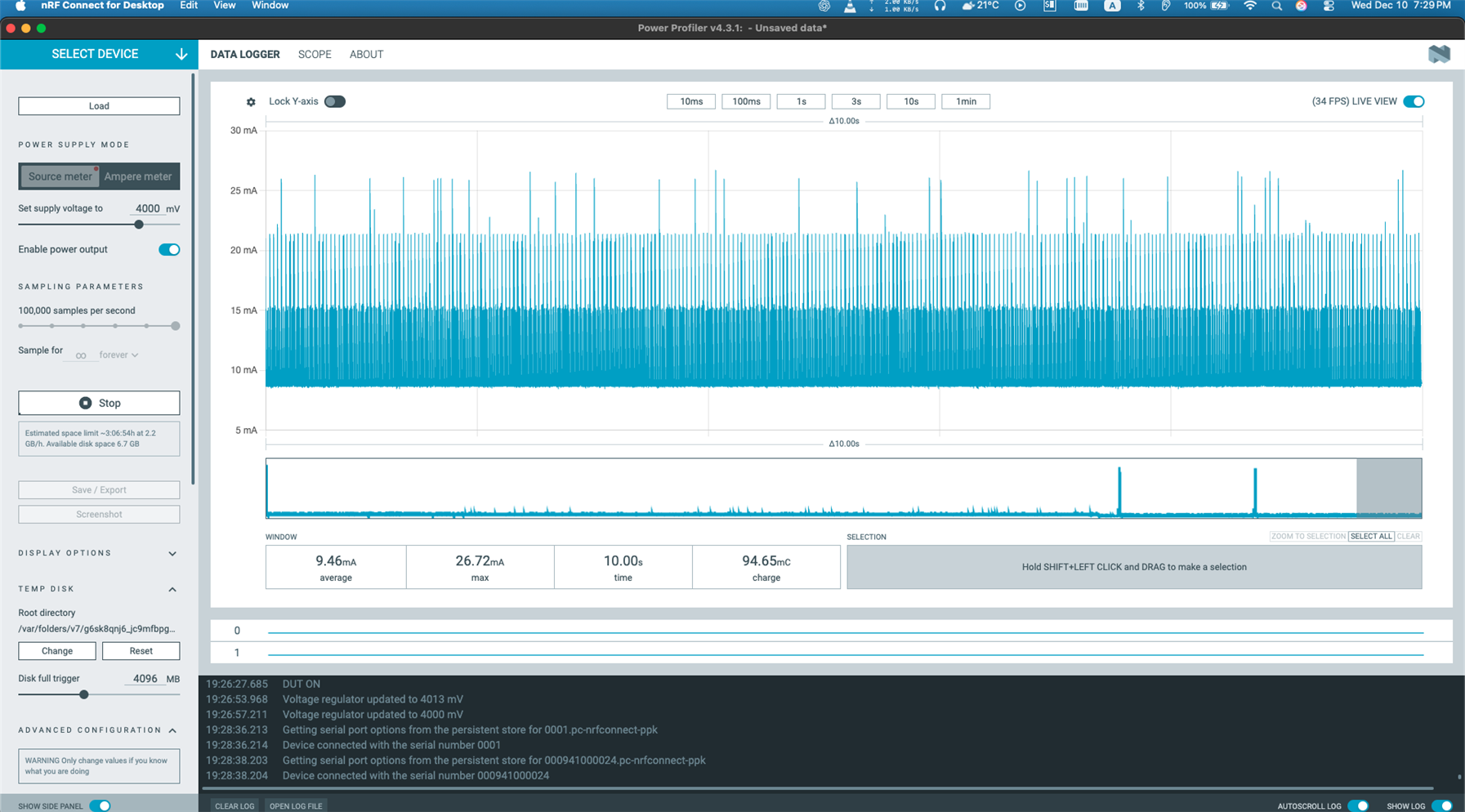
Measurement with UART + JTAG enabled:
Measurement from team member’s desktop PC with Windows 11 (expected idle current)
Questions
-
Can the host PC / USB hub / USB power characteristics affect PPK2 current measurements this significantly?
-
Are there known issues with USB hubs or Mac M-series hosts when using PPK2 as a source meter? Though I did try with two PPK2 kits (v1.1.1 and v1.0.1), Multiple hubs, and different cables and wires.
- What can be the possible issue? how to troubleshoot?
Any guidance would be appreciated. Let me know if additional logs or configuration details are needed.
