I am using SEGGER Embedded Studio v8.26 with J-Link software v8.94 on Windows (64-bit) for BLE development on the nRF52840 DK.
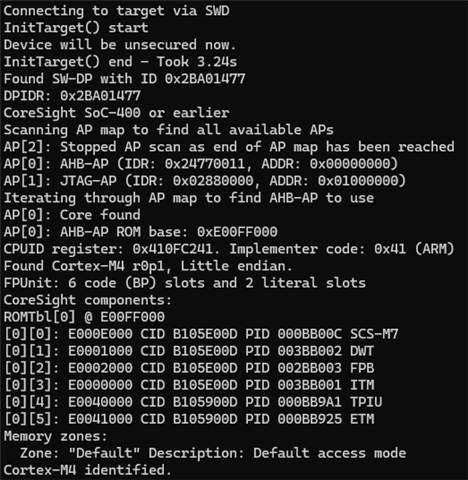
Using J-Link Commander, I am able to:
-
Detect the nRF52840 DK
-
Successfully program and run firmware on the board
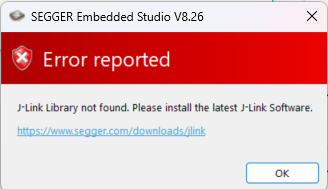
However, when attempting the same using SEGGER Embedded Studio, I am unable to connect to the target. Selecting Target → Connect J-Link results in the following error:
“J-Link Library not found. Please install the latest J-Link Software.”
Both SEGGER Embedded Studio and J-Link are installed with their latest versions, and I have already tried:
-
Reinstalling both tools multiple times
-
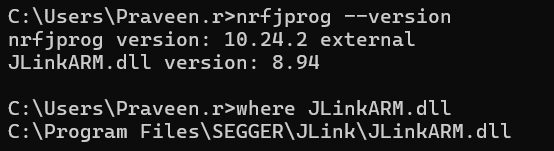
Verifying that
JLinkARM.dllis present and correctly resolved viawhere JLinkARM.dll -
Confirming that
nrfjprogcan detect and use the J-Link DLL -
Adding the J-Link installation directory to the system PATH
Despite this, SEGGER Embedded Studio is still unable to locate or load the J-Link library, preventing target connection, flashing, and debugging.
Assistance is needed to resolve this issue and enable proper target connection, flashing, and debugging from SEGGER Embedded Studio.
Below are the few screenshots for reference...