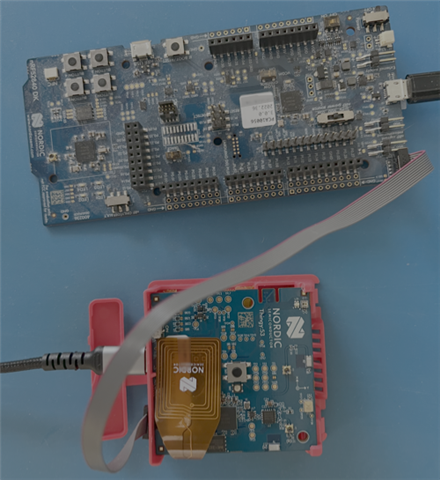
I am trying to flash and use the debugger on a nrf52840 DK to flash a Thingy53, using the ribbon connector as outlined in this video. I tried to follow the steps in this post:
- Open nRF Connect for Desktop -> Programmer
- Connect Thingy:53 and nRF52840 DK as in the image you uploaded.
Yurii_B said: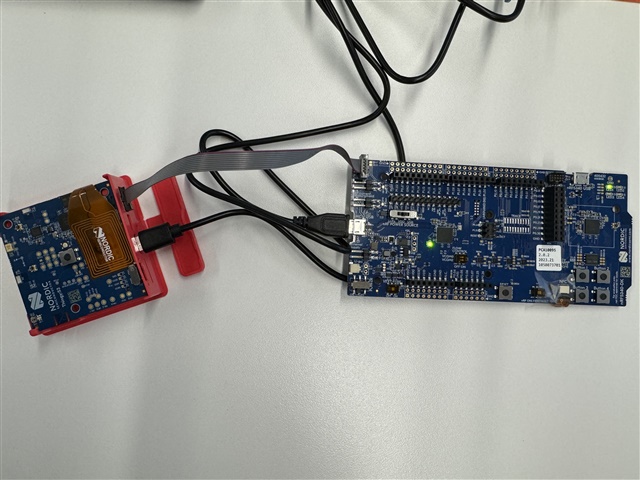
- Turn the thingy off. Turn on the DK.
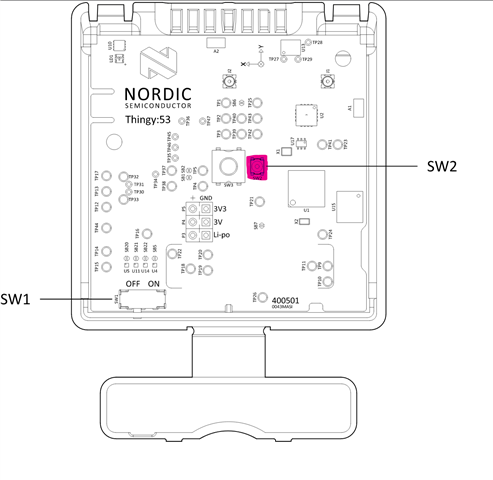
- Then press and hold SW2 (marked in pink, located next to SW3) while flipping SW1 to 'on''.
- Verify that "Bootloader Thingy:53" is visible in Programmer. This indicates a bootlader is present
But I don't see the nrf5340 in my nrfConnect for Visual Studio Code: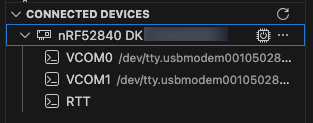
Like it's shown in the video: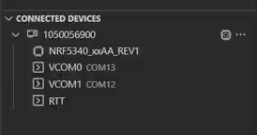
I get this error:
-- west flash: using runner nrfutil
-- runners.nrfutil: reset after flashing requested
-- runners.nrfutil: Flashing file: /Users/xxxxxxxxxx/Projects/xxxxxx/xxxxxx/xxxxxx/build_thingy53/merged_CPUNET.hex
Error: One or more batch tasks failed:
 * xxxxxxxxxx: Device error: Setting the debug port SELECT register failed while powering up sys and debug regions (Unknown Error in J-Link DLL (error code =-1)).

   This might indicate that the debug port is unavailable. Please double-check device power supply and SWD lines, and that SWD isn't disabled (Generic)

FATAL ERROR: command exited with status 1: nrfutil --json device x-execute-batch --batch-path /Users/xxxxxxxxxx/Projects/xxxxxx/xxxxxx/xxxxxx/build_thingy53/generated_nrfutil_batch.json --serial-number xxxxxxxxxx
When I use this command:
JLinkExe -device NRF5340_XXAA_APP -if SWD -speed 200
I get:SEGGER J-Link Commander V8.90 (Compiled Nov 26 2025 17:27:22)
DLL version V8.90, compiled Nov 26 2025 17:26:30
Connecting to J-Link via USB...O.K.
Firmware: J-Link OB-nRF5340-NordicSemi compiled Jul 8 2025 10:15:34
Hardware version: V1.00
J-Link uptime (since boot): 0d 00h 38m 47s
S/N: XXX0XXXXXX
License(s): RDI, FlashBP, FlashDL, JFlash, GDB
USB speed mode: Full speed (12 MBit/s)
VTref=3.300V
When I type connect I get:Device "NRF5340_XXAA_APP" selected.
Connecting to target via SWD
ConfigTargetSettings() start
ConfigTargetSettings() end - Took 8us
InitTarget() start
InitTarget() end - Took 139ms
ConfigTargetSettings() start
ConfigTargetSettings() end - Took 8us
InitTarget() start
InitTarget() end - Took 16.3ms
Error occurred: Could not connect to the target device.
For troubleshooting steps visit: https://kb.segger.com/J-Link_Troubleshooting