nRF91 modem watchdog fault when re-activating LTE

I have an application with a shipping mode that when enabled/disabled calls `conn_mgr_all_if_connect/conn_mgr_all_if_disconnect`.
These functions eventually end up in `lte_net_if.c`, running `lte_lc_func_mode_set` with either `LTE_LC_FUNC_MODE_ACTIVATE_LTE` or `LTE_LC_FUNC_MODE_DEACTIVATE_LTE`.

Connecting to the LTE network on boot works fine, as does entering shipping mode.
The modem fault occurs when attempting to re-activate the modem after it has already been active.
If less than a minute has passed since the modem was de-activated, it re-activates fine and the application continues as per normal.
If over a minute has passed, the modem faults more or less immediately with:

[00:01:26.754,638] <inf> app: Device activated, enable LTE
[00:01:26.982,513] <err> nrf_modem: Modem has crashed, reason 0x2, PC: 0x468de

This issue is 100% reproducible (happens every time), always with the same error code and program counter.
The error code corresponds with NRF_MODEM_FAULT_HW_WD_RESET.

Replacing `LTE_LC_FUNC_MODE_ACTIVATE_LTE` and `LTE_LC_FUNC_MODE_DEACTIVATE_LTE` with `LTE_LC_FUNC_MODE_NORMAL` and `LTE_LC_FUNC_MODE_OFFLINE` does not change the behavior of the fault.

nrfxlib version: Tag v3.1.1 (Commit 3b210a24d3bc7ecfc268e0feab6436306b11e7cb)
Modem firmware: mfw_nrf91x1_2.0.4
Modem model: nRF9151-LACA

  • Hi,

    I’ve now been able to reproduce the behavior on our side using the provided nrf91_modem_fault example on nrf9161dk.

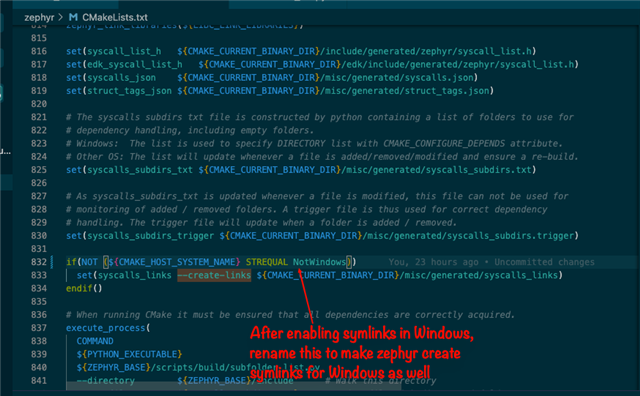
    (For transparency: on Windows we initially hit a TF-M build issue related to symlink handling in the Zephyr workspace. After enabling Windows Developer Mode and ensuring Git symlinks were properly supported, the project built correctly.)

    The sequence behaves as you described:

    • LTE connects correctly on boot then entering shipping mode works fine
    • If LTE is reactivated within ~1 minute, it reconnects successfully
    • If LTE is reactivated after ~60+ seconds of deactivation, the modem consistently crashes with: 
      [00:01:23.234,283] <err> nrf_modem: Modem has crashed, reason 0x2, PC: 0x467da

    The issue is fully reproducible and occurs consistently with the same fault reason and program counter. Since this appears to be modem-side behavior during functional mode reactivation, we are escalating this internally for further investigation.

    I will update you as soon as we have feedback from the modem team.

    Best Regards,
    Syed Maysum

  • Hi Syed,

    Thank you for persisting with getting the reproducing sample working and for escalating internally.

    The Windows error is interesting, it would be amazing if you could submit a PR upstream to update https://docs.zephyrproject.org/latest/services/tfm/overview.html with the error that can occur on Windows and how to fix it, as I am certain you will not be the only person to run into it.

  • Hi,

    Thanks for the suggestion. The issue we observed was related to Windows symlink handling. If symlinks are not enabled before cloning the workspace, Git may check them out as regular files, which causes TFM include path issues during build. Enabling Windows Developer Mode and ensuring symlinks are properly created resolved the problem on our side.

    We will review this further and consider contributing if needed.

    Best Regards,
    Syed Maysum

  • Hi,

    This is to update you that our internal team were able to reproduce the issue and determined that the modem crash is linked to the RTT logging functionality. As the crash occurs when RTT logging is enabled and the modem is restarted after a specific idle period (around 65 seconds). However disabling RTT logging prevents the crash.

    Workaround could be to disable RTT logging for testing scenarios that involve modem shutdown and restart. And since RTT is primarily a development tool, we assess that this issue is unlikely to affect your end products.

    We are continuing to investigate this issue and will inform as soon as we have any update on it. Thanks

    Best Regards,
    Syed Maysum

  • Hi Syed, thanks for the update and the root cause analysis. It is good to know that the issue is triggered by RTT, and I agree with your comment that it is unlikely to affect end products.

    It would still be good to have resolved, as crashes during development both waste time investigating the issue and hinders testing the application once the issue is known.

Related