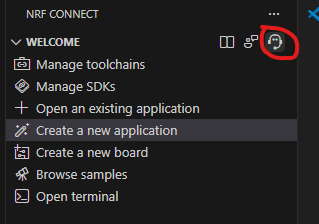
Hi,
I’m seeing two related issues while using nRF Connect for VS Code. Below are my environment details and what I observed.
Environment
-
OS: Windows 11
-
VS Code: latest stable
-
nRF Connect for VS Code extension: 2026.1.1327
-
nRF Connect SDK:
-
Previously installed v3.0.0
-
Later installed v3.2.1 via the VS Code extension
-
Issue 1: Cannot select a toolchain in “Manage Toolchains”
Symptoms
In VS Code, under nRF Connect → Manage Toolchains:
-
Fetch completes successfully
-
The UI shows “Select a toolchain to install”
-
But no dropdown/options appear
-
Only Toolchain v3.0.0 exists on my system
Workaround (CLI)
I was able to resolve it by installing the toolchain manually:
nrfutil toolchain-manager install --ncs-version v3.2.1
After this, VS Code correctly detected the v3.2.1 toolchain.
I’d like to confirm whether this is a known VS Code extension issue, or if it is related to having multiple NCS versions installed.
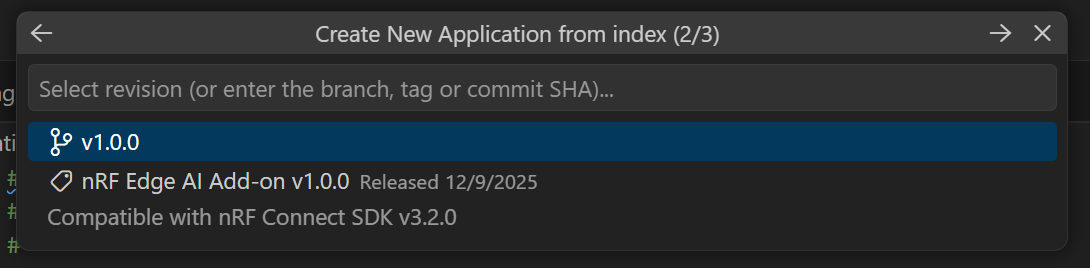
Issue 2: Adding the nRF Edge AI Add-on shows “Already exists”
Background
I’m trying to use the nRF Edge AI Add-on, which is selected from:
→ Create a new application
→ Browse nRF Connect SDK Add-on Index
→ Edge Ai Add-on

Notes
-
I have never installed this add-on before
-
I also cannot find any local files related to the nRF Edge AI Add-on content that I see in the GitHub repository(nrfconnect/sdk-edge-ai: Edge AI add-on)
Questions
-
Is the empty toolchain dropdown a known issue? What is the recommended fix?
-
How can I correctly install/use the nRF Edge AI Add-on? I want to deploy a model trained with Neuton.
-
Additional question: Is there any way to use a Neuton model with an existing nRF5 SDK project? I have read the documentation stating it is not supported, but from an engineering perspective it might be possible. At the moment I do not want to migrate my project to nRF Connect SDK.
Thanks for any guidance. I can provide logs if needed.