Hello,
I have downloaded the newest Zigbee R23 SDK (v1.3.0).
When I use the feature inside VS Code: "nRF Connect" -> "Create a new board" to create my custom board, it creates the "boards" folder and the files:
boards\test_vendor\test_board\
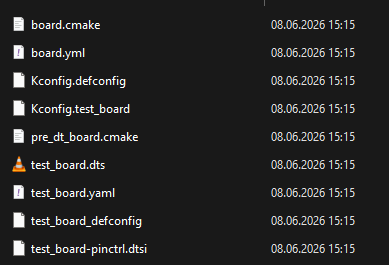
However when I try to create a new build configuration I don't see my board in the board target list (I mad sure to check the "All" button):

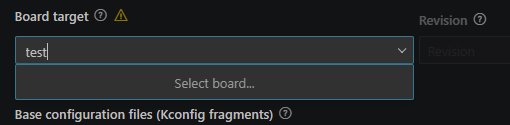
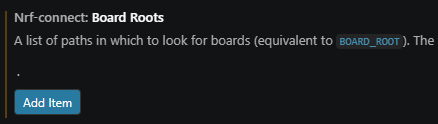
When I go to Preferences → Settings and search for nRF Connect Board Roots
And then add a new item with just a dot "." I can see my board:

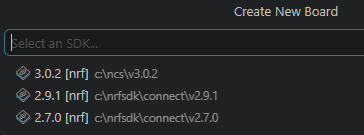
I am also unable to select the v1.3.0 SDK when I create the custom board.
I'm assuming these are bugs.
I went to the repo located here:
https://github.com/nrfconnect/ncs-zigbee
But there are currently no way to create issues (at least for me when I visit the site).
That's why I'm reporting the issue here.
Could also be a problem with the extension itself, but I don't know.