Hi,
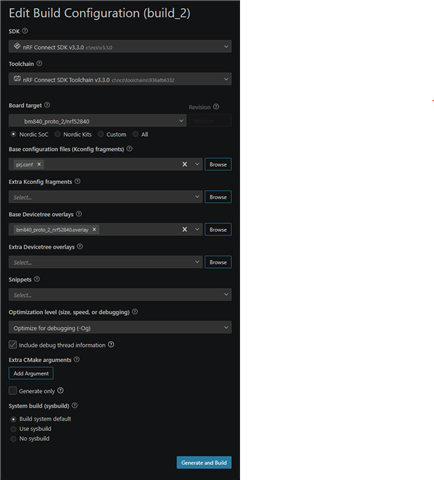
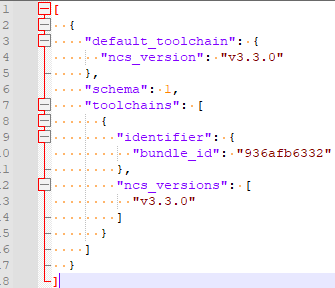
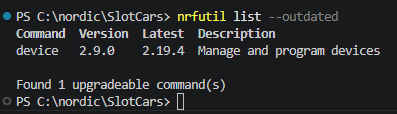
Using nRF Connect SDK v3.3.0, Toolchain v3.3.0, nRF Connect for VS Code 2026.7.2128, and J-Link V9.24a, I see the following errors when flashing a custom board connected via the standard wiring method to P20 on an nRF52840DK:
* Executing task: nRF Connect: Flash: Car/build_2/Car
Flashing Car to nRF52840 DK
west flash -d c:\nordic\SlotCars\Car\build_2 --domain Car --dev-id 000683268243
-- west flash: rebuilding
[0/3] Performing build step for 'Car'
ninja: no work to do.
[2/3] No install step for 'Car'
[3/3] Completed 'Car'
-- west flash: using runner nrfjprog
-- runners.nrfjprog: reset after flashing requested
-- runners.nrfjprog: Flashing file: C:\nordic\SlotCars\Car\build_2\Car\zephyr\zephyr.hex
[error] [SeggerBackend] - JLinkARM.dll reported error -256 at line 736.
[error] [SeggerBackend] - JLinkARM.dll reported error -256 at line 629.
[error] [SeggerBackend] - JLinkARM.dll reported error -256 at line 3139.
[error] [SeggerBackend] - JLinkARM.dll reported error -256 at line 911.
[error] [SeggerBackend] - JLinkARM.dll reported error -256 at line 3139.
[error] [SeggerBackend] - JLinkARM.dll reported error -256 at line 3139.
[error] [SeggerBackend] - JLinkARM.dll reported error -256 at line 3139.
[error] [SeggerBackend] - JLinkARM.dll reported error -256 at line 3087.
[error] [SeggerBackend] - JLinkARM.dll reported error -256 at line 3112.
[error] [SeggerBackend] - JLinkARM.dll reported error -256 at line 3349.
[error] [SeggerBackend] - JLinkARM.dll reported error -256 at line 3160.
[error] [SeggerBackend] - JLinkARM.dll reported error -256 at line 3176.
[ ###### ] 0.000s | Erase file - Check image
[ ### ] 0.000s | Check image validity - Initialize device info
[ ###### ] 0.000s | Check image validity - Check region 0 settings
[ ########## ] 0.000s | Check image validity - block 1 of 4
[ ############# ] 0.009s | Check image validity - block 2 of 4
[ ################ ] 0.003s | Check image validity - block 3 of 4
[ #################### ] 0.018s | Check image validity - Finished
[ ############# ] 0.000s | Erase file - Erasing
[ ##### ] 0.000s | Erasing non-volatile memory - block 1 of 3
[ ########## ] 4.272s | Erasing non-volatile memory - block 2 of 3
[ ############### ] 1.577s | Erasing non-volatile memory - block 3 of 3
[ #################### ] 0.000s | Erasing non-volatile memory - Erase successful
[ #################### ] 4.850s | Erase file - Done erasing
[ ###### ] 0.000s | Program file - Checking image
[ ### ] 0.000s | Check image validity - Initialize device info
[ ###### ] 0.000s | Check image validity - Check region 0 settings
[ ########## ] 5.073s | Check image validity - block 1 of 4
[ ############# ] 2.617s | Check image validity - block 2 of 4
[ ################ ] 1.042s | Check image validity - block 3 of 4
[ #################### ] 0.025s | Check image validity - Finished
[ ############# ] 0.000s | Program file - Programming
[ ##### ] 0.000s | Programming image - block 1 of 3
[ ########## ] 1.821s | Programming image - block 2 of 3
[ ############### ] 0.660s | Programming image - block 3 of 3
[ #################### ] 0.000s | Programming image - Write successful
[ #################### ] 2.013s | Program file - Done programming
[ ###### ] 0.000s | Verify file - Check image
[ ### ] 0.000s | Check image validity - Initialize device info
[ ###### ] 0.000s | Check image validity - Check region 0 settings
[ ########## ] 7.339s | Check image validity - block 1 of 4
[ ############# ] 3.785s | Check image validity - block 2 of 4
[ ################ ] 1.506s | Check image validity - block 3 of 4
[ #################### ] 0.024s | Check image validity - Finished
[ ############# ] 0.000s | Verify file - Verifying
[ ##### ] 0.000s | Verifying image - block 1 of 3
[ ########## ] 1.796s | Verifying image - block 2 of 3
[ ############### ] 0.650s | Verifying image - block 3 of 3
[ #################### ] 0.000s | Verifying image - Verify successful
[ #################### ] 1.974s | Verify file - Done verifying
[error] [SeggerBackend] - JLinkARM.dll reported error -256 at line 736.
[error] [SeggerBackend] - JLinkARM.dll reported error -256 at line 629.
[error] [SeggerBackend] - JLinkARM.dll reported error -256 at line 3139.
[error] [SeggerBackend] - JLinkARM.dll reported error -256 at line 911.
[error] [SeggerBackend] - JLinkARM.dll reported error -256 at line 3139.
[error] [SeggerBackend] - JLinkARM.dll reported error -256 at line 3139.
[error] [SeggerBackend] - JLinkARM.dll reported error -256 at line 3139.
[error] [SeggerBackend] - JLinkARM.dll reported error -256 at line 3087.
[error] [SeggerBackend] - JLinkARM.dll reported error -256 at line 3112.
[error] [SeggerBackend] - JLinkARM.dll reported error -256 at line 3349.
[error] [SeggerBackend] - JLinkARM.dll reported error -256 at line 3160.
[error] [SeggerBackend] - JLinkARM.dll reported error -256 at line 3176.
Applying system reset.
Run.
-- runners.nrfjprog: Board(s) with serial number(s) 683268243 flashed successfully.
* Terminal will be reused by tasks, press any key to close it.
This did not previously occur. I have seen at least one other posting in DevZone from many months ago, but no resolution. The board seems to be programmed ok, but with these messages, I don't have high confidence everything is ok. I have not tried any debugging at this time.
Questions:
- What do the SeggerBackend errors indicate?
- What do the informational messages in green indicate? These also did not appear before.
Thank you,
Ken