Unable to flash or erase nRF9151 SMA DK via J-Link ("Setting the debug port SELECT register failed" error)

Hi guys,

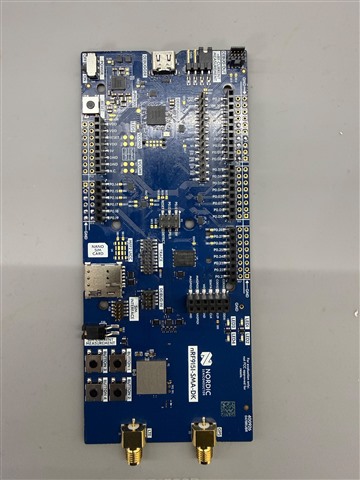
I've hit a wall with my nRF9151 SMA DK (board S/N: 1052077972) and I could use some help.

I was testing some code using:

ADCs: P0.13, P0.18, P0.19

Digital IOs: P0.08, P0.10, P0.11

Out of nowhere, the board stopped letting me flash firmware via west flash. The OS and nrfutil still detect the board's serial number, but it fails to connect to the probe right at the flashing step:


-- runners.nrfutil: Connecting to probe
Error: One or more batch tasks failed:
* 1052077972: Device error: Setting the debug port SELECT register failed while powering up sys and debug regions (Unknown error in the J-Link DLL (error code =-1)).
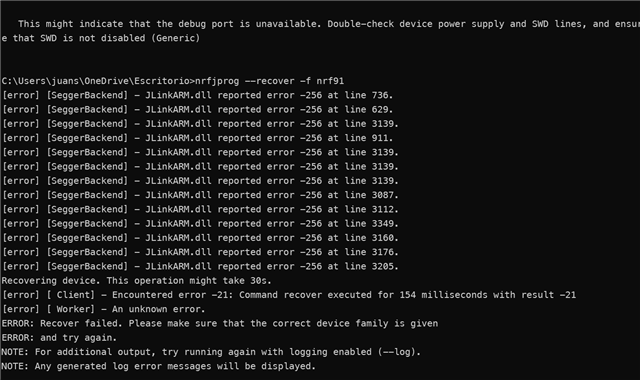
I opened nRF Connect Programmer to try an Erase All / Recover, but it fails immediately when checking the readback protection status with the same J-Link DLL error code -1.

So far I've tried:

Unplugging all external hardware connected to the GPIO/ADC pins.

Power cycling the DK and trying different USB ports/cables.

Checking power switches.

Has anyone run into this specific debug port error on the nRF9151? Could a bad GPIO setup somehow lock or power down the SWD interface, and is there a way to force a recover on this board?

Thanks!

Parents
  • Hi,


    There are two things I would like you to double-check.

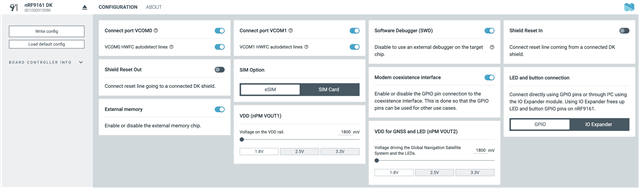
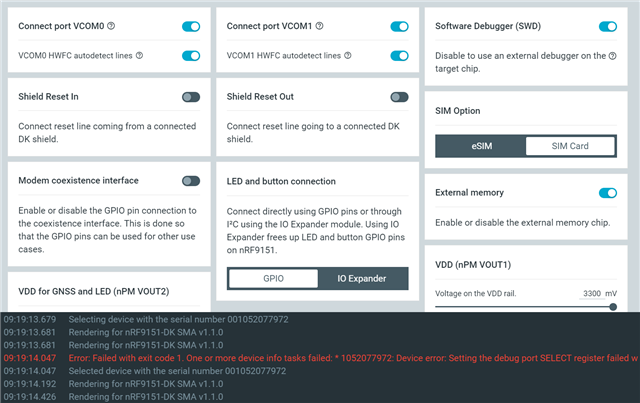
    * First is the board controller settings, which can be viewed in nRF Connect for desktop -> Board Configurator, to ensure "Software Debugger" is enabled:


    If that is checked, then it could be that the firmware is asserting early on in the boot-up process. This makes it hard for the debugger to attach properly.

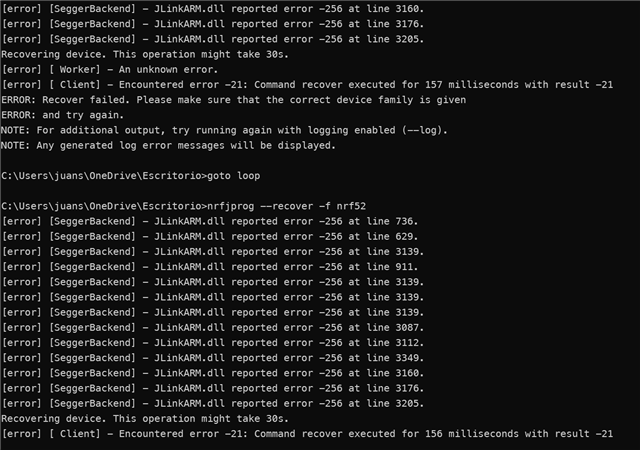
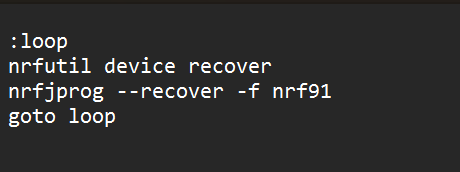
    * To recover a "tough to recover" board, one can use a nrfutil / nrfjprog recovery loop script:

    :loop
    nrfutil device recover
    goto loop


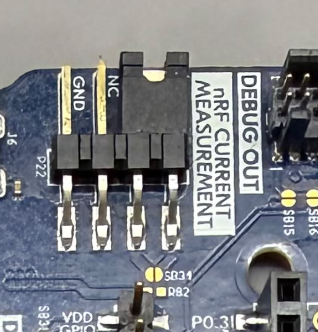
    Save this as "nrfutil_recovery.bat" and run it. While the script is running remove and attach this jumper continuously until nrfutil reports a "success":


    After approx. 5-30 jumper attachments, nrfutil should report a success:

    nrfutil device recover
    ✔️ Recovered 1050910090   


    Please let me know if you still have issues.


    Kind regards,

    Håkon

Reply
  • Hi,


    There are two things I would like you to double-check.

    * First is the board controller settings, which can be viewed in nRF Connect for desktop -> Board Configurator, to ensure "Software Debugger" is enabled:


    If that is checked, then it could be that the firmware is asserting early on in the boot-up process. This makes it hard for the debugger to attach properly.

    * To recover a "tough to recover" board, one can use a nrfutil / nrfjprog recovery loop script:

    :loop
    nrfutil device recover
    goto loop


    Save this as "nrfutil_recovery.bat" and run it. While the script is running remove and attach this jumper continuously until nrfutil reports a "success":


    After approx. 5-30 jumper attachments, nrfutil should report a success:

    nrfutil device recover
    ✔️ Recovered 1050910090   


    Please let me know if you still have issues.


    Kind regards,

    Håkon

Children
Related