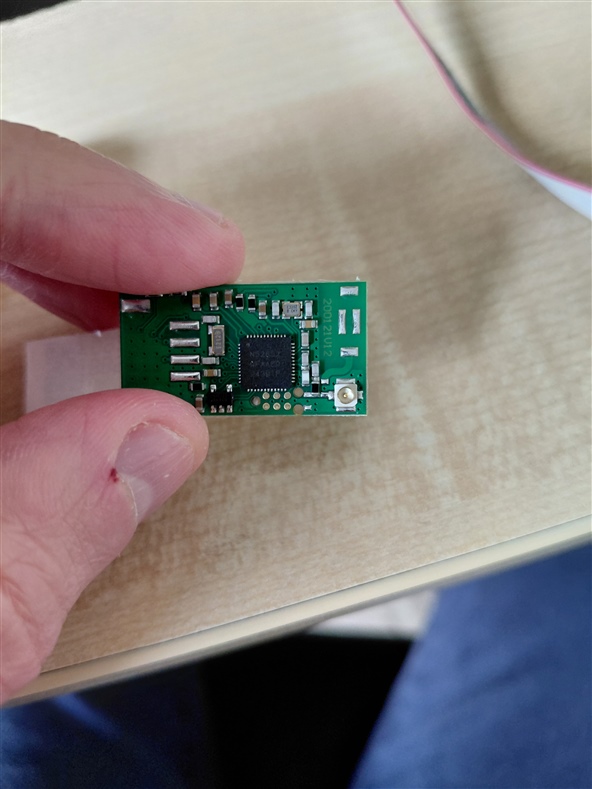
Debugging external nrf52832 using nrf52 DK header P20 - Failing to connect

Hi All. I'm hoping someone can help me.

I'm trying to flash and debug an nrf52832 on an external board using an nrf52 dk. I have set up my wiring from P20 to a tag-connect TC2030 6-pin needle based on this diagram:
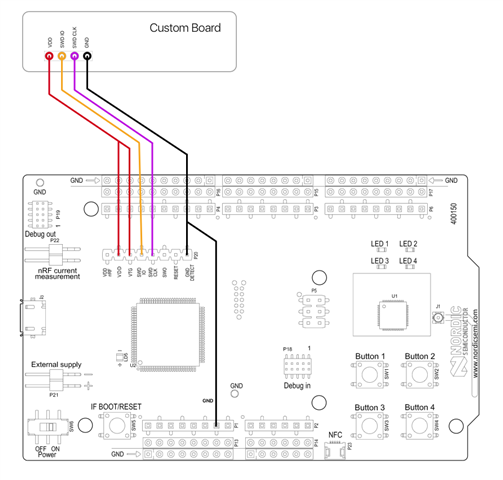
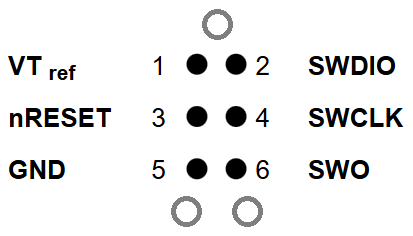
and assuming that the 6 connectors on the external board are laid out in the following way (viewed from above the board):
I've tried a variant where the external board gets its own power at 3v and that didn't work. I've been trying the option where the external board gets its power from the dev kit, however neither setup is working for me.

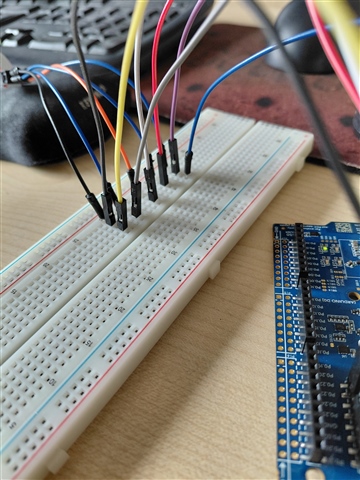
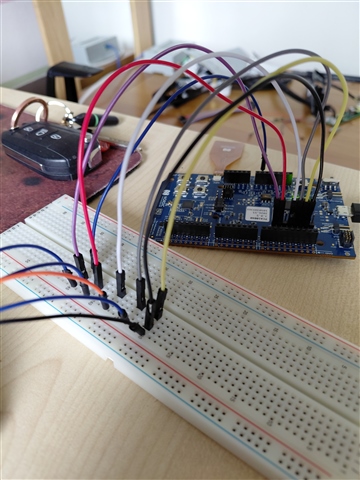
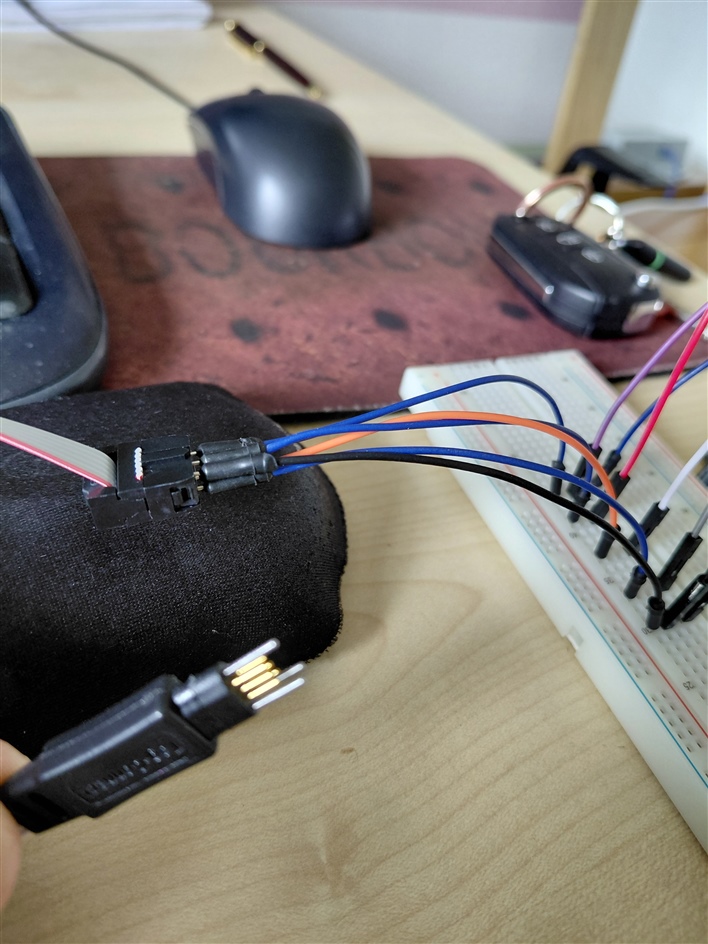
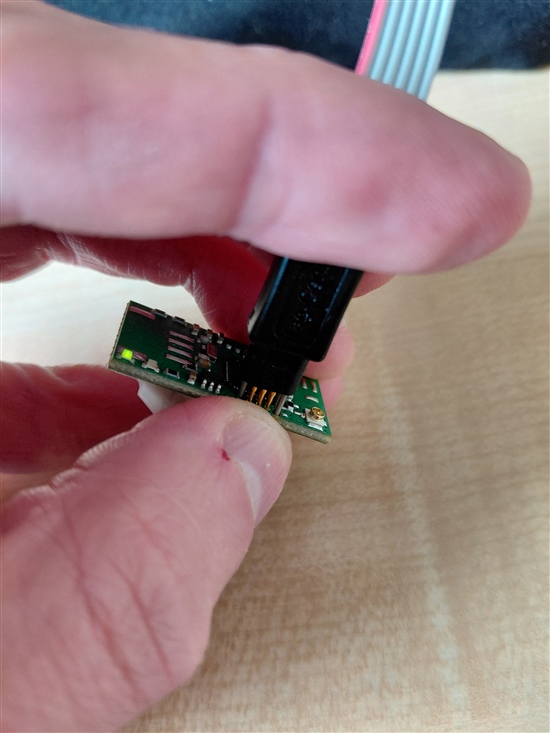
Here are some pictures of my wiring. Note that in this setup I'm also using the reset connection but with or without that connection I haven't been able to get it to work:
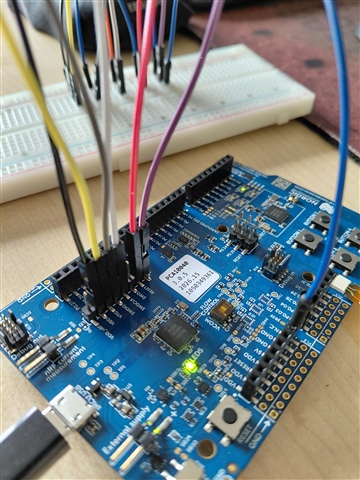
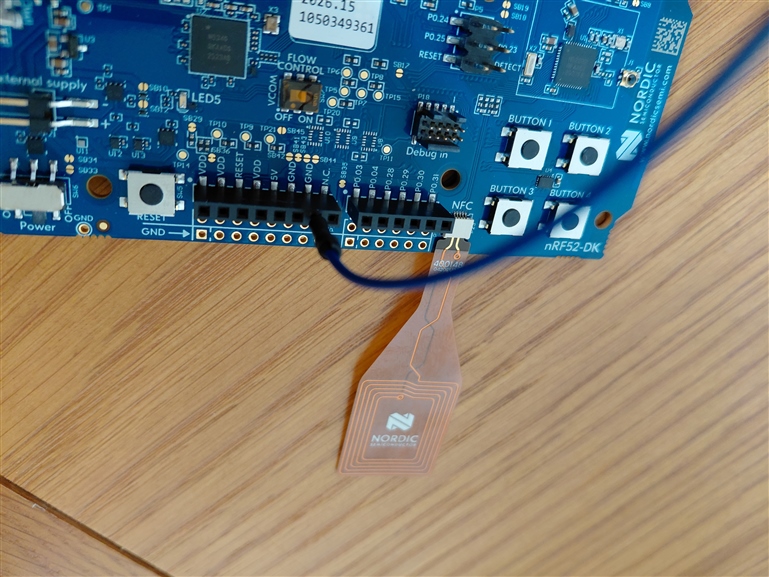
I've used a multimeter to confirm that the 6-pin needle pins have connectivity to the header via the correct routes. I.e. SWDIO -> SWDIO, SWDCLK -> SWDCLK etc..

I've also confirmed that my 6-pin needle is outputing a steady 2.98v between VDD and GND. When I attach the 6-pin needle my external board lights up and I have a flashing LED so I know it's getting power from the needle.

After some failures, I updated J-Link to the latest version 9.68a and I've updated my nrf52 dev kit to the latest firmware, but still no luck.

I believe the connection between my PC and the dev kit is fine as I've been able to flash and debug with it without any problems for the last few days and if I remove my wiring, it still works fine.

Here's the read-out from J-Link Commander when I try to connect to the external board:

SEGGER J-Link Commander V9.68a (Compiled Aug 17 2026 13:54:36)
DLL version V9.68a, compiled Aug 17 2026 13:53:37

Connecting to J-Link ...O.K.
Firmware: J-Link OB-nRF5340-NordicSemi compiled Jun 11 2026 13:12:28
Hardware version: V1.00
J-Link uptime (since boot): 0d 00h 00m 09s
S/N: 1050349361
License(s): RDI,FlashBP,FlashDL,JFlash,GDB
USB speed mode: Full speed (12 MBit/s)
VTref=3.300V


Type "connect" to establish a target connection, '?' for help
J-Link>connect
Please specify device / core. <Default>: NRF52832_XXAA
Type '?' for selection dialog
Device>
Please specify target interface:
J) JTAG (Default)
S) SWD
T) cJTAG
TIF>S
Specify target interface speed [kHz]. <Default>: 4000 kHz
Speed>
Device "NRF52832_XXAA" selected.


Connecting to target via SWD
InitTarget() start
InitTarget() end - Took 107ms
Failed to attach to CPU. Trying connect under reset.
InitTarget() start
InitTarget() end - Took 110ms
Error occurred: Could not connect to the target device.
For troubleshooting steps visit: kb.segger.com/J-Link_Troubleshooting


Does anyone have any ideas of what I could try next or can spot a problem in my setup?

Any help would be massively appreciated


Thanks
Mike

  • Try an SWD frequency of 500 kHz, those cables are rather long. I also recommend to eliminate the breadboard, these have terrible connection qualities here.

    That Tag connect footprint looks extremely close to processor pins - you might cause unwanted shorts. 

  • Hi Turbo J. Thanks for your reply.

    Yes good point about the Tag connect footprint being close to the processor pins. The board wasn't designed by me but I could raise it with them as they are very close together

    I've eliminated the breadboard now and tried again using 500 kHz but still no luck:

    SEGGER J-Link Commander V9.68a (Compiled Aug 17 2026 13:54:36)
    DLL version V9.68a, compiled Aug 17 2026 13:53:37

    Connecting to J-Link ...O.K.
    Firmware: J-Link OB-nRF5340-NordicSemi compiled Jun 11 2026 13:12:28
    Hardware version: V1.00
    J-Link uptime (since boot): 0d 00h 01m 05s
    S/N: 1050349361
    License(s): RDI,FlashBP,FlashDL,JFlash,GDB
    USB speed mode: Full speed (12 MBit/s)
    VTref=3.300V


    Type "connect" to establish a target connection, '?' for help
    J-Link>connect
    Please specify device / core. <Default>: NRF52832_XXAA
    Type '?' for selection dialog
    Device>
    Please specify target interface:
    J) JTAG (Default)
    S) SWD
    T) cJTAG
    TIF>S
    Specify target interface speed [kHz]. <Default>: 4000 kHz
    Speed>500
    Device "NRF52832_XXAA" selected.


    Connecting to target via SWD
    InitTarget() start
    InitTarget() end - Took 117ms
    InitTarget() start
    InitTarget() end - Took 116ms
    Error occurred: Could not connect to the target device.

    I know someone who has an older version of nrf52 dk with a working setup for this external board so I'm going to use a multimeter on their setup to see if it's any different from mine.

    In the meantime I'd be happy to try any other suggestions.

    Thanks again

    Mike

  • Hi All.

    I've reverse engineered another nrf52 dev kit which I know works with the particular external board I've got and I've now solved my issue.

    As mentioned before, I was assuming a 6-pin SWD mapping like I've seen documented in multiple places. Like this:

    Pin 1 -> VT ref

    Pin 2 -> SWDIO

    Pin 3 -> nRESET

    Pin 4 -> SWCLK

    Pin 5 -> GND

    Pin 6 -> SWO

    However, for whatever reason, the person who designed this particular external board decided to map the 6-pin contacts like this:

    Pin 1 -> VT ref

    Pin 3 -> GND

    Pin 5 -> SWDIO

    Pin 6 -> SWCLK

    So the issue wasn't my nrf52 dk or my wiring or my J-Link software, but it was due to an unconventional layout of the 6 contacts. Once I rewired my board I was able to connect to it with J-Link Commander successfully first time. Even with the long cables and the breadboard I was able to connect using 4000 kHz so all is good.

    Thank you Turbo J for your time and suggestions.

    Mike

Related