How to developp structure in Watch View

Hello,

I'm following online courses in Nordic Academy (nRF Connect SDK Intermediate).

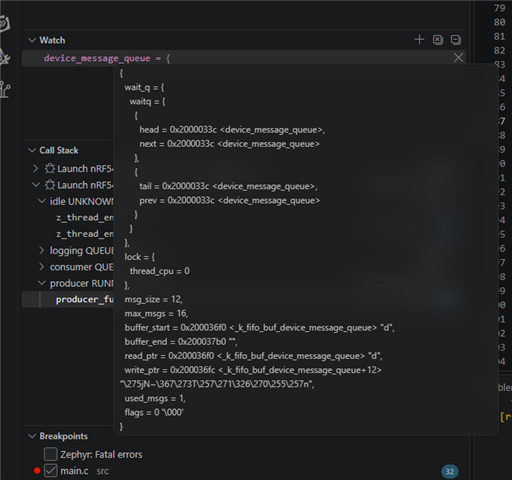
As indicated in the first lesson,first excercice, I added device_message_queue into the Watch View.

I didn't get the same rendering as on the screenshot attached to the lesson.
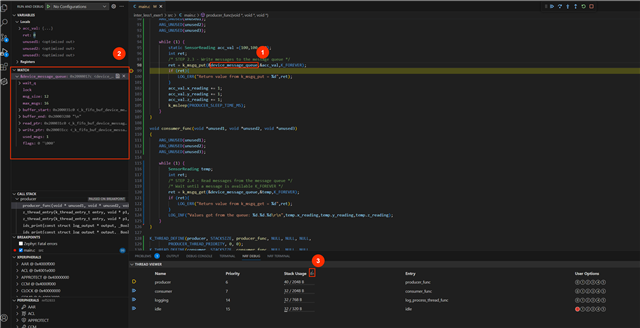
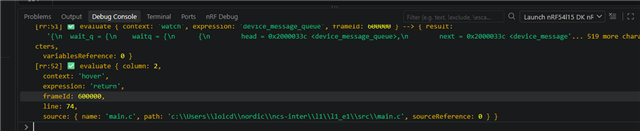
On my side, I get just a long line like this : {wait_q = {waitq = {{head = 0x2000033c <device_message_queue>, .... , used_msgs = 1, flags = 0 '\000'}

I have the little arow on the left of the variable name.

Did I miss an option somethee?

Thank you for your help!

Loïc

Parents
  • Hie,

     It seems that you are seeing the compact (non-pretty) output of the device_message_queue struct in the Watch view. This is normal default behavior.

    In the VS Code Debug Console, type:

    -exec set print pretty on

    Then refresh the Watch view and your next output expand into a much more readable format. 

    Can you also please  tell me which OS and NCS version you are using ?

    Regards

    Pallavi

Reply
  • Hie,

     It seems that you are seeing the compact (non-pretty) output of the device_message_queue struct in the Watch view. This is normal default behavior.

    In the VS Code Debug Console, type:

    -exec set print pretty on

    Then refresh the Watch view and your next output expand into a much more readable format. 

    Can you also please  tell me which OS and NCS version you are using ?

    Regards

    Pallavi

Children
Related