This post is older than 2 years and might not be relevant anymore
More Info: Consider searching for newer posts

PROGRAM THE DONGLE FOR BLE COMUNICATION WITH THE DK

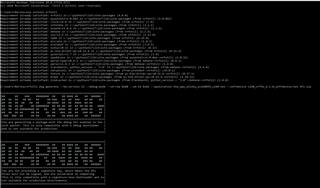
LIKE one of your collegue told me i tried to this...but it doesn't work on the dongle..

Dongle: SDK15.2.0\examples\ble_peripheral\ble_app_blinky\pca10059\s140\<your favorite compiler>

When you program the dongle, remember to also program the S140 softdevice while programming the dongle when you use nRF Programmer. It is located in SDK15.2.0\components\softdevice\s140\hex\s140_nrf52_6.1.0_softdevice.hex

When you program the dongle with both the application and the softdevice with nRF Programmer the green LED should turn on, meaning that it is advertising.

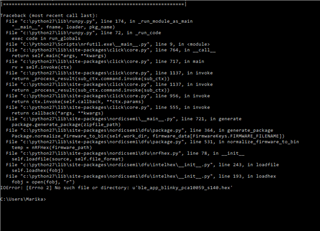
In particular have i to put on the donglefirst the softdevice or the example? anyway i tried end nrf_connect give me the same error twice:

''some of the hex files have overlapping data'':   what could i do now?

thanks a lot for answers.

Parents
  • ''some of the hex files have overlapping data'':   what could i do now?

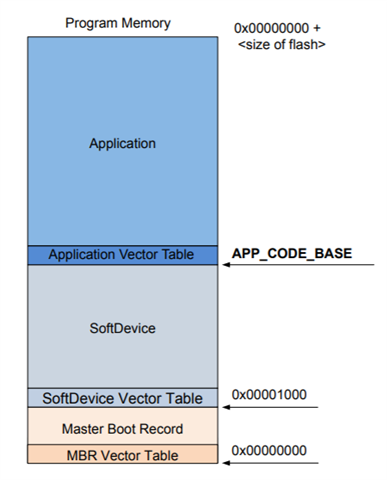
    I think the reason for this is that you have configured the start address of the application in flash in such a manner that it overlaps with the SoftDevice. If you look at  the figure below, you can see that choosing a too low start address for the application causes it to overlap with the SoftDevice. See this link for instruction on how to adjust the RAM and FLASH memory start addresses. 

    marikalp said:
    after programming one time the dongle it is no more recognice by the nrfconnect....how can now i program again the dongle without using nrfconnect ???

    The reason nRF Connect can't recognize the device after you have programmed it, is because the device is not in bootloader mode anymore. If LED2 is pulses red the device is in bootloadeer mode and is ready to be programmed, by pressing the RESET button the dongle will enter this mode. Regarding programming the device without nRF Connect, the command-line utility nrfutil will work as well (see the link down below on how to do this).

    Have you seen the nRF52840 Dongle Programming Tutorial? I think you will find it useful.

    Best regards,

    Simon

Reply
  • ''some of the hex files have overlapping data'':   what could i do now?

    I think the reason for this is that you have configured the start address of the application in flash in such a manner that it overlaps with the SoftDevice. If you look at  the figure below, you can see that choosing a too low start address for the application causes it to overlap with the SoftDevice. See this link for instruction on how to adjust the RAM and FLASH memory start addresses. 

    marikalp said:
    after programming one time the dongle it is no more recognice by the nrfconnect....how can now i program again the dongle without using nrfconnect ???

    The reason nRF Connect can't recognize the device after you have programmed it, is because the device is not in bootloader mode anymore. If LED2 is pulses red the device is in bootloadeer mode and is ready to be programmed, by pressing the RESET button the dongle will enter this mode. Regarding programming the device without nRF Connect, the command-line utility nrfutil will work as well (see the link down below on how to do this).

    Have you seen the nRF52840 Dongle Programming Tutorial? I think you will find it useful.

    Best regards,

    Simon

Children
Related