This post is older than 2 years and might not be relevant anymore
More Info: Consider searching for newer posts

Locked nRF52840 DK board

Hi All.

Practising Secure DFU, my nRF52840 DK board seems like if it is locked. Only Leds 1 and 2 are ON. The board is advertising with DEVICE_NAME=Dfu Targ and its COM serial communication is lost. If I press the reset button SW5, nothing happens. If I press the reset button (SW5) while power cycling, the board enters in bootloader mode, but appart from this, nothing seems to change. If I try to access the board via nRF Connect, when I try >Select Device my PCA10056 is not being detected. Summarizing. I need an HW full reset procedure.

Does anyone know how to do it?

Thanks for your time.

Regards

Juan

Parents
  • Hi Juan, 

    Could you clarify: 

    - If you power on, without pressing SW5, what did the board do ? Did the board advertise as Dfu Targ ? 

    - If you power on and pressing SW5, what happened ? 

    - Can you reprogram the board using nrfjprog.exe  ?

    - Did you modify the bootloader ? You may want to try following our guide here to test secure DFU.

  • Hi Jung,

    - If you power on, without pressing SW5, what did the board do ? Did the board advertise as Dfu Targ ? 

    ... Leds 1 and 2 are ON. The board is advertising with DEVICE_NAME=Dfu Targ and its COM serial communication is lost ,,,

    - If you power on and pressing SW5, what happened ? 

    ... Leds 1 and 2 are ON. Led 5 gets intermittently  ON. A BOOTLOADER Folder pops  up  in my file explorer . The board keeps advertising Dfu Targ ...

    - Can you reprogram the board using nrfjprog.exe  ?

    .. I never used this executable to program as far. I use either SES IDE Build and Run command if I have a source file, or the  Connect from PC/ Programmer tool if I have an .hex file. Anyway, my serial connection through USB seems to be broken, so when I click the "Select Device" Tab in the Connect/Programmer tool, my PCA10056 doesn't show up anymore, so I guess that executing a nrfjprog.exe from my cmd console wouldn't work either ...

    - Did you modify the bootloader ? You may want to try following our guide here to test secure DFU.

    Yes I did, but always following the Step by Step Guide you mention in your link.  Everything went fine till completing Step D. Then, while trying step E, something went wrong. As suggested, I modified the DEVICE_NAME in the Secure DFU SDK example application and generated a new DFU .zip packet using the previously built (in step A) private and public keys and a new application version (number 2 now). Then I issued the command "nrfutil pkg generate --hw-version 52 --application-version 1 --application nrf52832_xxaa.hex --sd-req 0x98 --key-file private.key app_dfu_package.zip" and copied the resulting zip to my mobile. Finally, I tried to re-program the PCA10056 device through ble using the mobile nRF Tools/DFU app. After a while, the process got time-out and an error message " the Dfu Device got disconnected" kept popping up every time I tried. Finally, I tried connecting/disconnecting/power cycling and pressing all sort of buttons on the PCA10056 board, only to discover that it went apparently locked (?).

    Any suggestion?

    Thanks in advance for your help.

    Best regards

    Juan

  • heHi Hung.

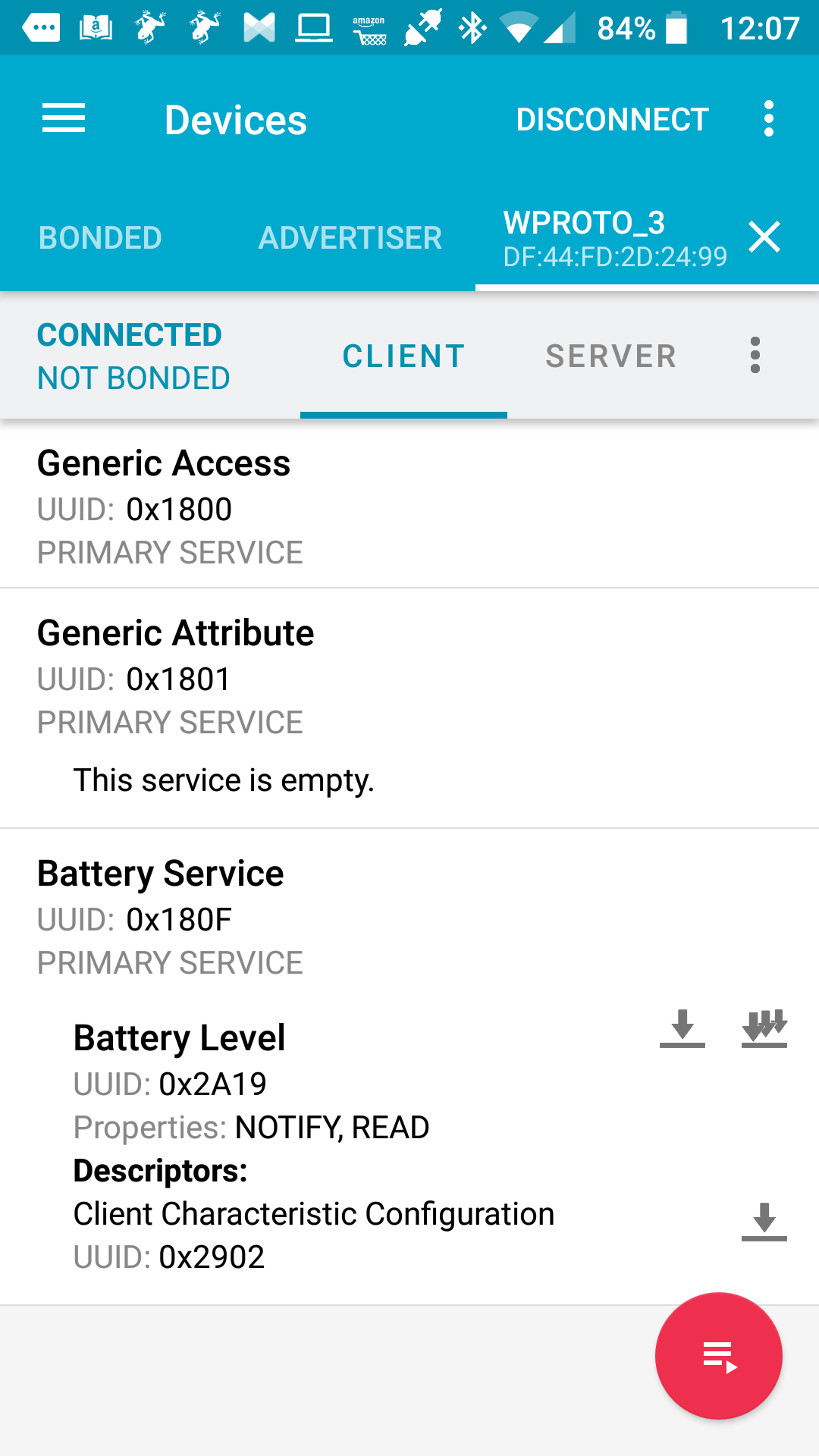
    I am sure you are right but in my case, I just performed a secure DFU procedure using the nRF Toolbox app from my mobile to program an application in the nRF52840 of my PCA10056 through BLE (whose SD and Bootloader were previously programmed through the virtual COM port). As the procedure was successful, I assume that the target device supports DFU service. Then, scanning the device (the one with a DEVICE_NAME WPROTO_3) from my mobile Connect app, no DFU feature appears in the attribute table:

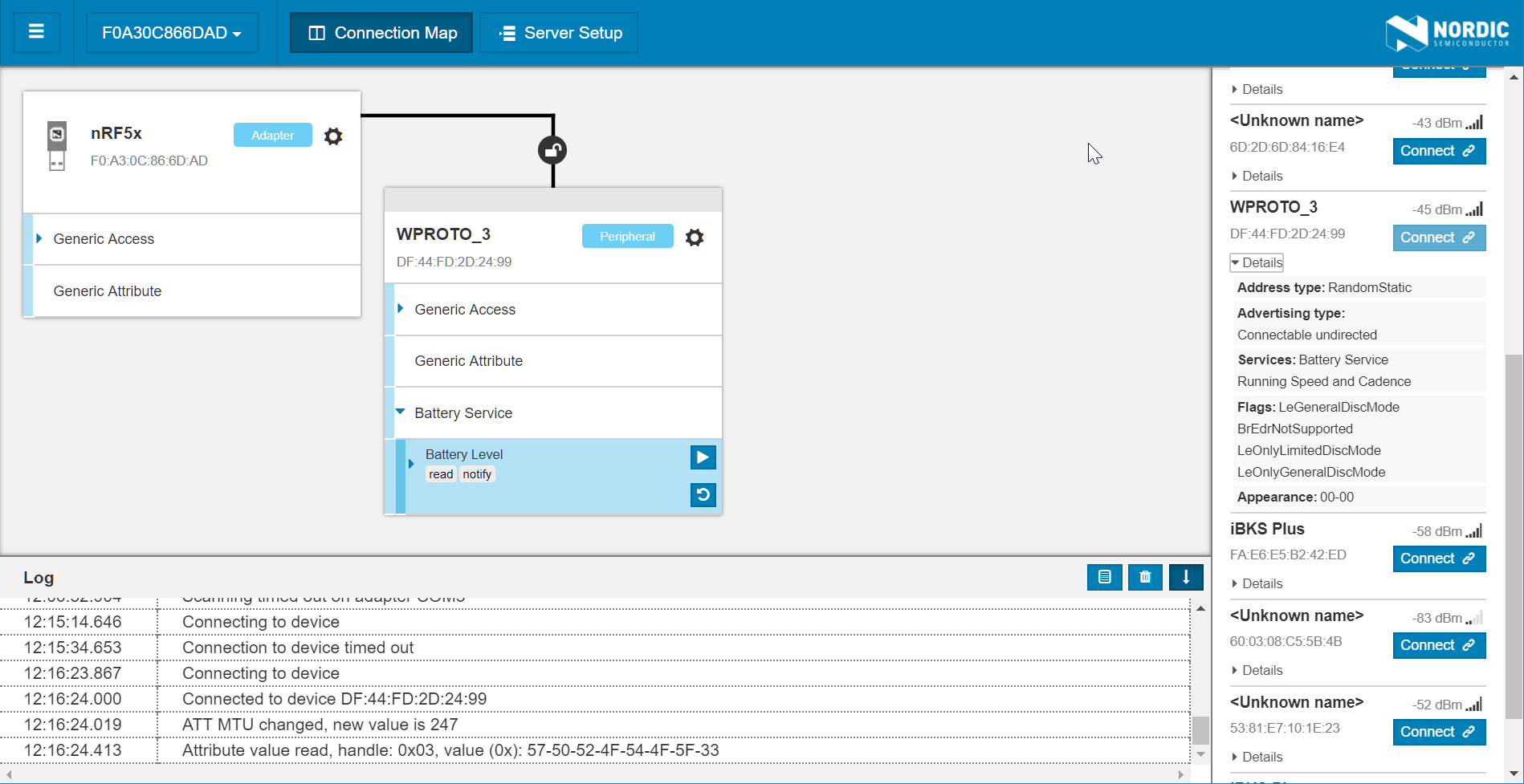
    If I instead scan from mi nRF52840 Dongle using Connect for PC app, that's what I get:

    Also with no DFU feature showing.

    What am I missing?

    Best regards,

    Juan

  • Hi Juan, 

    Which app did you do DFU update on ? 

    It seems that the app doesn't support DFU service. I'm not sure why you assume that the app should support DFU. 

    Please try to follow this to test the DFU buttonless app . If you want to do DFU update from your app, you need to include the DFU buttonless service (otherwise the only way to go back to DFU mode is to press and hold a button when resetting ) 

  • Hi Hung.

    The assumption is simply based on the fact that my app image was successfully flashed on the target device and it works as expected.

    The file I programmed is a merge I made on my own from two different example apps from SDK v15.2.0. I certainly didn't include any DFU buttonless service on it, but it looks that this didn't prevent me from performing a successful programming through ble (??), yet the DFU sign does not show up while scanning the target device.

    (btw. I think your comment ...Please try to follow this to test the DFU buttonless app ... is missing some link (?))

    Waiting for your comments,

    Thanks

    Juan

  • Hi Juan, 

    Yes on the first time when the bootloader see no application it will by default enter bootloader mode. But when you have your app running, you need to enter the bootloader mode, either by holding a button when booting, or by using DFU buttonless service to receive a command in BLE. 

    You can find the DFU buttonless example in \examples\ble_peripheral\ble_app_buttonless_dfu and can find the documentation here

  • Extremely clear, Hung.

    Thanks for this comment and have a nice weekend.

    Juan

Reply Children
No Data
Related