This post is older than 2 years and might not be relevant anymore
More Info: Consider searching for newer posts

Lost ncs/nrf/lib/gps_sim folder after latest update in the nRF9160 master branch

I wanted to get Simple MQTT example and followed Case ID: 222137

Hi! I just saw the MQTT example that has been merged in the master branch and tried to run it on my DK (NB-IoT). Without changing anything in the code or configuration the execution leads to the following…
By in Nordic DevZone > Nordic Q&A
18 replies
 

I followed Martin Lesund's suggestion to get the latest updates in the master branch to nrf.  I am using Windows 10 and MINGW64:c/nRF91/ncs

master upgrade log.txt

I encountered two problems. My first problem is :

Since I made some changes in Kconfig and gps_sim.c files, I got the following messages when I updated to master branch;  please see lines 1887 to 1890 in the attached file.

error: Your local changes to the following files would be overwritten by checkout:                              
        lib/gps_sim/Kconfig                                                                                     
        lib/gps_sim/gps_sim.c                                                                                   
Please commit your changes or stash them before you switch branches.                                            
Aborting                                                                                                        

After I completed the master branch updates, I lost the ncs/nrf/lib/gps_sim folder completely
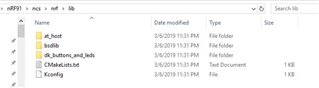
Without the gps_sim folder, can I still run asset_tracker and lte_ble_gateway samples?  

Did I mess up somethings?  Please advise. 

Parents
  • I lost the ncs/nrf/lib/gps_sim folder completely

     It has been relocated to github.com/.../gps_sim.

  • Again I have many more new issues after updated to Master branch.

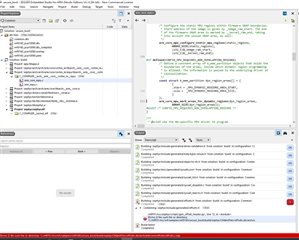
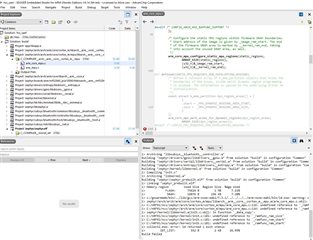
    1) Now I am using the latest master branch to run secure_boot sample and ran into build error

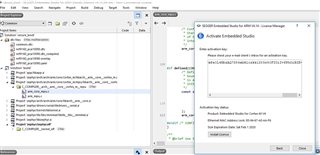
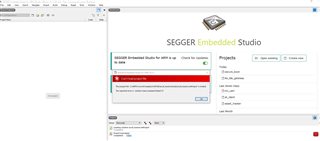
    2) SEGGER complained no Commercial license, but my license will expire on Feb 1 2020.  I have installed it many times, but still no commercial license. 

    3) I am using master branch and unable to load asset tracker project

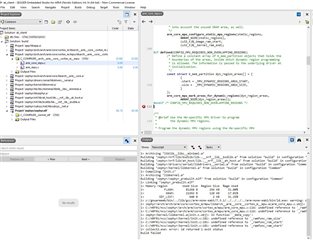
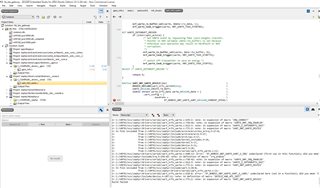
    4) I am using master branch, and at_client Build failed

    5) I am using master branch, same as at_client, hci_uart Build failed.  Please note, I have my license back.

    6) Again,  I am using master branch, same as at_client and hci_uart, lte_ble_gateway Build failed. This one has no commercial license again, why the license come and go?

    All these files, secure_boot, at_client, asset_tracker, hci_uart and lte_ble_gateway were all working fine before I updated to master branch.

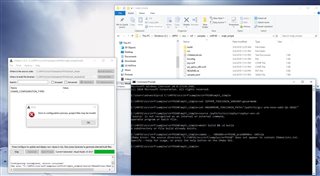
    7) I followed your suggestion to use "set" instead of "export", now I have CMake error.

    Please advise.

  • iotlight said:
    Again I have many more new issues after updated to Master branch.

     SES won't work properly if you are on the master branch. You will probably need to switch to command line tools to build the mqtt_simple sample.

Reply Children
  • Please see item 7) above, I already used command line tools to build mqtt_simple sample and have CMake error.  Please let me know how to fix CMake error.  In additional, I need your guidance on how to successfully build and run this mqtt_simple sample, not just fixing one problem at a time that will take forever to get one sample work. 

    P.S. I assumed your command line tools referred to the black window - Command Prompt on item 7) above, otherwise please let me know what is command line tools.

  • iotlight said:
    Please let me know how to fix CMake error.

     You need to be in the "build" directory to run the command you are using. ".." is referring to the parent directory "mqtt_simple", which contains CMakeLists.txt.


    iotlight said:
    In additional, I need your guidance on how to successfully build and run this mqtt_simple sample, not just fixing one problem at a time that will take forever to get one sample work.

    To build it, run "Ninja" from the build directory.

    To flash the application to your device, run "nrfjprog --program zephyr.hex -f nrf91 --sectorerase -r --verify" from "mqtt_simple\build\zephyr", or simply "Ninja flash".

Related