I used SEGGER Embedded Studio ARM 4.16 to by mistake program a NRF52-DK PCA10040 with a PCA10056 example from your SDK collection. As a result, I now persistently get "Failed to connect to target. No idcode code detected". How do I recover my board?
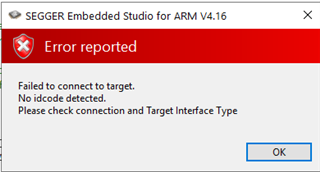
I used SEGGER Embedded Studio ARM 4.16 to by mistake program a NRF52-DK PCA10040 with a PCA10056 example from your SDK collection. As a result, I now persistently get "Failed to connect to target. No idcode code detected". How do I recover my board?

Tried nrfjprog with no success.
C:\Users\rnkay>nrfjprog --recover
Recovering device. This operation might take 30s.
ERROR: Recover failed. Please make sure that the correct device family is given
ERROR: and try again.
I see see the JLINK removable drive on mycomputer. I tried reflashing the J-Link OB firmware to the board by holding IF BOOT/RESET while powering the board and dropping the J-Link OB "J-Link OB-SAM3U128-V2-NordicSemi 170724.bin". Then when using SES debugger for build and run, a popup asked me to update the firmware. Still the issue persists.
Problem solved. Please, close ticket. It was a simultaneous action to prepare the board for power profiling by "Cut the PCB track shorting solder bridge SB9 to put P22 in series with the load" that caused this, NOT programming a PCA10056 hex. Installing a jumper over the P22 allowed me to put back PCA10040 firmware.