This post is older than 2 years and might not be relevant anymore
More Info: Consider searching for newer posts

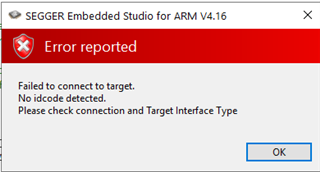
I used SEGGER Embedded Studio ARM 4.16 to by mistake program a NRF52-DK PCA10040 with a PCA10056 example from your SDK collection. As a result, I now persistently get "Failed to connect to target. No idcode code detected". How do I recover my boa

I used SEGGER Embedded Studio ARM 4.16 to by mistake program a NRF52-DK PCA10040 with a PCA10056 example from your SDK collection. As a result, I now persistently get "Failed to connect to target. No idcode code detected". How do I recover my board?
Parents
  • I see see the JLINK removable drive on mycomputer. I tried reflashing the J-Link OB firmware to the board by holding IF BOOT/RESET while powering the board and dropping the J-Link OB "J-Link OB-SAM3U128-V2-NordicSemi 170724.bin". Then when using SES debugger for build and run, a popup asked me to update the firmware. Still the issue persists.

Reply
  • I see see the JLINK removable drive on mycomputer. I tried reflashing the J-Link OB firmware to the board by holding IF BOOT/RESET while powering the board and dropping the J-Link OB "J-Link OB-SAM3U128-V2-NordicSemi 170724.bin". Then when using SES debugger for build and run, a popup asked me to update the firmware. Still the issue persists.

Children
No Data
Related