

Hello,
Our setup:
IDE: Segger Embedded Studio for ARM V4.12, nRFgo studio
SDK: nRF5_SDK_15.2.0_9412b96 + SDK for Mesh3.1.0,
Softdevice: 6.1.1
Computer Platform: Windows 8 64 Bit
Hardwares: 1 NRF52 Development Board, 2 BT840E modules
RTT viewer:J-link RTT Viewer V6.40
We have prepared a customize circuit using BT840E module and we have used very limited pins which we required in our application...
To test with light mesh code we require LEDs to be turned on/off and the LEDs must be connected to pins same as in DK board..
We used two GPIOs of BT840E modules for LED and that are P1.00(pin 12) P0.13(pin 13)... but now with our setup there is no chance to connect extra LEDs externally...
But with above setup we have tried light switch mesh example...
Steps we performed to test light switch mesh example:
We have flashed soft device hex + light switch server hex to BT840E modules which is soldered on our customized hw board ... And Flashed soft device hex + light switch client hex to nRF52840 DK board ... (note: we have erased all before flashing light mesh example hex)
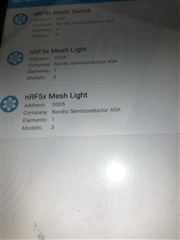
Then we have performed mesh provisioning process from Android nrf mesh mobile app.. One by One we we set bind key, publish address(for client), and subscribe address(for server) etc (Note : provisioning (from mobile mesh app) one board other two are off )... Then we hit on connect tab on nrf mesh mobile app...
we have not observed as mentioned below (link reference: https://infocenter.nordicsemi.com/index.jsp?topic=%2Fcom.nordic.infocenter.meshsdk.v3.1.0%2Fmd_doc_getting_started_mesh_quick_start.html)
- Server:
- During provisioning process:
- LED 3 and 4 blinking: Device identification active.
- LED 1 to 4: Blink four times to indicate provisioning process is completed.
- After provisioning and configuration is over:
- LED 1: Reflects the value of OnOff state on the server.
- LED ON: Value of the OnOff state is 1 (
true). - LED OFF: Value of the OnOff state is 0 (
false).
- LED ON: Value of the OnOff state is 1 (
- LED 1: Reflects the value of OnOff state on the server.
- During provisioning process:
- Client:
- During provisioning process:
- LED 3 and 4 blinking: Device identification active.
- LED 1 to 4: Blink four times to indicate provisioning process is completed.
- After provisioning and configuration is over, buttons on the client are used to send OnOff Set messages to the servers:
- Button 1: Send a message to the odd group (address: 0xC003) to turn on LED 1.
- Button 2: Send a message to the odd group (address: 0xC003) to turn off LED 1.
- Button 3: Send a message to the even group (address: 0xC002) to turn on LED 1.
- Button 4: Send a message to the even group (address: 0xC002) to turn off LED 1.
- During provisioning process:
-
Provisioner:
- Button 1: Start provisioning.
- LED 1: Reflects the state of the provisioning.
- LED ON: Provisioning of the node is in progress.
- LED OFF: No ongoing provisioning process.
- LED 2: Reflects the state of the configuration.
- LED ON: Configuration of the node is in progress.
- LED OFF: No ongoing configuration process.
We also tried to see logs in RTT viewer but nothing is so clear, what exactly is going on ...
But we observed when we press 0 key from keyboard LED 1 on DK board turns on, And when we press 1 key on keyboard LED 1 turns off.. But nothing happens,no LED turns on/off, on server board(BT840E modules) when we press any Button 1,2,3,4 on client board(nRF52840 DK board) ...
log from "Log" tab on J-link RTT Viewer V6.40:-->
LOG: J-Link RTT Viewer V6.40: Logging started.
LOG: Terminal 0 added.
LOG: Device "NRF52840_XXAA" selected.
LOG: Found SW-DP with ID 0x2BA01477
LOG: Found SW-DP with ID 0x2BA01477
LOG: Scanning AP map to find all available APs
LOG: AP[2]: Stopped AP scan as end of AP map has been reached
LOG: AP[0]: AHB-AP (IDR: 0x24770011)
LOG: AP[1]: JTAG-AP (IDR: 0x02880000)
LOG: Iterating through AP map to find AHB-AP to use
LOG: AP[0]: Core found
LOG: AP[0]: AHB-AP ROM base: 0xE00FF000
LOG: CPUID register: 0x410FC241. Implementer code: 0x41 (ARM)
LOG: Found Cortex-M4 r0p1, Little endian.
LOG: FPUnit: 6 code (BP) slots and 2 literal slots
LOG: CoreSight components:
LOG: ROMTbl[0] @ E00FF000
LOG: ROMTbl[0][0]: E000E000, CID: B105E00D, PID: 000BB00C SCS-M7
LOG: ROMTbl[0][1]: E0001000, CID: B105E00D, PID: 003BB002 DWT
LOG: ROMTbl[0][2]: E0002000, CID: B105E00D, PID: 002BB003 FPB
LOG: ROMTbl[0][3]: E0000000, CID: B105E00D, PID: 003BB001 ITM
LOG: ROMTbl[0][4]: E0040000, CID: B105900D, PID: 000BB9A1 TPIU
LOG: ROMTbl[0][5]: E0041000, CID: B105900D, PID: 000BB925 ETM
LOG: RTT Viewer connected.
LOG: Sent 1 bytes.
LOG: Sent 1 bytes.
LOG: Sent 1 bytes.
LOG: RTT Viewer disonnected.
LOG: Device "NRF52840_XXAA" selected.
LOG: Found SW-DP with ID 0x2BA01477
LOG: Found SW-DP with ID 0x2BA01477
LOG: Scanning AP map to find all available APs
LOG: AP[2]: Stopped AP scan as end of AP map has been reached
LOG: AP[0]: AHB-AP (IDR: 0x24770011)
LOG: AP[1]: JTAG-AP (IDR: 0x02880000)
LOG: Iterating through AP map to find AHB-AP to use
LOG: AP[0]: Core found
LOG: AP[0]: AHB-AP ROM base: 0xE00FF000
LOG: CPUID register: 0x410FC241. Implementer code: 0x41 (ARM)
LOG: Found Cortex-M4 r0p1, Little endian.
LOG: FPUnit: 6 code (BP) slots and 2 literal slots
LOG: CoreSight components:
LOG: ROMTbl[0] @ E00FF000
LOG: ROMTbl[0][0]: E000E000, CID: B105E00D, PID: 000BB00C SCS-M7
LOG: ROMTbl[0][1]: E0001000, CID: B105E00D, PID: 003BB002 DWT
LOG: ROMTbl[0][2]: E0002000, CID: B105E00D, PID: 002BB003 FPB
LOG: ROMTbl[0][3]: E0000000, CID: B105E00D, PID: 003BB001 ITM
LOG: ROMTbl[0][4]: E0040000, CID: B105900D, PID: 000BB9A1 TPIU
LOG: ROMTbl[0][5]: E0041000, CID: B105900D, PID: 000BB925 ETM
LOG: RTT Viewer connected.
LOG: Sent 1 bytes.
LOG: Sent 1 bytes.
log from "All terminals" tab on J-link RTT Viewer V6.40:-->
And this continues log:
Sending msg: ONOFF SET 1
00> <t: 164945>, main.c, 373, ----- Timer handler -----
00> <t: 2491475>, main.c, 200, Button 2 pressed
00> <t: 2491477>, main.c, 227, Sending msg: ONOFF SET 1<t: 2524241>, main.c, 373, ----- Timer handler -----
00> <t: 2524243>, main.c, 200, Button 3 pressed
00> <t: 2524245>, main.c, 227, Sending msg: ONOFF SET 0<t: 2557009>, main.c, 373, ----- Timer handler -----
00> <t: 2557011>, main.c, 200, Button 2 pressed
00> <t: 2557013>, main.c, 227, Sending msg: ONOFF SET 1<t: 2589777>, main.c, 373, ----- Timer handler -----
00> <t: 2589779>, main.c, 200, Button 3 pressed
00> <t: 2589781>, main.c, 227, Sending msg: ONOFF SET 0<t: 2622545>, main.c, 373, ----- Timer handler -----
00> <t: 2622547>, main.c, 200, Button 2 pressed
00> <t: 2622549>, main.c, 227, Sending msg: ONOFF SET 1<t: 2655313>, main.c, 373, ----- Timer handler -----
00> <t: 2655315>, main.c, 200, Button 3 pressed
00> <t: 2655317>, main.c, 227, Sending msg: ONOFF SET 0
log from "Termonal 0" tab on J-link RTT Viewer V6.40:-->
And this continues log:
main.c, 373, ----- Timer handler -----
<t: 3540049>, main.c, 373, ----- Timer handler -----
<t: 3540051>, main.c, 200, Button 2 pressed
<t: 3540053>, main.c, 227, Sending msg: ONOFF SET 1
<t: 3572817>, main.c, 373, ----- Timer handler -----
<t: 3572819>, main.c, 200, Button 3 pressed
<t: 3572821>, main.c, 227, Sending msg: ONOFF SET 0
<t: 3605585>, main.c, 373, ----- Timer handler -----
<t: 3605587>, main.c, 200, Button 2 pressed
<t: 3605589>, main.c, 227, Sending msg: ONOFF SET 1
<t: 3613713>, proxy.c, 579, Connected
<t: 3623959>, proxy.c, 606, TX ready
<t: 3625579>, proxy.c, 619, TX complete
<t: 3627225>, proxy.c, 611, RX
<t: 3627229>, proxy.c, 553, RX GATT PDU type 0x2, len 19
<t: 3630494>, proxy.c, 619, TX complete
<t: 3630504>, ble_softdevice_support.c, 104, Successfully updated connection parameters
<t: 3638353>, main.c, 373, ----- Timer handler -----
<t: 3638355>, main.c, 200, Button 3 pressed
<t: 3638357>, main.c, 227, Sending msg: ONOFF SET 0
<t: 3671121>, main.c, 373, ----- Timer handler -----
<t: 3671123>, main.c, 200, Button 2 pressed
<t: 3671125>, main.c, 227, Sending msg: ONOFF SET 1
Kindly Help... With some proper PDF documents if available...


 for test radio distance(190124)