This post is older than 2 years and might not be relevant anymore
More Info: Consider searching for newer posts

Thingy:91 not connectable. LED is off but can program

I was working with the Thingy:91 trying to get into into a serial printing state. I tried to updated the modem and firmware using the nrf Programmer. When updating the modem it hangs at 100%. Programming the device seems to succeed but now the LED is not flashing and the Thingy:91 is not connectable

I have tried downloading the following programs but it doesn't run:

It seemed like it was working fine until the modem update which didn't work. 

The other thing is (once it starts working) that if I need to get it printing output to a serial terminal I need to flash:

  • thingy91_ltem_2020-04-29_bc7ade8b.hex on the nrf91
  • thingy91_nrf52_usb_uart_bridge_2020-04-29_bc7ade8b.hex on the nrf52

And I do that by flipping switch on device, then flip to other and flash and then it should run?

Parents
  • So, for flashing using the external debugger which in my case is the Nordic: nRF5340 If I connect to that board instead of the Thingy91 in programmer and program will it work or will I need to set anything specific up (it's connected through the 10 pin as expected)

    I managed to get it to work. It seems that that was the problem I was using the full version. I wasn't able to find any thorough documentation about the different versions.

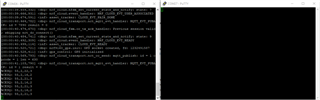
    The next question is that I'd like to get the Thingy 91 printing to serial. Preferably without connecting to it in cloud but right now it doesn't seem to for some reason. I tried to use it out of the package and I tried: Programming usb_uart_bridge on the nrf52 then ltem on the nrf91 and then connecting to it in cloud:

    I have connected to both ports. The first at 115200 and the second at 1000000 as specified in documentation.

    To be clear what I'm trying to do is to get the Thingy91 to print sensor data to the serial so that I can use it as for 2 purposes:

    • Data Collection tool, collecting accelerometer and environmental data
    • Narrow down where I can add calls to an external AI library to make some predictions based on sensor data. To do this I'd like to add prints in different parts of the code
Reply
  • So, for flashing using the external debugger which in my case is the Nordic: nRF5340 If I connect to that board instead of the Thingy91 in programmer and program will it work or will I need to set anything specific up (it's connected through the 10 pin as expected)

    I managed to get it to work. It seems that that was the problem I was using the full version. I wasn't able to find any thorough documentation about the different versions.

    The next question is that I'd like to get the Thingy 91 printing to serial. Preferably without connecting to it in cloud but right now it doesn't seem to for some reason. I tried to use it out of the package and I tried: Programming usb_uart_bridge on the nrf52 then ltem on the nrf91 and then connecting to it in cloud:

    I have connected to both ports. The first at 115200 and the second at 1000000 as specified in documentation.

    To be clear what I'm trying to do is to get the Thingy91 to print sensor data to the serial so that I can use it as for 2 purposes:

    • Data Collection tool, collecting accelerometer and environmental data
    • Narrow down where I can add calls to an external AI library to make some predictions based on sensor data. To do this I'd like to add prints in different parts of the code
Children
No Data
Related