This post is older than 2 years and might not be relevant anymore
More Info: Consider searching for newer posts

autoconf.h shows wrong precompiler values?

I'm trying to modify the asset tracker for the Thingy91 to read the actual values of the ADXL362 and BME680 sensors.  By default for some reason the project uses simulated values.   So I updated my proj.conf with the following updates as per the zephyr sample example: 

# SENSORS
CONFIG_SENSOR=y

# ACCELEROMETER
CONFIG_SPI=y
CONFIG_ACCEL_USE_EXTERNAL=y
CONFIG_ACCEL_DEV_NAME="ADXL362"
CONFIG_ADXL362=y
CONFIG_ADXL362_TRIGGER_GLOBAL_THREAD=y
CONFIG_ADXL362_ABS_REF_MODE=1
CONFIG_ADXL362_ACTIVITY_THRESHOLD=200
CONFIG_ADXL362_INACTIVITY_THRESHOLD=200
CONFIG_ADXL362_INTERRUPT_MODE=1

# ENVIROMENT SENSE
CONFIG_I2C=y
CONFIG_TEMP_USE_EXTERNAL=y
CONFIG_TEMP_DEV_NAME="BME680"

# Deselect CONFIG_BME680 if CONFIG_USE_BME680_BSEC is selected
CONFIG_BME680=y
CONFIG_USE_BME680_BSEC=n

However when I go to run the code I still see that CONFIG_ACCEL_DEV_NAME is set to "SENSOR_SIM".  The autoconf.h rendered header file still shows the "SENSOR_SIM" value.  I can't verify the stored value at runtime since SES would ever display variable values at run-debug time (variables are always "symbol not found"). 

So how can I modify the Asset Tracker example to get proper Sensor values polled?   Currently the Accelerometer only ever show 20mg on all axis which I assure is the simulated value rendering.  

Thanks for your help,

DC

Parents
  • I tried to update the proj.conf file through Segger's Configure nRF Connect SDK Project window in SES.  However this fails to load the menuconfig.  I just get the non descript error create_nordic_project.py failed (1). Struggle to figure out how to proceed.   The project loads and builds fine.  But I can't seem to alter any of these project settings to get it to work properly.   I've reinstalled nRF Connect SDK 1.4, and SES, but no luck getting past this point.

Reply
  • I tried to update the proj.conf file through Segger's Configure nRF Connect SDK Project window in SES.  However this fails to load the menuconfig.  I just get the non descript error create_nordic_project.py failed (1). Struggle to figure out how to proceed.   The project loads and builds fine.  But I can't seem to alter any of these project settings to get it to work properly.   I've reinstalled nRF Connect SDK 1.4, and SES, but no luck getting past this point.

Children
  • Hi,

    I assume you are using a Thingy:91?
    If so, you must use the prj_thingy91_nrf9160ns.conf file, and not prj.conf.

    In addition, if you are using SES, you must re-open the project afterwards for the changes to take effect.

    Dave_couling said:
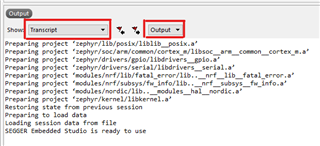
    However this fails to load the menuconfig.  I just get the non descript error create_nordic_project.py failed (1)

     Did you get any output in the output window?

    Best regards,

    Didrik

  • Why must I create prj_thingy91_nrf9160ns.conf?  This seem in conflict with the documentation where it state it should only use prof.conf unless there's a specific board deviate for this project.  But since this project will only use the Thingy91 I should need another *.conf file?  

    Am I write in assuming all I need to do is update the proj.conf file?   As opposed to the using the menuconfig SES application?  or the ninja menuconfig?  Its jus a little confusing which is the required method

  • Most projects will just have a prj.conf. But, if a project has different configurations for different boards, they can add a prj_<board name>.conf file that will be used instead of the prj.conf file when the project is built for <board name>.

    This is the case with the asset_tracker. Because the Thingy:91 has external sensors that the DK does not have, the Thingy:91 has its own configuration file that makes the asset_tracker use the external sensors.


    Dave_couling said:
    Am I write in assuming all I need to do is update the proj.conf file?   As opposed to the using the menuconfig SES application?  or the ninja menuconfig?  Its jus a little confusing which is the required method

     Menuconfig is originally a tool to configure a single build and not a project. My recommendation is to use menuconfig (I prefer the one in the command line, but the one in SES works too) for searching for options, debugging why an option is not set correctly, etc. Then, if you want to just affect a single build (e.g. to turn on logging), you can also set the options in menuconfig.

    But if you want to make "permanent" changes (i.e. not just for a single build, they can of course be changed later) you should set them in the prj.conf (or prj_<board_name>.conf) file. The reason for this is that changes done in menuconfig is written directly to the .config file in your buildfolder. Therefore if you delete your build folder, or use a version control system where you have not checked in the build folder, the changes done in menuconfig will be lost. This makes it much easier to accidentaly remove configs set earlier, and it makes it harder to share your project with others.

Related