This post is older than 2 years and might not be relevant anymore
More Info: Consider searching for newer posts

nRF5340PDK failed to connect to J-LINK

I have two nRF5340PDK, both of which would have worked normally. Then I accidentally download the firmware of 52840 version into nRF5340PDK by GProgrammer, which made them unable to connect to JLink. Is there any way to save it?Thankssss!!

Parents Reply Children
  • Hi
    Thank you for quick reply.
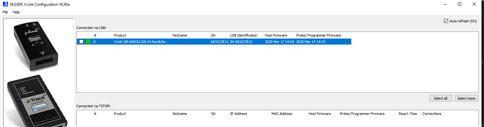
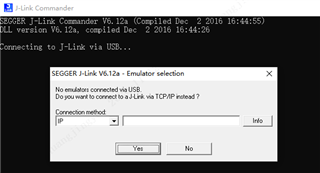
    According to your prompt, I check the jlink configration and update its firmware. It seems to be OK, but the chip still can’t be connected by jlink. The Programmer and jlink show this:

    Programmer

    Jlink

    I'm sure it's the 52840’ firmware downloading to the nrf5340 that caused the problem(After all, it happened twice, to my two nRF5340PDKs). I also tried to get into Bootloader mode by long pressing the Reset button, but failed(My 52840DK is ok). Does that mean the chip has been damaged? Is there any way to recover it? I think it is unreasonable that downloading the wrong firmware would render the PDK unusable. Please help to consider if there are other possibilities

    Thanks!!!

  • It seems that the chip went into a state that it is not able to recover.

    I assume that you succeed to connect to the device using J-Link Configurator but unable to connect it using J-Link Commander (based on your snapshots)

    You can try to use the nrfjprog to recover the chip as the last resort.

    In the normal command line, just type

     > nrfjprog --recover -f nrf53

Related