

Hi,
I tried to sniff 2 BLE devices and decrypt mesh packets using application / device / network keys option available in wireshark. I unable to see decrypted data. Please review and help.
Attached wireshark capture file and security keys along with it.
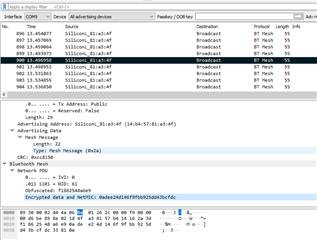
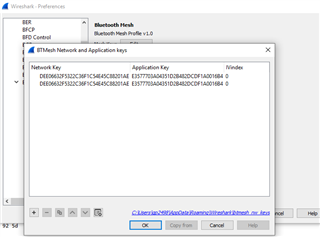
Adding application key and Network keys :
Adding device key:
I have added source address as 1,2 as listed in primary address. Do I need to change this ? Please comment

Similarly I have also added UUID for both the devices.
7217.MeshPacketDecryption.pcapng
{"devKeys":[{"primaryAddress":"1","value":"82B20BDFFB9E9467A843371E2E6E8AE9","uuid":"53696C6162734465762D4A908157B414"},
            {"primaryAddress":"2","value":"C9045D208BAFB7A03B21183AC9C69721","uuid":"53696C6162734465762D4FA38157B414"}],
"appKeys":[{"index":"0","boundNetKeyIndex":"0","value":"E3577703A04351D2B482DCDF1A0016B4"}],
"netKeys":[{"index":"0","value":"DEE06632F5322C36F1C54E45C88201AE"}]}

Bt:addr : for primary address 1 ->SiliconL_81:90:4a (14:b4:57:81:90:4a)
Bt:addr : for primary address 2 ->SiliconL_81:a3:4f (14:b4:57:81:a3:4f)
