

After installing nRF Command Line Tools I am getting a gray screen when opening nRF Connect.
I have tried to remove nRF Command Line Tools and reinstall nRF Connect but it did not resolve it.
It looks like this:
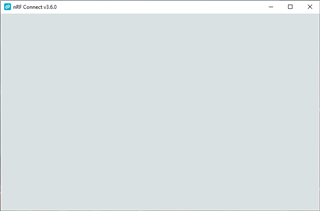
I opened the dev console and it showed this error
C:\Users\capnodin\AppData\Local\Programs\nrfconnect\resources\app.asar\node_modules\bindings\bindings.js:121 Uncaught Error: \\?\C:\Users\capnodin\AppData\Local\Programs\nrfconnect\resources\app.asar.unpacked\node_modules\pc-nrfjprog-js\build\Release\pc-nrfjprog-js.node is not a valid Win32 application.
\\?\C:\Users\capnodin\AppData\Local\Programs\nrfconnect\resources\app.asar.unpacked\node_modules\pc-nrfjprog-js\build\Release\pc-nrfjprog-js.node
at process.func (electron/js2c/asar.js:140)
at process.func [as dlopen] (electron/js2c/asar.js:140)
at Object.Module._extensions..node (internal/modules/cjs/loader.js:1016)
at Object.func (electron/js2c/asar.js:140)
at Object.func [as .node] (electron/js2c/asar.js:149)
at Module.load (internal/modules/cjs/loader.js:816)
at Module._load (internal/modules/cjs/loader.js:728)
at Module._load (electron/js2c/asar.js:717)
at Function.Module._load (electron/js2c/asar.js:717)
at Module.require (internal/modules/cjs/loader.js:853)
it was thrown in this function
function bindings(opts) {
// Argument surgery
if (typeof opts == 'string') {
opts = { bindings: opts };
} else if (!opts) {
opts = {};
}
// maps `defaults` onto `opts` object
Object.keys(defaults).map(function(i) {
if (!(i in opts)) opts[i] = defaults[i];
});
// Get the module root
if (!opts.module_root) {
opts.module_root = exports.getRoot(exports.getFileName());
}
// Ensure the given bindings name ends with .node
if (path.extname(opts.bindings) != '.node') {
opts.bindings += '.node';
}
// github.com/.../4175
var requireFunc =
typeof __webpack_require__ === 'function'
? __non_webpack_require__
: require;
var tries = [],
i = 0,
l = opts.try.length,
n,
b,
err;
for (; i < l; i++) {
n = join.apply(
null,
opts.try[i].map(function(p) {
return opts[p] || p;
})
);
tries.push(n);
try {
b = opts.path ? requireFunc.resolve(n) : requireFunc(n);
if (!opts.path) {
b.path = n;
}
return b;
} catch (e) {
if (e.code !== 'MODULE_NOT_FOUND' &&
e.code !== 'QUALIFIED_PATH_RESOLUTION_FAILED' &&
!/not find/i.test(e.message)) {
throw e; <------------------------------------------------------------------------
}
}
}
err = new Error(
'Could not locate the bindings file. Tried:\n' +
tries
.map(function(a) {
return opts.arrow + a;
})
.join('\n')
);
err.tries = tries;
throw err;
}
Will I have to build pc-nrfjprog-js.node myself?

