This post is older than 2 years and might not be relevant anymore
More Info: Consider searching for newer posts

Building udp example from command line

I have built several examples in nRF Connect SDK on MacOS and they seem to work OK.

Now trying to build the udp example

I have left the configuration as it was.

I build in the usual way 

  west build -b nrf9160dk_nrf9160 -p

  gives  

paul_tanner@iMac udp % west build -b nrf9160dk_nrf9160 -p 

-- west build: making build dir /Users/paul_tanner/Nordic/nrfsrc/ncs/nrf/samples/nrf9160/udp/build pristine

-- west build: generating a build system

Including boilerplate (Zephyr base): /Users/paul_tanner/Nordic/nrfsrc/ncs/zephyr/cmake/app/boilerplate.cmake

-- Application: /Users/paul_tanner/Nordic/nrfsrc/ncs/nrf/samples/nrf9160/udp

-- Zephyr version: 2.4.0 (/Users/paul_tanner/Nordic/nrfsrc/ncs/zephyr)

-- Found Python3: /usr/local/bin/python3.7 (found suitable exact version "3.7.7") found components: Interpreter

-- Found west (found suitable version "0.7.2", minimum required is "0.7.1")

-- Board: nrf9160dk_nrf9160

-- Cache files will be written to: /Users/paul_tanner/Library/Caches/zephyr

-- Found dtc: /usr/local/bin/dtc (found suitable version "1.6.0", minimum required is "1.4.6")

-- Found toolchain: gnuarmemb (/Applications/ARM)

-- Found BOARD.dts: /Users/paul_tanner/Nordic/nrfsrc/ncs/zephyr/boards/arm/nrf9160dk_nrf9160/nrf9160dk_nrf9160.dts

nrf9160dk_nrf9160.dts.pre.tmp:56.42-68.3: Warning (unique_unit_address_if_enabled): /soc/peripheral@50000000/flash-controller@39000: duplicate unit-address (also used in node /soc/peripheral@50000000/kmu@39000)

nrf9160dk_nrf9160.dts.pre.tmp:305.19-311.3: Warning (unique_unit_address_if_enabled): /soc/peripheral@50000000/clock@5000: duplicate unit-address (also used in node /soc/peripheral@50000000/power@5000)

-- Generated zephyr.dts: /Users/paul_tanner/Nordic/nrfsrc/ncs/nrf/samples/nrf9160/udp/build/zephyr/zephyr.dts

-- Generated devicetree_unfixed.h: /Users/paul_tanner/Nordic/nrfsrc/ncs/nrf/samples/nrf9160/udp/build/zephyr/include/generated/devicetree_unfixed.h

Parsing /Users/paul_tanner/Nordic/nrfsrc/ncs/nrf/samples/nrf9160/udp/Kconfig

Loaded configuration '/Users/paul_tanner/Nordic/nrfsrc/ncs/zephyr/boards/arm/nrf9160dk_nrf9160/nrf9160dk_nrf9160_defconfig'

Merged configuration '/Users/paul_tanner/Nordic/nrfsrc/ncs/nrf/samples/nrf9160/udp/prj.conf'

warning: BSD_LIBRARY (defined at /Users/paul_tanner/Nordic/nrfsrc/ncs/nrf/lib/bsdlib/Kconfig:8) was

assigned the value 'y' but got the value 'n'. Check these unsatisfied dependencies:

TRUSTED_EXECUTION_NONSECURE (=n). See

docs.zephyrproject.org/.../CONFIG_BSD_LIBRARY.html and/or look up

BSD_LIBRARY in the menuconfig/guiconfig interface. The Application Development Primer, Setting

Configuration Values, and Kconfig - Tips and Best Practices sections of the manual might be helpful

too.

warning: UART_CONSOLE (defined at drivers/console/Kconfig:47) was assigned the value 'y' but got the

value 'n'. Check these unsatisfied dependencies: SERIAL (=n), SERIAL_HAS_DRIVER (=n). See

docs.zephyrproject.org/.../CONFIG_UART_CONSOLE.html and/or look up

UART_CONSOLE in the menuconfig/guiconfig interface. The Application Development Primer, Setting

Configuration Values, and Kconfig - Tips and Best Practices sections of the manual might be helpful

too.

warning: AT_CMD (defined at /Users/paul_tanner/Nordic/nrfsrc/ncs/nrf/lib/at_cmd/Kconfig:9) has direct dependencies BSD_LIBRARY with value n, but is currently being y-selected by the following symbols:

- LTE_LINK_CONTROL (defined at /Users/paul_tanner/Nordic/nrfsrc/ncs/nrf/lib/lte_link_control/Kconfig:7), with value y, direct dependencies y (value: y)

error: Aborting due to Kconfig warnings

CMake Error at /Users/paul_tanner/Nordic/nrfsrc/ncs/zephyr/cmake/kconfig.cmake:239 (message):

  command failed with return code: 1

Call Stack (most recent call first):

  /Users/paul_tanner/Nordic/nrfsrc/ncs/zephyr/cmake/app/boilerplate.cmake:591 (include)

  /Users/paul_tanner/Nordic/nrfsrc/ncs/zephyr/share/zephyr-package/cmake/ZephyrConfig.cmake:24 (include)

  /Users/paul_tanner/Nordic/nrfsrc/ncs/zephyr/share/zephyr-package/cmake/ZephyrConfig.cmake:35 (include_boilerplate)

  CMakeLists.txt:11 (find_package)

-- Configuring incomplete, errors occurred!

FATAL ERROR: command exited with status 1: /usr/local/bin/cmake -DWEST_PYTHON=/usr/local/opt/python/bin/python3.7 -B/Users/paul_tanner/Nordic/nrfsrc/ncs/nrf/samples/nrf9160/udp/build -S/Users/paul_tanner/Nordic/nrfsrc/ncs/nrf/samples/nrf9160/udp -GNinja -DBOARD=nrf9160dk_nrf9160

Also tried 

west build -b nrf9160dk_nrf9160ns -p

which seems to build cleanly.  when running this we get 

*** Booting Zephyr OS build v2.4.0-ncs1  ***


Flash regions	
Domain
Permissions


00 00 0x00000 0x08000 	
Secure
rwxl


01 31 0x08000 0x100000 
Non-Secure
rwxl

Non-secure callable region 0 placed in flash region 0 with size 32.


SRAM region
Domain
Permissions


00 07 0x00000 0x10000 
Secure
rwxl


08 31 0x10000 0x40000 
Non-Secure
rwxl


Peripheral
Domain
Status


00 NRF_P0               Non-Secure
OK


01 NRF_CLOCK            Non-Secure
OK


02 NRF_RTC0             Non-Secure
OK


03 NRF_RTC1             Non-Secure
OK


04 NRF_NVMC             Non-Secure
OK

05 NRF_UARTE1           Non-Secure
OK


06 NRF_UARTE2           Secure
SKIP


07 NRF_TWIM2            Non-Secure
OK


08 NRF_SPIM3            Non-Secure
OK


09 NRF_TIMER0           Non-Secure
OK

10 NRF_TIMER1           Non-Secure
OK


11 NRF_TIMER2           Non-Secure
OK


12 NRF_SAADC            Non-Secure
OK


13 NRF_PWM0             Non-Secure
OK


14 NRF_PWM1             Non-Secure
OK

15 NRF_PWM2             Non-Secure
OK


16 NRF_PWM3             Non-Secure
OK


17 NRF_WDT              Non-Secure
OK


18 NRF_IPC              Non-Secure
OK


19 NRF_VMC              Non-Secure
OK


20 NRF_FPU              Non-Secure
OK


21 NRF_EGU1             Non-Secure
OK


22 NRF_EGU2             Non-Secure
OK


23 NRF_DPPIC            Non-Secure
OK


24 NRF_GPIOTE1          Non-Secure
OK


25 NRF_REGULATORS       Non-Secure
OK


SPM: NS image at 0xc000

SPM: NS MSP at 0x200234a0


SPM: NS reset vector at 0xfaa1

SPM: prepare to jump to Non-Secure image.

and then it stalls

Any suggestions please.

Parents
  • Hi Paul,

        You should use the following command to build a non-secure application like this UDP sample.


    ncs\v1.4.0\nrf\samples\nrf9160\udp> west build -b nrf9160dk_nrf9160ns -p

      prj.conf is used by default in the building process. Try to set CONFIG_SERIAL=y in prj.conf. This will enable the printout information in the program. You should see something like below if you connect a serial monitor.
    *** Booting Zephyr OS build v2.4.0-ncs1  ***
    UDP sample has started
    LTE cell changed: Cell ID: 17019393, Tracking area: 31201
    PSM parameter update: TAU: -1, Active time: -1
    RRC mode: Connected
    Network registration status: Connected - roaming
    
    PSM parameter update: TAU: 3600, Active time: 0
    Transmitting UDP/IP payload of 38 bytes to the IP address 8.8.8.8, port number 2469
    RRC mode: Idle
    
  • Thx Charlie,

    Looks a lot more promising now.

    ```

    UDP sample has started


    LTE cell changed: Cell ID: 131531896, Tracking area: 1328


    PSM parameter update: TAU: -1, Active time: -1


    RRC mode: Connected


    RRC mode: Idle

    ```

    I am probably not in range here.  Will try again somewhere else.

    By default, is this example configured for LTE/M or NB-IoT?

  • Ok, that is strange. I am not sure if this is due to uart connection. Did you see other printouts like this video shown on your screen?

  • Sorry, along the way I had deleted the application on the device.

    After reloading the at_client I could switch to offline mode CFUN=4 and add the certificates.

    The I reset the device and waited for LEDs.

    After many minutes there was no change.  Is this a range problem?  Is there any way to tell?

    BTW. the last thing on the Link Monitor after resetting was

      *** Booting Zephyr OS build v2.4.0-ncs1  ***
      The AT host sample started

    Is it in the state where we are waiting for LEDs to come on?

  • Hi Paul, Let's spend some time to confirm the cellular network connection first. I assume you have gone through this get start video I mentioned before, so you would understand what I mean in the following steps:

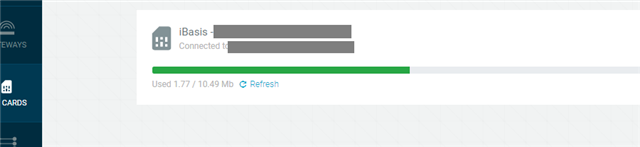
    1. login to nrfcloud and make sure that your SIM is registered and appear on the "SIM CARDS" item.


    2. Program latest nrf9160dk_fw_2020-10-30_5522ca2b\img_app_bl\nrf9160dk_at_client_2020-10-30_5522ca2b.hex and modem firmware nrf9160dk_fw_2020-10-30_5522ca2b\mfwnrf9160122.zip

    2. Connect nRF9160DK to LTE Link monitor, disable "Automatic requests" option on the right down corner.

    3. Input the following commands one by one

    AT+CFUN=4     // Stop modem in order to do configuration
    AT+CFUN?        // check modem state
    AT%XSYSTEMMODE=1,0,0,0  // enable LET-M support
    AT%XSYSTEMMODE? // check
    AT+CEREG=1 // configure register information output 
    AT+CEREG?   // check registeration info
    AT+CFUN=1
    AT+CEREG?  //   check registeration info

    4. Check if the output is the same as the below. Keeping using "AT+CEREG?" to check register state, this may take several minutes.  Here "+CEREG: 1,5"  means the SIM card has registered to the local cellular network. You can read nRF91 AT Commands to learn more detail.

    *** Booting Zephyr OS build v2.4.0-ncs1  ***
    The AT host sample started
    AT+CFUN?
    +CFUN: 0
    OK
    AT+CFUN=4
    OK
    AT+CFUN?
    +CFUN: 4
    OK
    AT%XSYSTEMMODE=1,0,0,0
    OK
    AT%XSYSTEMMODE?
    %XSYSTEMMODE: 1,0,0,0
    OK
    AT+CEREG=1
    OK
    AT+CEREG?
    +CEREG: 1,4
    OK
    AT+CFUN=1
    OK
    +CEREG: 2
    +CEREG: 5
    AT+CEREG?
    +CEREG: 1,5
    OK
     

    Just try these steps and let me the result out "AT+CEREG?".

  • Thx Charlie,

    Once I found the option for checking the SIM card (my window had been too small) I saw that it was not activated, maybe due to some issues with nrfcloud.com 2 days ago.  It is now.

    %XSYSTEMMODE: 1,0,0,0
    OK
    AT+CEREG=1
    OK
    AT+CEREG?
    +CEREG: 1,4
    OK
    AT+CFUN=1
    OK
    AT+CEREG?
    +CEREG: 1,4
    OK
    +CEREG: 2
    +CEREG: 5
    AT+CEREG?
    +CEREG: 1,5
    OK
    AT+CEREG?
    +CEREG: 1,5
    OK

    So this looks OK.

    Now when I click reset on the device and wait a while I still don't get any LEDs.

    (The SIM card pages says "Not connected to any device".)

    (and the device is not provisioned.)

  • Looks a bit better this morning.  I loaded the asset tracker binary and got LEDs flashing.  Was then able to add the device on the cloud and see it transmitting.

    On reflection about why this took so long, it was probably because I begun the exercise with "Getting started with the SDK" and only later discovered "Getting started with the nRF9160".  I think the former should begin with a link to the latter.

    Anyway, many thanks for your help.

Reply
  • Looks a bit better this morning.  I loaded the asset tracker binary and got LEDs flashing.  Was then able to add the device on the cloud and see it transmitting.

    On reflection about why this took so long, it was probably because I begun the exercise with "Getting started with the SDK" and only later discovered "Getting started with the nRF9160".  I think the former should begin with a link to the latter.

    Anyway, many thanks for your help.

Children
Related