This post is older than 2 years and might not be relevant anymore
More Info: Consider searching for newer posts

Example for getting and setting rtc time using app using nrf52832

Hello,

I have just started learning nrf. I have an nrf52832 board and I want to get and set time using app.

I have seen this https://devzone.nordicsemi.com/f/nordic-q-a/57827/nrf5-calendar-example-questions

but haven't got much.

Please suggest me some examples.

Thank you in advance

  • Hi, thank you for your reply. 

    I am new with nrf. Actually, I have done only Arduino Programming only.

    I am familiar with C programming, but the problem is I haven't done any microcontroller programming yet that's why I am getting confused.

    Because in nrf there are many directories and all the interlinked.

    I am using nrf52832 DK 

    basically, I want to set and get time from the android app to nrf52832 DK.

    Could you please help me, how to get and set time using app

  •  To compile it, clone the repository in the [SDK]/examples/peripheral/ folder in SDK v16.0.0.

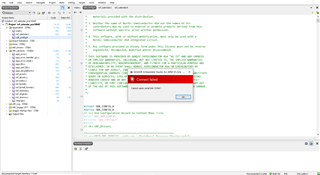
    I just did the same as you said but got the error

    Building ‘nrf_calendar_pca10040’ from solution ‘nrf_calendar_pca10040’ in configuration ‘Release’
    Linking nrf_calendar_pca10040.elf
    "C:/Program Files/SEGGER/SEGGER Embedded Studio for ARM 5.32a/gcc/arm-none-eabi/bin/ld" -X --omagic -eReset_Handler --defsym=__do_debug_operation=__do_debug_operation_mempoll -EL --defsym=__vfprintf=__vfprintf_long --defsym=__vfscanf=__vfscanf_long --gc-sections -TC:/nrf_sdk/nRF5SDK16/examples/peripheral/nrf5-calendar-example-master/pca10040/blank/ses/Output/Release/Obj/nrf_calendar_pca10040/nrf_calendar_pca10040.ld -Map Output/Release/Exe/nrf_calendar_pca10040.map -u_vectors -o Output/Release/Exe/nrf_calendar_pca10040.elf --emit-relocs --start-group @C:/nrf_sdk/nRF5SDK16/examples/peripheral/nrf5-calendar-example-master/pca10040/blank/ses/Output/Release/Obj/nrf_calendar_pca10040/nrf_calendar_pca10040.ind --end-group
    Output/Release/Obj/nrf_calendar_pca10040/ses_startup_nrf_common.o: in function `InitializeUserMemorySections':
    undefined reference to `__RAM1_segment_end__'
    Build failed

  • So, again, you need to go through those Getting Started links - they introduce you to the chip, and the SDK, and the development process.

    As with learning any new skill, it's important to start with the basics, build solid foundations, and work up a step at a time - rather than just leap in at the deep-end where you're out of your depth.

  • clone the repository in the [SDK]/examples/peripheral/ folder in SDK v16.0.0.

    I think that should be:  [SDK]\examples\ble_peripheral

    Which then gives me an SES Project "nrf_calendar_pca10040.emProject" in:

    [SDK]\examples\ble_peripheral\nrf5-calendar-example-master\pca10040\blank\ses

    If I open that, and do Build > Rebuild within SES - it builds successfully.

  • Thank you, after rebuilding its compiled, now where I can see the time because serial port is not connecting and aslo in the nrfConnect app its not showing up

Related