In order for make to be found by the build script, you need to put the install path of make in the PATH system environment variable. This is how to do that in Windows 10:
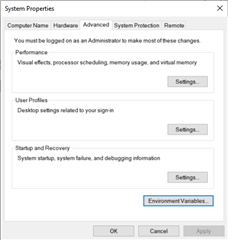
From control panel, select System, then "Advanced system settings". That should give you the "System Properties" window. Find the "Advanced" tab:
Click the "Environment Variables..." button. This gives you the "Environment Variables" window. There are two lists there. The top one is for your user only, and any settings there will affect your user, but not any other user on the same computer, if any. The bottom one is "System variables", which is system wide for all users. Which one to use depend on whether you want to set this up only for yourself, or if you want it set up for other users of the computer as well.
Find the "PATH" entry in the list, select it, and click the "Edit...'" button below the list. You should then get an "Edit environment variable" window.
To add an entry, click the "New" button on the top right. You can then enter a new line in the list. You need to put in the file path for where the installed make.exe is to be found. On my computer, that path is "C:\Program Files (x86)\GnuWin32\bin", but it depends on what installation of make you are using.
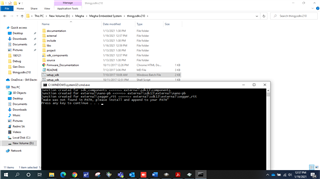
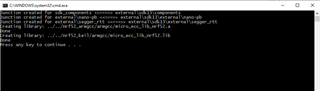
After following these steps now I'm able to run setup_sdk.bat Please find below screenshot for your reference.
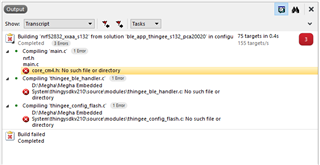
But now if I opened the ses project from path (\thingysdkv210\project\pca20020_s132\ses\ble_app_thingee_s132_pca20020) was unable compile still. Please refer below screenshot,